Building a successful digital product—whether it's a fintech platform, a SaaS application, or an enterprise solution—is not an act of chance. It is the result of a structured, user-centric methodology designed to mitigate risk, align development with market needs, and drive business outcomes. The design process provides this exact framework, transforming abstract goals into tangible, high-value user experiences. Misunderstanding or skipping these stages leads to wasted resources, missed opportunities, and products that fail to connect with their intended audience.
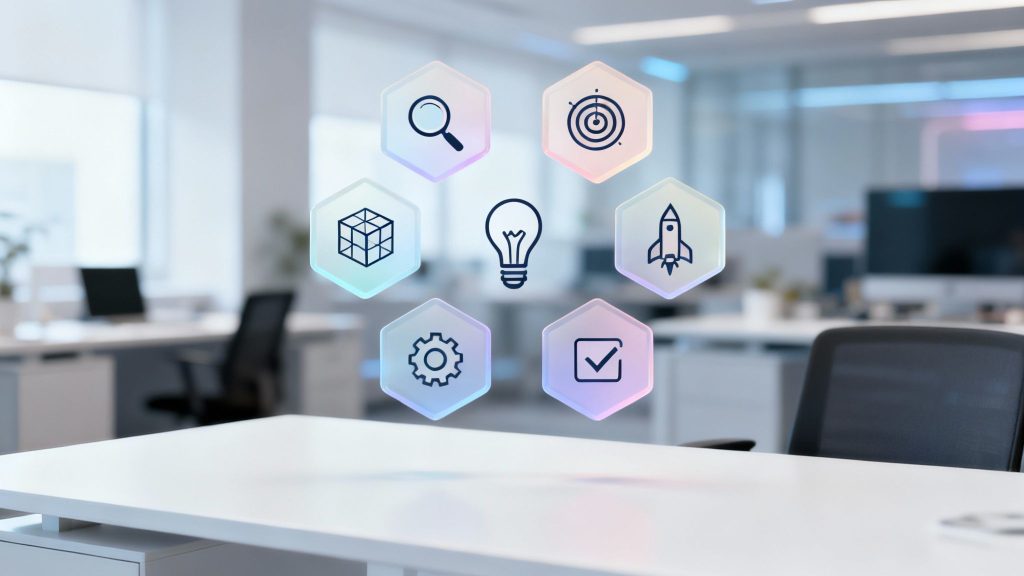
This guide provides a practical roadmap through the essential 6 steps of the design process. We'll move beyond theory to offer actionable insights for startups building an MVP, financial institutions modernizing platforms, and enterprises seeking to enhance their digital infrastructure. We will detail each stage, from understanding user needs to refining solutions based on direct feedback, ensuring you build not just a functional product, but the right product.
The focus is on creating solutions that are accessible, scalable, and drive measurable business growth. For organizations partnering with dedicated offshore engineering teams, following a rigorous design process is critical for maintaining strategic alignment and accelerating development without sacrificing quality. This article breaks down how to execute each of the six stages effectively to ensure your final product delivers real impact and a significant return on investment. You will learn not just what the steps are, but how to implement them to achieve concrete business outcomes.
1. Empathize – Understanding User Needs and Pain Points
The "Empathize" phase is the foundational first stage in the design process, dedicated entirely to understanding the people you are designing for. Rather than starting with assumptions or technological capabilities, this step prioritizes deep, human-centered research to uncover the motivations, experiences, and pain points of your target audience. This is where you move from "what we think users want" to "what users actually need."
For any organization, from a lean startup building a minimum viable product (MVP) to an enterprise modernizing its systems, this stage is non-negotiable. Skipping it leads to building products that miss the mark, fail to gain traction, and waste significant resources. The Empathize phase ensures the entire project is aligned with a real, validated market problem, making it a critical step in the 6 steps of the design process.

Why This Step Is Crucial
The primary goal of the Empathize phase is to gather objective insights that will inform every subsequent decision. It helps teams challenge their own biases and build a shared understanding of the user. For a fintech company, this could mean understanding the anxiety users feel about managing their finances online. For an enterprise software project, it might involve uncovering the daily workflow frustrations of employees across different departments.
Key Insight: Empathy isn't just about feeling for your users; it's about deeply understanding their context, behaviors, and underlying needs to create solutions that are both useful and intuitive. This is especially vital when designing for accessibility, as it ensures digital products are usable by everyone from the start.
Practical Actions and Deliverables
This phase is action-oriented and produces tangible assets that guide the rest of the design journey.
- User Interviews: Conduct one-on-one sessions with 5-10 representative users to gather in-depth qualitative data. A healthcare app team might interview users with visual impairments to understand their specific challenges with digital interfaces.
- Surveys and Questionnaires: Deploy targeted surveys to collect quantitative data from a larger user base, helping to validate patterns identified in interviews.
- Observational Research: Watch users interact with existing products or perform tasks in their natural environment to identify unspoken pain points and workarounds.
- Stakeholder Workshops: For enterprise projects, facilitate workshops with internal stakeholders from various departments (e.g., sales, support, legal) to map out business constraints and user needs.
The primary deliverables from this stage are User Personas (fictional characters representing key user segments) and Customer Journey Maps (visualizations of the user's experience with a product or service). These documents are essential for keeping the team user-focused.
Tools and Best Practices
- For Startups & MVP Teams: Start lean. Conduct at least 5-10 user interviews before writing a single line of code. Use collaborative tools like Figma's FigJam or Miro to synthesize research findings with your team, including offshore developers who can provide early technical feasibility feedback.
- For Enterprises: Leverage data analytics from existing platforms alongside qualitative research. A fintech company like Stripe famously studies merchant friction points by analyzing transaction data and conducting deep interviews to simplify its payment solutions.
- Accessibility Focus: From day one, include users with diverse abilities in your research. Creating separate personas for users with different accessibility needs ensures that inclusive design is a core principle, not an afterthought. Adhering to standards like the Web Content Accessibility Guidelines (WCAG) starts with understanding the real-world barriers people face. For more on building accessible solutions, explore our expertise in accessibility compliance.
2. Define – Articulating the Problem Statement and Requirements
The "Define" phase is the critical second stage where raw insights from the Empathize phase are synthesized into a clear, actionable problem statement. This step translates user needs and business goals into a focused brief that guides the entire project. Instead of jumping to solutions, the Define stage is dedicated to framing the right problem to solve, ensuring that design and development efforts are directed at a specific, validated user challenge.
This phase acts as a crucial bridge between research and execution. A fintech startup must define strict compliance requirements (like KYC/AML) here, while an enterprise team might specify performance metrics for a new data science feature. A poorly defined problem leads to scope creep, wasted resources, and solutions that miss the mark. A well-articulated problem statement is a cornerstone of the 6 steps of the design process, providing clarity and alignment for every team member, especially in distributed or offshore environments.
Why This Step Is Crucial
The primary goal of the Define phase is to establish a shared vision and a clear set of requirements that will guide all subsequent design and development work. It eliminates ambiguity and ensures that business objectives, user needs, and technical constraints are perfectly aligned. For SaaS platforms, this could mean defining user stories for a new DevOps automation feature. For banks, it might involve specifying accessibility requirements to meet WCAG 2.1 AA compliance.
Key Insight: A powerful problem statement is human-centered, broad enough for creative freedom, yet narrow enough to be manageable. It should focus on the user's need, not the company's, and avoid prescribing a specific solution. This focus ensures the team solves the root cause, not just a symptom.
Practical Actions and Deliverables
This phase transforms abstract findings into concrete documentation that directs the project team.
- Problem Statements: Craft clear, concise statements that frame the user's problem from their perspective (e.g., "An enterprise manager needs a way to track team performance without manual data entry because the current process is time-consuming and error-prone.").
- User Stories: Create detailed user story maps that break down features into specific, testable requirements (e.g., "As a user with low vision, I want to be able to increase the font size so that I can read the content easily.").
- Design Briefs: Develop a comprehensive document outlining the project goals, scope, success metrics, and constraints. To ensure clarity and alignment, utilizing a practical template for a design brief is essential for articulating problems and requirements.
- Requirements Documentation: Document both functional and non-functional requirements, including security protocols, data handling, performance benchmarks, and accessibility standards.
Key deliverables from this stage include a Project Brief, a prioritized Feature Backlog with detailed User Stories and Acceptance Criteria, and a list of defined Success Metrics (KPIs).
Tools and Best Practices
- For Startups & MVP Teams: Use the MoSCoW method (Must, Should, Could, Won't) to ruthlessly prioritize features for the initial launch. Tools like Jira or Trello are excellent for creating and managing a product backlog with clear user stories and acceptance criteria.
- For Enterprises: Collaborate with legal, compliance, and security teams early to define all non-functional requirements. Use frameworks like SMART (Specific, Measurable, Achievable, Relevant, Time-bound) to set clear project objectives and KPIs.
- Collaboration with Offshore Teams: A well-documented brief is non-negotiable for distributed teams. Clearly define API specifications, data requirements, and technical constraints to prevent miscommunication. Involve offshore technical leads in this phase to get early feedback on feasibility and potential challenges.
3. Ideate – Generating Creative Solutions and Design Concepts
The "Ideate" phase is the creative core of the design process, where the team transitions from identifying problems to generating a broad range of potential solutions. This stage is all about divergent thinking: encouraging quantity over quality, deferring judgment, and exploring unconventional ideas. The goal is to cast a wide net and generate a rich pool of concepts that can be refined, combined, and tested in later stages.
For any organization building a product, from a fintech startup designing a new payment flow to an enterprise team creating an internal tool, this step is crucial for innovation. Bypassing a dedicated ideation phase often leads to predictable, uninspired solutions that fail to create a competitive advantage. The Ideate phase is a pivotal part of the 6 steps of the design process, ensuring that the final product is not just functional but also innovative and user-centric.

Why This Step Is Crucial
The primary purpose of the Ideate phase is to push beyond obvious solutions and unlock creative pathways to solving the user problems defined in the previous stage. It empowers the team to challenge constraints, question assumptions, and explore a variety of design approaches. For a SaaS company, this could mean brainstorming novel features for its MVP to stand out in a crowded market. For a financial institution, it might involve ideating new security protocols that enhance user trust without adding friction.
Key Insight: True innovation comes from exploring a multitude of ideas, including the impractical and absurd. This process of "going wide" before "going deep" is essential for discovering breakthrough solutions that meet user needs in unexpected and delightful ways.
Practical Actions and Deliverables
This phase is characterized by collaborative, high-energy activities that produce a wealth of potential design directions.
- Brainstorming Sessions: Facilitate structured, time-boxed sessions (e.g., 90 minutes) where a cross-functional team, including developers and stakeholders, generates ideas. A fintech team might use this to brainstorm ways to visualize complex risk detection data for traders.
- Brainwriting and Sketching: Employ techniques like '6-3-5' brainwriting, where participants silently sketch or write down ideas and pass them along to build upon. This is highly effective for distributed or offshore teams.
- Crazy 8s: A fast-paced sketching exercise where each participant sketches eight different ideas in eight minutes. This forces creative thinking and prevents getting stuck on a single concept.
- Worst Possible Idea: A reverse brainstorming technique where the team intentionally generates bad ideas. This helps break creative blocks and often uncovers insights into what makes a good idea.
The key deliverables from this stage are a large collection of raw ideas, often documented as sketches, storyboards, or concept cards. These are then organized, discussed, and prioritized to select the most promising concepts for prototyping.
Tools and Best Practices
- For Startups & MVP Teams: Use virtual whiteboarding tools like Miro or Figma's FigJam to facilitate asynchronous and synchronous ideation with the entire team, including dedicated offshore developers. This ensures technical feasibility is considered from the outset.
- For Enterprises: Incorporate structured innovation frameworks like Design Sprints. For example, a large bank could run a sprint to ideate and prototype a new mobile onboarding experience, involving stakeholders from legal, compliance, and marketing.
- Accessibility Focus: Integrate accessibility prompts into every ideation session. Ask questions like, "How would a user with a screen reader navigate this feature?" or "What would a color-blind user see here?" This ensures that inclusive design principles are baked into the earliest concepts, aligning with our commitment to building accessible, compliant digital experiences.
4. Prototype – Building Testable Representations and MVPs
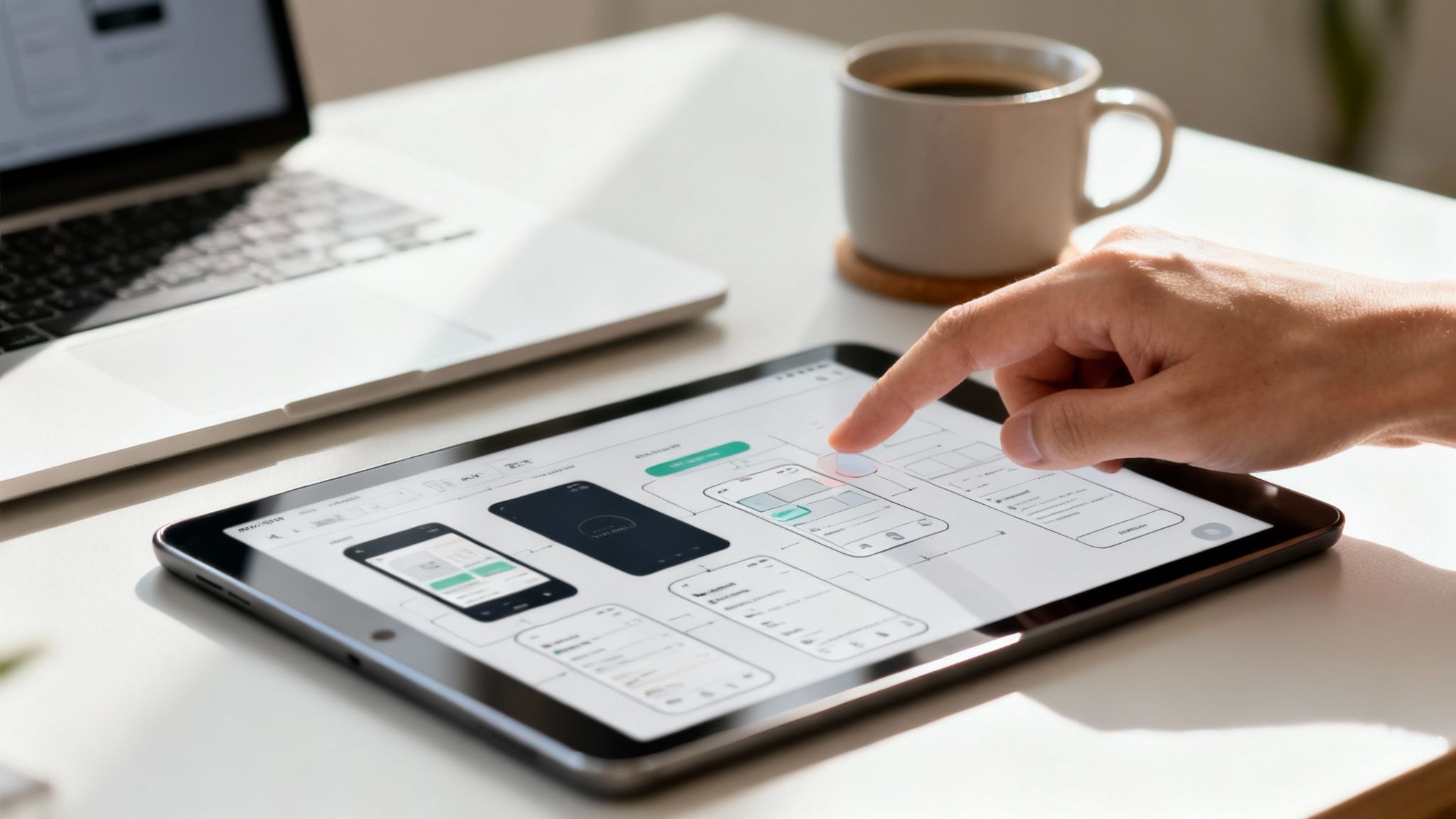
The Prototype phase is where abstract ideas and refined concepts are transformed into tangible, interactive representations. This stage bridges the gap between ideation and development by creating models that can be tested, evaluated, and refined before a single line of production code is written. Prototypes can range from simple paper sketches and low-fidelity wireframes to high-fidelity, interactive mockups or even a fully functional Minimum Viable Product (MVP).
This step is a powerful risk-mitigation tool. It allows teams to validate design assumptions, test user flows, and gather critical feedback with minimal investment of time and resources. For startups, rapid prototyping is the engine of the lean methodology, enabling fast learning cycles. For enterprises, it helps align stakeholders and de-risk major technology investments. This makes prototyping an indispensable part of the 6 steps of the design process.
Why This Step Is Crucial
The primary goal of prototyping is to fail fast and learn cheaply. By creating testable artifacts, you can uncover usability issues, validate the product’s value proposition, and ensure technical feasibility early on. For a fintech company, this could involve building an interactive prototype of a complex onboarding flow to identify user friction points. For a SaaS business, it might be a low-code MVP to test market demand for a new feature.
Key Insight: A prototype is a question embodied in a design. Its purpose is not to be a perfect final product but to get answers from users, stakeholders, and developers. Effective prototyping accelerates learning and prevents costly mistakes down the line.
Practical Actions and Deliverables
This phase is highly iterative and produces a variety of testable assets depending on project needs.
- Low-Fidelity Wireframes: Create basic, black-and-white layouts to validate information architecture, content hierarchy, and core user flows without the distraction of visual design elements.
- High-Fidelity Prototypes: Develop visually detailed and interactive mockups that look and feel like the final product. A banking app team, for example, might prototype a new biometric authentication journey to test its intuitiveness.
- Minimum Viable Product (MVP): For startups validating a core business idea, build a stripped-down but functional version of the product with just enough features to satisfy early customers. For an in-depth guide on this approach, you can explore our article on what an MVP is in software development.
- Design System Components: For enterprise projects, build a library of reusable, pre-tested UI components in a tool like Figma. This ensures consistency and speeds up both design and development. Once ideas are refined, the next critical step involves crafting your crowdfunding prototype, transforming concepts into tangible representations for testing.
Tools and Best Practices
- For Startups & MVP Teams: Use tools like Figma, Adobe XD, or Framer to create interactive prototypes that can be shared and tested with users quickly. No-code platforms like Bubble or Webflow are excellent for building functional MVPs without extensive engineering resources.
- For Enterprises: Leverage design systems to maintain brand consistency and efficiency. Ensure offshore engineering teams are included in prototype reviews to provide early feedback on technical constraints and implementation costs.
- Accessibility Focus: Build accessibility into your prototypes from the start. Test component libraries for color contrast, keyboard navigation, and screen reader compatibility. Document accessibility requirements, like ARIA labels, directly in your Figma files to ensure a seamless handoff to developers. This proactive approach prevents costly remediation later.
5. Test – Validating Solutions Through User Research and Feedback
The "Test" phase is where the prototype, MVP, or finished product meets the real world. This crucial stage is dedicated to validating the solutions designed in the previous phases by gathering direct feedback from actual users. It moves beyond assumptions and internal reviews to answer critical questions: Does the solution effectively solve the user’s problem? Is it intuitive and easy to navigate? Are there any hidden pain points or accessibility barriers?
For any product, from a startup's MVP to a complex enterprise platform, this phase is the ultimate reality check. Rushing it can lead to launching a product that is confusing, frustrating, or fails to meet core user needs, resulting in low adoption rates and costly post-launch fixes. The Test phase ensures the final product is not just functional but also usable, desirable, and accessible, making it an indispensable part of the 6 steps of the design process.
Why This Step Is Crucial
The primary goal of the Test phase is to identify and resolve usability issues before they impact a wider audience. It provides objective, evidence-based insights to refine the product, reduce development risk, and increase the likelihood of market success. For a fintech app, this could mean A/B testing different payment confirmation flows to see which one reduces user error. For enterprise software, it might involve load testing to ensure the system can handle thousands of concurrent users without performance degradation.
Key Insight: Testing is not a final quality check; it is an iterative feedback loop that informs design improvements. It's about observing behavior, not just asking for opinions, to uncover what works and what doesn't in a real-world context.
Practical Actions and Deliverables
This phase involves a mix of qualitative and quantitative methods to gather a comprehensive view of the user experience.
- Moderated Usability Testing: Conduct sessions where a facilitator guides 5-8 users through specific tasks using a prototype. Using a "think-aloud" protocol, where users voice their thoughts as they navigate, provides deep qualitative insights.
- Unmoderated Remote Testing: Use platforms like UserTesting.com or Maze to get feedback from a larger, more diverse group of users quickly and cost-effectively.
- A/B Testing: Launch two or more variations of a feature to different user segments to quantitatively measure which version performs better against a specific goal, such as conversion rate or task completion time.
- Accessibility Audits: Perform both automated and manual tests to ensure the product complies with WCAG standards. This includes testing with screen readers and other assistive technologies.
- Security and Performance Testing: For fintech and enterprise systems, conduct penetration testing to identify security vulnerabilities and load testing to validate system stability under stress.
Key deliverables from this phase include Usability Test Reports, which summarize findings and provide actionable recommendations, and a prioritized list of bugs and improvements for the development backlog.
Tools and Best Practices
- For Startups & MVP Teams: Start with lean usability testing. The Nielsen Norman Group famously found that testing with just five users can uncover about 85% of major usability problems. Use tools like Hotjar or FullStory to watch session recordings and understand user behavior on a live MVP.
- For Enterprises: Combine qualitative testing with robust quantitative data. A banking platform can use analytics to identify drop-off points in a loan application and then conduct targeted usability tests to understand why users are abandoning the process. Implement automated accessibility checks with tools like Axe directly into the CI/CD pipeline to catch issues early. Partnering with a dedicated QA team ensures comprehensive test coverage.
- Accessibility Focus: It is essential to recruit and include users with disabilities (e.g., visual, auditory, motor, cognitive impairments) in all usability testing rounds. This is the only way to truly understand how your product performs for everyone. For a deeper dive into different testing methodologies, explore our guide on Alpha vs. Beta testing and how they fit into the product lifecycle.
6. Iterate – Refining Solutions Based on Feedback and Continuous Improvement
The "Iterate" phase is the final, cyclical stage of the design process, where feedback from testing is used to refine and enhance the product. This isn't a one-time final polish; it's a continuous loop of improvement where teams make targeted changes, re-test their impact, and repeat. This phase embodies the core principles of agile and lean methodologies, transforming small, incremental adjustments into significant long-term value.
For any organization, this is where a good product becomes great. Startups use iteration to methodically find product-market fit, while enterprises leverage it to maintain a competitive edge and respond to shifting user expectations. The Iterate phase marks the transition from a project-based mindset to a product-based one, making it an essential conclusion to the 6 steps of the design process.
Why This Step Is Crucial
The primary goal of the Iterate phase is to ensure the product not only launches successfully but also evolves effectively. It bridges the gap between the controlled environment of usability testing and the unpredictable reality of the live market. By systematically applying data-driven insights, teams can prioritize high-impact improvements, fix usability issues, and enhance performance without guesswork.
For a fintech app, iteration could mean refining the onboarding flow to reduce user drop-off. For an enterprise CRM, it might involve continuously improving a core feature based on feedback from the sales team to boost their daily productivity.
Key Insight: Iteration is not about achieving perfection in one go; it’s about a commitment to perpetual improvement. It ensures that the product remains relevant, user-friendly, and valuable long after its initial launch.
Practical Actions and Deliverables
This phase is defined by its disciplined cycle of refinement, measurement, and deployment.
- Prioritization Matrix: Use frameworks like an impact/effort matrix to rank issues and feature enhancements identified during the "Test" phase. This ensures engineering resources are focused on what matters most.
- A/B Testing: Launch multiple versions of a feature to different user segments to quantitatively determine which one performs better against a specific goal (e.g., higher conversion rate, increased engagement).
- Analytics Monitoring: Continuously track key product metrics (e.g., task completion rates, user retention, error rates) to identify areas for improvement and validate the success of changes.
- Backlog Grooming: Maintain an organized and prioritized backlog of bug fixes, accessibility remediations, and feature enhancements to feed into future development sprints.
The key deliverables of this stage are a prioritized product backlog, updated design documentation, and a release plan detailing the rollout of changes.
Tools and Best Practices
- For Startups & MVP Teams: Use feature flags to roll out new functionality to a small subset of users first. This minimizes risk and allows you to gather real-world feedback before a full launch. Tools like LaunchDarkly or Split.io are invaluable for this.
- For Enterprises: Establish a mature DevOps culture to enable rapid and reliable deployment cycles. A robust CI/CD pipeline is the engine of effective iteration, allowing teams to push updates frequently and safely. Netflix is a prime example, constantly refining its recommendation algorithms through continuous testing and deployment.
- Accessibility Focus: Treat accessibility remediation as a core part of every iteration cycle. Integrate automated accessibility checks into your deployment pipeline and ensure that bug fixes and new features adhere to WCAG standards. This makes inclusive design an ongoing practice, not a one-off project. To learn more, explore the foundational role of a CI/CD pipeline in modern development.
6-Step Design Process Comparison
| Phase | Implementation Complexity | Resource Requirements | Expected Outcomes | Ideal Use Cases | Key Advantages |
|---|---|---|---|---|---|
| Empathize — Understanding User Needs and Pain Points | Low technical, high time and coordination | UX researchers, participants, survey/analytics tools | User personas, pain points, journey maps | Early discovery, MVP scoping, accessibility planning | Prevents building the wrong product; improves product-market fit |
| Define — Articulating Problem Statement and Requirements | Low–medium: synthesis and alignment work | Product owners, stakeholders, analysts, PM tools | Clear problem statements, user stories, KPIs, acceptance criteria | Distributed/offshore teams, compliance-sensitive projects | Reduces scope creep; enables accurate estimates and alignment |
| Ideate — Generating Creative Solutions and Design Concepts | Low technical, high facilitation and creativity | Cross-functional teams, collaboration tools (Miro, FigJam) | Multiple solution concepts, prioritized ideas, proto hypotheses | Feature innovation, competitive differentiation, design sprints | Produces diverse solutions; uncovers novel approaches early |
| Prototype — Building Testable Representations and MVPs | Medium–high: design + dev coordination | Designers, frontend engineers, prototyping/MVP tools | Testable prototypes/MVPs, component libraries, handoff assets | Validating flows, stakeholder demos, early user testing | Validates assumptions quickly; accelerates feedback and handoff |
| Test — Validating Solutions Through User Research and Feedback | Medium–high: specialized testing and analysis | Users, QA, security testers, accessibility experts, analytics | Usability findings, accessibility/compliance reports, performance data | Pre-launch validation, security/compliance checks, scaling | Reduces product risk; uncovers critical usability/security issues |
| Iterate — Refining Solutions Based on Feedback and Continuous Improvement | Ongoing: requires process maturity and automation | Cross-functional teams, CI/CD, analytics, feature-flagging | Incremental improvements, better metrics, validated changes | Post-launch optimization, growth, regulatory/market changes | Enables rapid response and continuous improvement; compounds gains |
Turn Process into Progress
Navigating product development without a structured framework is inefficient and risky. The 6 steps of the design process—Empathize, Define, Ideate, Prototype, Test, and Iterate—provide an essential roadmap for success. This isn't a rigid, linear sequence but a dynamic, cyclical methodology designed to mitigate risk, champion user needs, and drive sustainable business growth. By moving from deep user understanding to precise problem definition, creative ideation, tangible prototyping, and rigorous testing, you transform assumptions into validated facts.
The true power of this process lies in its final step: iteration. The design process is not linear; it's a continuous loop of learning and refinement. Each cycle sharpens your product, aligns it more closely with market demands, and builds a resilient foundation for scaling. Whether you are a startup launching an MVP, a fintech firm enhancing user security, or an enterprise modernizing a legacy platform, this structured approach ensures every feature, design choice, and development hour is invested with purpose.
From Framework to Tangible Results
Adopting these six steps moves design from a subjective art form to a strategic business function. It ensures that creativity is channeled effectively toward solving real-world problems for your target audience. Mastering this process means you are no longer just building features; you are engineering solutions that deliver measurable value, foster user loyalty, and create a distinct competitive advantage.
Here are the core principles to carry forward:
- Empathy is Your Foundation: All successful products begin and end with a deep understanding of the user. Never skip the Empathize phase; it's the bedrock upon which everything else is built.
- Definition Drives Clarity: A well-articulated problem statement, derived from user research, is your North Star. It keeps cross-functional teams, including offshore partners, aligned and focused on the same critical goal.
- Prototyping Mitigates Risk: Building low-fidelity and high-fidelity prototypes allows you to test ideas cheaply and quickly. This "fail fast" approach saves immense time and resources compared to course-correcting a fully developed product.
- Iteration is Inevitable: No product is perfect at launch. Embrace feedback from the Test phase as a gift, and build a culture that prioritizes continuous improvement through iteration. This is a core tenet of modern DevOps and CI/CD pipelines.
Your Next Steps to Implementation
To embed the 6 steps of the design process into your organization, move from theory to action. Start small. Pick a single feature or a new product idea and consciously walk it through each of the six stages. Document your findings, create the deliverables we've discussed, and measure the outcome. Pay close attention to how this structured approach impacts your team's communication, decision-making speed, and the final quality of the solution.
By committing to this proven framework, you stop guessing and start building with confidence. You ensure that your engineering efforts are directed at validated needs, your marketing messages resonate with genuine pain points, and your final product doesn't just function—it performs. This is how you turn a powerful process into tangible, measurable progress.
Ready to implement a design process that delivers exceptional results? The cross-functional teams at Group 107 specialize in executing this entire six-step lifecycle, from initial UX research to full-stack development and DevOps integration. Partner with us to build, test, and scale remarkable digital products with expert precision.