
Digital accessibility is the practice of designing and building websites, applications, and software to be fully usable by everyone, including people with disabilities. The simplest analogy is a digital wheelchair ramp next to a physical staircase—it ensures everyone can enter your digital front door, not just those who can take the stairs. This concept is not a technical afterthought; it's a strategic imperative that opens your business to a much larger audience.
Unlocking Your Audience Through Inclusive Design
At its core, what is digital accessibility is about a fundamental shift from a compliance mindset to one of genuine inclusive design. It's not about ticking boxes on a technical checklist. It's a strategic business decision to build digital products and services that work for people with a wide range of abilities, including those with visual, auditory, motor, or cognitive impairments. Forgetting this audience isn't a minor oversight; it's a massive business blind spot.

When a SaaS platform has unlabeled buttons, a person using a screen reader can’t complete a purchase. When a fintech app uses low-contrast colors, a user with low vision can't read their account balance. These aren't obscure edge cases. They are critical usability failures that directly impact revenue and erode brand loyalty.
The scale of this issue is consistently underestimated. As technology improves, so does our ability to pinpoint these barriers, and recent data reveals an urgent need for action across every industry.
Digital accessibility means designing digital content so people with disabilities can perceive, understand, operate, and interact with it effectively. A startling analysis of 15,000 websites found an average of 297 accessibility issues per page—a massive jump from just 37 two years prior. This is because advanced testing now uncovers more barriers that block 1.3 billion people globally from full online participation.
This isn't just a few users; it represents a significant segment of the global market. You can explore more insights from the 2025 Digital Accessibility Index in AudioEye's analysis of industry-wide accessibility trends.
Who Benefits From Digital Accessibility?
While the primary focus is on users with disabilities, the principles of accessible design create a better experience for all users. This is often called the "curb-cut effect," where features designed for a specific group end up benefiting everyone. For example:
- Video Captions: Essential for users who are deaf or hard of hearing, but also used by people watching videos in a loud office or with the sound off.
- High-Contrast Text: Critical for users with low vision, but also makes content easier to read for anyone using their phone in bright sunlight.
- Clear Navigation and Layouts: Helps users with cognitive disabilities process information, but also reduces friction and improves usability for every visitor.
By adopting an accessibility-first approach, companies in SaaS, finance, and e-commerce don't just mitigate legal risks—they build fundamentally better, more intuitive products. This commitment enhances brand reputation, expands market reach, and drives innovation by forcing teams to solve complex usability challenges. It transforms a compliance requirement into a powerful competitive advantage.
Why Accessibility Is A Business Imperative
Viewing digital accessibility as a mere compliance checkbox is a critical strategic error. It is a fundamental business function that impacts your bottom line, brand reputation, and market size. Ignoring accessibility doesn't just shut out potential customers—it exposes your company to significant legal and financial risk while leaving revenue on the table.
The consequences are real and growing more expensive each year. We're seeing a sharp increase in digital accessibility lawsuits that cause severe financial and reputational harm. In 2023 alone, there were 4,605 ADA Title III cases filed, a 14.1% increase from the previous year. Major e-commerce brands are frequently targeted for WCAG violations.
This trend is global. Regulations like the EU's European Accessibility Act (EAA) now mandate accessible digital services for everything from banking to e-books, with a hard deadline of June 28, 2025. You can get more details on these legal trends and accessibility statistics.

For industries like finance and SaaS, building accessibility in from the first MVP is no longer a "nice-to-have." It is a core component of risk management. The cost of retrofitting accessibility is exponentially higher than building it correctly from day one.
Expanding Your Market And Driving Revenue
Beyond risk mitigation, a genuine commitment to accessibility is a powerful growth driver. There are over 1.3 billion people globally with some form of disability. This represents a vast, often overlooked market segment with significant spending power. When you create digital products everyone can use, you are opening your doors to this massive demographic.
An accessible website or app almost always delivers a better user experience for everyone. This directly leads to higher engagement, increased conversion rates, and stronger customer loyalty. This is where accessibility shifts from being a cost center to a clear, measurable driver of ROI.
Enhancing Brand Reputation and SEO Performance
In today's competitive market, brand perception is paramount. Companies that prioritize inclusivity are viewed as ethical, modern, and customer-focused. That commitment builds trust and fosters a loyal community, giving you a powerful edge with consumers who value corporate social responsibility.
Furthermore, many accessibility best practices directly overlap with SEO fundamentals. The work required to make a site accessible also improves its structure and searchability for crawlers like Google. It’s a strategic win-win.
Key SEO benefits include:
- Logical Heading Structures: Proper H1, H2, and H3 tags create a clear content hierarchy, helping both screen reader users and search engines understand your page.
- Descriptive Alt Text: Alt text is crucial for users with visual impairments and provides search engines with valuable context about your images.
- Video Transcripts and Captions: Transcripts make video content accessible to users with hearing impairments while giving search engines a text-based version to index, boosting visibility.
Ultimately, investing in digital accessibility is a strategic move to build better products, reach more customers, and strengthen your brand. For a deeper analysis, review our guide on ADA website compliance. When you treat accessibility as a competitive advantage, you unlock its true potential to drive sustainable business growth.
Decoding WCAG And Core Accessibility Standards
Digital accessibility is built on a solid foundation of technical standards known as the Web Content Accessibility Guidelines (WCAG). Think of WCAG as the official building code for the internet—a shared, global rulebook for developers, designers, and organizations to create experiences that work for everyone.
Understanding WCAG is essential because it serves as the benchmark for most accessibility legislation worldwide, from the Americans with Disabilities Act (ADA) in the U.S. to the European Accessibility Act (EAA). It is a practical guide that explains the why behind critical design and development choices.
For instance, WCAG dictates why an image needs alternative text (so a screen reader can describe it) or why a website must be operable with only a keyboard (for someone who cannot use a mouse). Reviewing these essential guidelines for website accessibility is a great starting point for grasping these core standards.
The Three Levels of WCAG Conformance
WCAG organizes its guidelines into three tiers of conformance. Each level builds on the previous one, providing a clear roadmap for businesses to move from basic fixes to a truly inclusive user experience.
This table breaks down what each level means in a business context.
| Level | Description | Industry Standard/Requirement |
|---|---|---|
| Level A | The most basic level of accessibility. Meeting these criteria removes the most significant and common barriers for users with disabilities. Failure here means your site has major blocking issues. | Considered the absolute minimum. Non-conformance poses a high legal risk and can completely block user access. |
| Level AA | The accepted global standard and the target for most legislation. It addresses more subtle but critical barriers, such as color contrast and consistent navigation, ensuring the site is usable for the vast majority. | This is the "gold standard" for most businesses. Targeting Level AA is the primary goal for legal compliance and a quality user experience. |
| Level AAA | The highest possible level of accessibility. It represents an ideal state of inclusive design, covering advanced criteria like sign language interpretation for videos and extremely high contrast ratios. | While admirable, achieving full AAA conformance across an entire site is often not practical or required. It's best reserved for specialized content or audiences. |
For most organizations in SaaS, finance, and e-commerce, Level AA is the target. It strikes the optimal balance between achieving robust accessibility, meeting legal requirements, and maintaining the design flexibility needed to operate a modern business.
Translating Standards Into Action
The real value of WCAG lies in how its rules translate into a better, more usable product for all customers. Let’s examine a few core principles and their real-world impact.
- Sufficient Color Contrast (WCAG 1.4.3): This rule ensures text is easily readable against its background. It’s a game-changer for users with low vision or color blindness and helps anyone reading a screen in bright sunlight.
- Keyboard Accessibility (WCAG 2.1.1): This principle is simple: every function available with a mouse must also be available with a keyboard. It's critical for users with motor impairments and a major benefit for power users who rely on shortcuts.
- Labels or Instructions (WCAG 3.3.2): This guideline requires all form fields to have clear, visible labels. This helps screen reader users and those with cognitive disabilities understand what information is required, preventing errors and frustration.
Achieving and maintaining conformance is an ongoing commitment. For a closer look at the legal framework, our guide on ADA website compliance requirements offers essential context. By embracing these core standards, you move beyond compliance and start building digital products that truly serve everyone.
Fixing The Most Common Digital Barriers
Understanding accessibility principles is one thing; real progress happens when you actively remove the barriers that block users. Moving from theory to action means identifying and fixing the most common issues that create frustrating and often impossible digital experiences.
The good news is that many of these barriers are straightforward to fix once you know what to look for. These are not obscure technical glitches but fundamental flaws in design and development that prevent people with disabilities from navigating, understanding, and interacting with your product. Addressing them isn't just about compliance—it's about improving the core usability of your platform for everyone.
Missing Or Vague Image Alt Text
One of the most frequent—and easily corrected—issues is missing alternative text (alt text) for images. Alt text is a short, descriptive caption in the HTML that explains what an image depicts. Screen readers announce this text to users with visual impairments, giving them the same context a sighted user gets instantly.
Without it, an image is a blank space. A product photo on an e-commerce site, a data chart in a report, or a simple icon becomes a dead end, leaving the user completely in the dark.
- The Barrier: Users with visual impairments cannot perceive the image. A screen reader will either ignore it or announce something unhelpful like "image," causing confusion.
- The Fix: Write clear, concise alt text for every meaningful image. For purely decorative images, use an empty alt attribute (
alt="") so screen readers know to skip it. For complex images like graphs, provide a detailed description on the page itself.
Confusing Or Illogical Keyboard Navigation
Many people, especially users with motor disabilities who cannot use a mouse, rely entirely on a keyboard to navigate the web. They use the Tab key to move between interactive elements like links, buttons, and form fields.
When a site's focus order is illogical—jumping from the header to the footer and back to the middle of the page—it creates a disorienting experience. It is crucial that every interactive element is reachable and operable with the keyboard alone.
A logical and predictable keyboard navigation path is not just an accessibility feature; it's a sign of a well-structured and thoughtfully designed user interface. It ensures that all users, regardless of how they interact with the page, can follow a coherent path through your content and functionality.
To effectively identify and rectify common digital barriers, integrating specialized tools such as AI tools that check product UI for accessibility can be invaluable.
Low-Contrast Text And Unlabeled Forms
Two other pervasive barriers directly sabotage usability for a wide range of users: poor color contrast and unlabeled form fields. Both can make simple tasks feel impossible.
1. Low-Contrast Text: When text color is too similar to its background, it becomes difficult to read for users with low vision, color blindness, or even someone using a phone in bright sunlight. WCAG AA standards require a specific contrast ratio to ensure legibility.
2. Unlabeled Form Fields: A form that uses placeholder text instead of a proper label is a major roadblock. Screen readers cannot identify the purpose of the input field, and the placeholder often vanishes once a user starts typing, confusing users with cognitive disabilities. Always use a visible, programmatically associated <label> for every form input.
These issues are foundational to a usable product. For a deeper dive into practical solutions, our guide on web accessibility best practices offers a comprehensive checklist for your team. By systematically eliminating these common digital barriers, you can quickly make your product far more accessible and deliver a better experience for all users.
Building A Proactive Accessibility Strategy
True digital accessibility is not an add-on; it must be integrated into your company's DNA. A proactive strategy weaves accessibility into every stage of the product lifecycle, from initial concept to final deployment and all subsequent updates. This "shift-left" approach stops treating accessibility as a final, expensive checkbox and makes it an ongoing, integrated part of your workflow.
This requires a fundamental change in mindset. Instead of scrambling to fix problems to avoid legal issues, your teams build inclusively from the ground up. This proactive stance not only lowers the risk of costly remediation but also sparks innovation and leads to better, more robust products for everyone.
A Framework For Proactive Accessibility
Implementing a serious accessibility program requires a structured approach that aligns people, processes, and technology. The goal is to build a sustainable system where accessibility is a natural part of how your teams design, build, and launch software.
Here is a step-by-step framework to get started:
- Secure Leadership Buy-In: Successful accessibility programs have enthusiastic executive support. Frame accessibility not as a cost but as a business driver that opens new markets, strengthens the brand, and minimizes legal exposure.
- Define Roles and Responsibilities: Accessibility is a shared responsibility. Clarify ownership, from designers creating wireframes and developers writing code to QA testers verifying functionality. Establishing an "Accessibility Champion" role can spearhead the effort.
- Integrate Into Workflows: Weave accessibility checks directly into existing processes. This includes adding accessibility criteria to design systems, incorporating automated testing into your CI/CD pipeline, and making manual audits a non-negotiable part of QA.
- Train and Empower Teams: Provide your teams with the knowledge and tools to build accessible products confidently. Regular training on WCAG standards, assistive technologies, and inclusive design principles is essential for building internal expertise.
This flowchart illustrates the repair process for common web barriers.
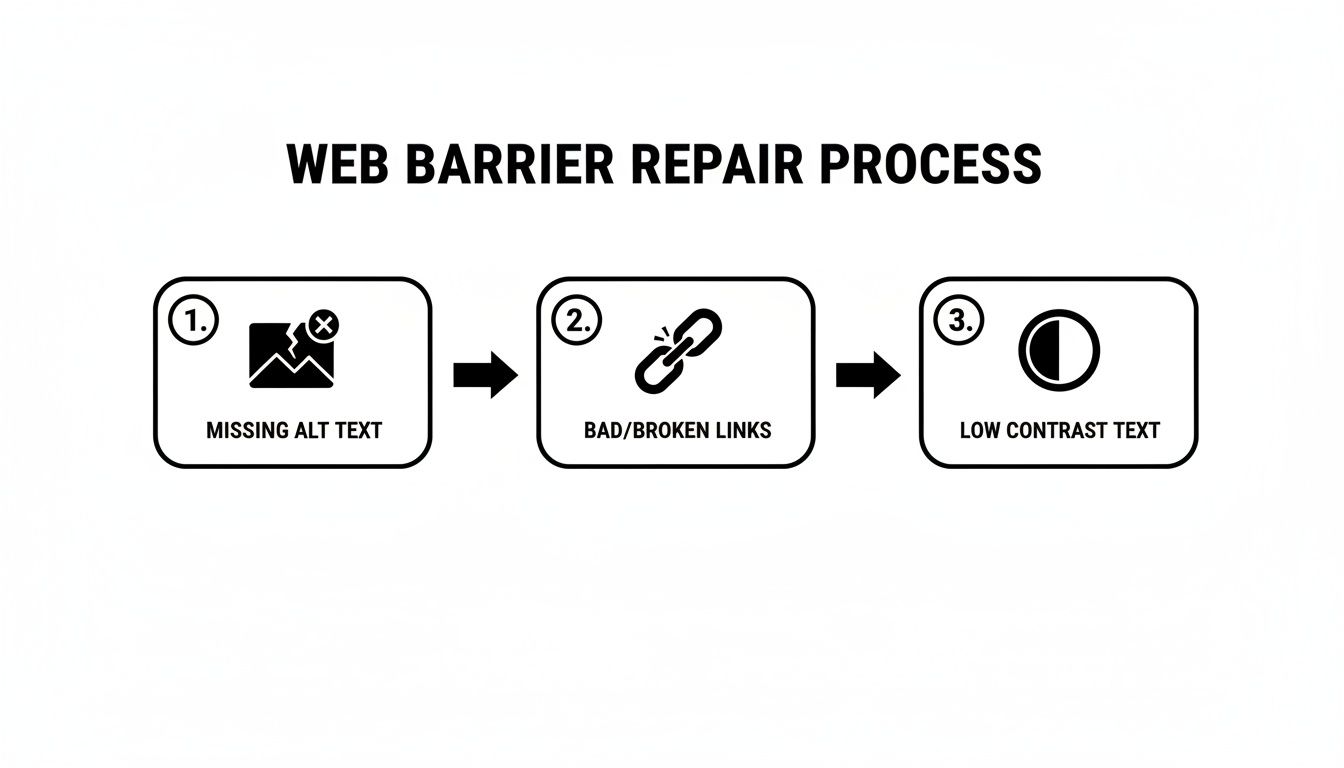
As shown, identifying and fixing issues like missing alt text, broken links, and low-contrast text can become a systematic part of your development workflow, not a last-minute emergency.
Balancing Automation With Expert Audits
The digital accessibility tools market is expanding rapidly for a reason. The global smart website accessibility tools sector is projected to reach $993.62 million by 2031. This growth is supercharged by AI, with 82% of professionals using it in their accessibility work. However, AI can also create inaccessible content, reinforcing the need for human oversight. You can explore more data on this in PixelPlex's report on web accessibility statistics.
A winning strategy balances the efficiency of automation with the critical insights of human expertise. Automated tools are excellent for catching up to 40% of WCAG issues, but they cannot replace manual testing for complex user journeys and genuine usability.
The most effective path forward is a hybrid approach:
- Automated Testing: Integrate AI-powered tools into your DevOps pipeline to catch common, code-level errors early and often. This provides a continuous baseline for compliance.
- Manual Expert Audits: Engage accessibility specialists for regular, in-depth audits. These experts, including users with disabilities, can evaluate complex interactions and user flows with a nuance that automation can never replicate.
By blending these methods, you transition from a reactive, compliance-focused mindset to a truly proactive culture of inclusion. It's a strategic move that ensures your digital products are not just compliant, but genuinely welcoming and usable for everyone.
Building Compliant And Inclusive Digital Solutions
Good intentions don't make a website accessible—specialized expertise and a clear strategy do. At Group107, we serve as your strategic partner, translating complex compliance requirements into tangible business advantages. Our mission is to build digital products that are not just compliant on paper but genuinely inclusive for all users.
Our process begins with a clear assessment of your current state. We combine automated scanning with manual audits by our experts, a hybrid approach that allows us to identify up to 100% of WCAG violations. This dual strategy catches everything from simple code errors to nuanced user experience flaws that automated tools miss. From there, we provide your teams with direct, actionable guidance to remediate issues efficiently.
Weaving Accessibility Into Your Development Lifecycle
Our core strength lies in making accessibility an integral part of your development process from day one. We provide embedded offshore development teams, leveraging elite Ukrainian IT talent specializing in accessible SaaS products, fintech platforms, and large-scale enterprise applications. By "shifting left," we make accessibility a foundational element, not an expensive afterthought.
This integrated approach delivers key business advantages:
- Lower Long-Term Costs: Building accessibility in from the start is always more cost-effective than retrofitting a non-compliant product.
- Faster Time-to-Market: Our teams help you launch an accessible MVP faster, enabling you to meet compliance deadlines without slowing innovation.
- Guaranteed Legal Compliance: We focus on achieving WCAG AA standards, creating necessary VPAT documentation, and helping you navigate the evolving legal landscape.
At Group107, we don't just find problems; we build the solutions. Our focus is on delivering secure, scalable, and fully accessible digital products that protect your brand, expand your market, and serve every user.
Partnering with us means gaining a dedicated team committed to making your digital presence a benchmark for excellence and inclusivity. To learn more about what makes a website truly compliant, read our guide on building an accessibility compliance website. We are here to ensure your product vision becomes a reality for all your customers.
Key Questions Answered for Business Leaders
Let's address common questions we hear from business leaders to clarify the strategic side of digital accessibility.
Is Digital Accessibility a One-Time Fix or an Ongoing Process?
Digital accessibility is definitively an ongoing commitment, not a one-time project. Your website or app is a living product, constantly evolving with new content, features, and code updates. Each change can inadvertently introduce new accessibility barriers.
The only way to maintain compliance and inclusivity is to embed accessibility into your team’s culture. This requires a sustainable program that includes regular automated scanning, periodic manual audits by experts, and continuous team training. It's about making accessibility a core part of how you build, from day one.
Does WCAG Conformance Guarantee a Perfectly Accessible Website?
Achieving WCAG AA conformance is the benchmark for legal compliance and a significant accomplishment. However, it does not automatically guarantee a "perfectly" accessible experience for every user. The guidelines provide the technical framework, but true accessibility is measured by the user's actual experience.
A website can check every technical box yet still be difficult for a screen reader user to navigate. This is why a hybrid approach is critical. Use WCAG as your north star, but always validate the user journey with manual testing by accessibility professionals to ensure the experience is smooth and logical, not just technically compliant.
What is the Difference Between Accessibility and Usability?
Accessibility and usability are closely related but distinct concepts.
- Accessibility is the foundation. It ensures people with disabilities can use your product. Can a blind user understand your content with a screen reader? Can a user with a motor impairment navigate with only a keyboard?
- Usability is about how easy and intuitive your product is for everyone. Is the navigation clear? Is the checkout process simple? Can users accomplish tasks without frustration?
You can have one without the other. A form might be technically accessible but so confusing that it's unusable. A beautiful interface might feel intuitive but be completely invisible to a screen reader. The goal is to achieve both, creating an experience that is not just possible to use, but a pleasure for everyone.
Summary and Next Steps
Digital accessibility is no longer optional; it is a business imperative that impacts legal risk, market reach, brand reputation, and overall product quality. Shifting from a reactive, compliance-driven mindset to a proactive, inclusive one unlocks significant competitive advantages.
Your Actionable Next Steps:
- Assess Your Current State: Conduct a comprehensive audit using both automated tools and expert manual testing to understand your baseline.
- Educate Your Leadership: Frame accessibility as a strategic investment in growth and risk management, not just a technical cost.
- Integrate Accessibility: Embed accessibility checks and training into your existing design, development, and QA workflows.
- Partner for Expertise: Engage specialists to guide your strategy, remediate complex issues, and build internal capabilities.
Ready to build a compliant and inclusive digital product? Group107 delivers expert accessibility audits, remediation, and embedded development teams to ensure your digital presence serves every user. Learn how we make accessibility your competitive advantage.