Selecting the right DevOps tools isn't just a technical choice—it's a strategic business decision. Your toolchain directly impacts time-to-market, operational efficiency, and your ability to scale. A practical DevOps tools comparison clarifies which solutions genuinely align with your team's workflow, infrastructure, and business objectives, preventing costly rework and vendor lock-in.
Why a Strategic DevOps Tools Comparison Matters
Making an informed choice about your DevOps toolchain is a critical inflection point for any organization, from a SaaS startup iterating rapidly to a large enterprise modernizing legacy systems. The right toolset does more than automate tasks; it creates a cohesive ecosystem that accelerates development, mitigates risk, and provides the visibility needed to innovate securely. Conversely, a poorly matched toolchain creates friction, introduces data silos, and grinds progress to a halt.
The objective is to build a seamless pipeline that moves code from a developer's machine to production reliably and efficiently. This requires a thoughtful evaluation of tools across several key categories, each serving a specific function in the software delivery lifecycle.
Core DevOps Tool Categories
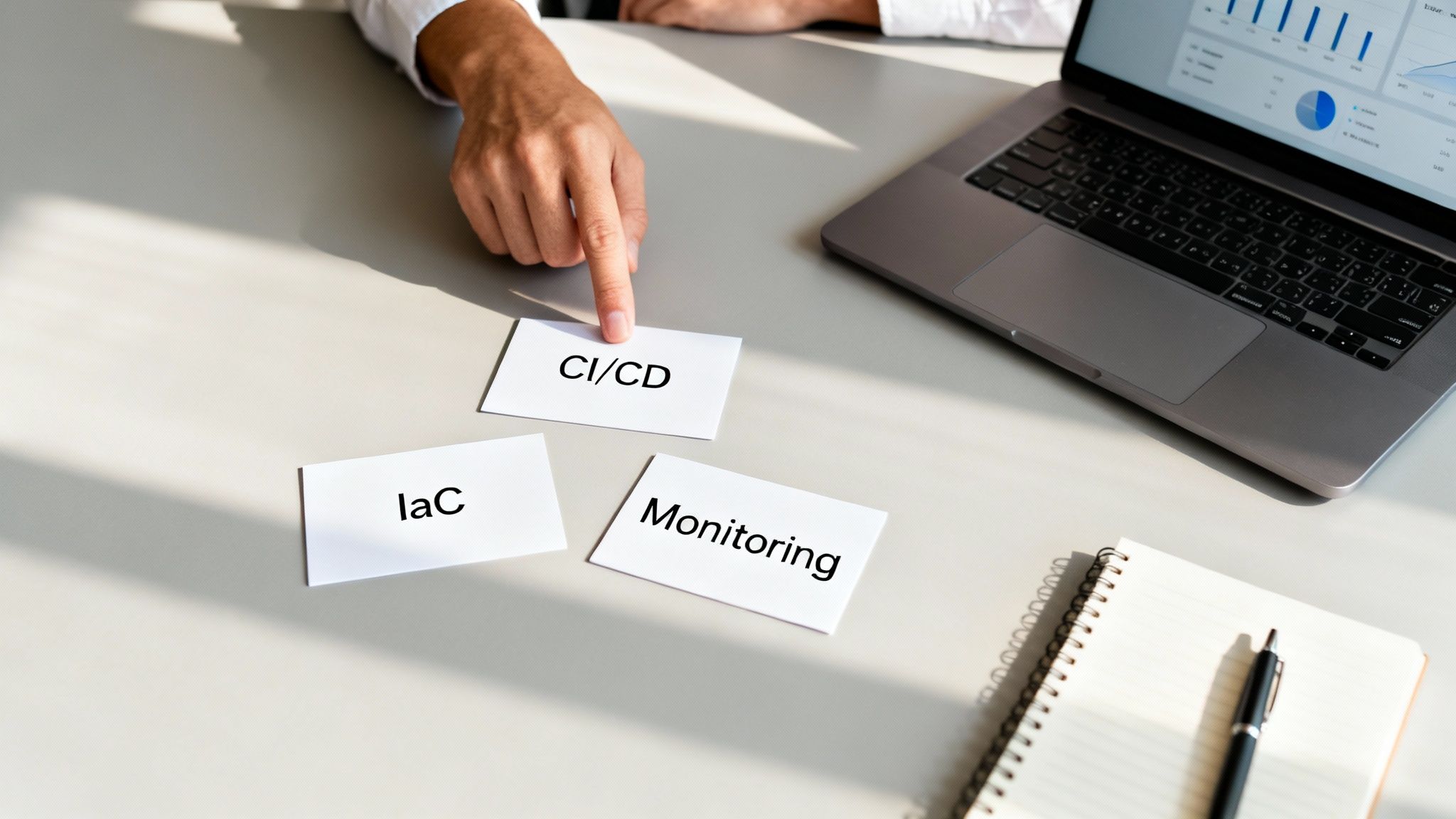
The first step in any meaningful comparison is to understand the primary tool categories. Each addresses a specific phase of the development and operations process:
- Continuous Integration/Continuous Delivery (CI/CD): These tools are the engine of your DevOps pipeline. They automate the build, test, and deployment processes, ensuring every code change is validated and prepared for release without manual intervention.
- Infrastructure as Code (IaC): IaC tools enable you to define and manage your entire infrastructure—servers, networks, databases—using code. This approach makes your setup repeatable, scalable, and version-controlled, just like your application code.
- Monitoring and Observability: These platforms provide deep visibility into your application's real-world performance. They move beyond simple alerts to help you understand why an issue occurred, enabling faster troubleshooting and a more proactive approach to system optimization.
A well-integrated toolchain is a competitive advantage. It transforms your development process from a series of manual handoffs into a streamlined, automated workflow, directly boosting developer productivity and business agility.
Key Evaluation Criteria
When comparing DevOps tools, avoid getting lost in feature checklists. The analysis should center on business impact and operational fit.
Focus on these critical criteria:
| Evaluation Criterion | Why It Matters for Your Business |
|---|---|
| Integration Capability | How well does the tool integrate with your existing systems? Seamless connections reduce complexity and prevent the creation of isolated data silos, improving workflow efficiency. |
| Scalability and Performance | Can the tool grow with your business? You must ensure it can handle increased user loads, larger workloads, and greater complexity without performance degradation. |
| Community and Support | What is your support system when issues arise? A strong open-source community or reliable vendor support translates to less downtime and faster problem resolution. |
Ultimately, a strategic DevOps tools comparison ensures your technology investments drive business growth. By focusing on integration, scalability, and support, you build a DevOps foundation that is powerful, resilient, and efficient. To dive deeper into pipeline automation, see our expert guide on what a CI/CD pipeline is.
Comparing CI/CD Platforms: Jenkins vs. GitLab vs. GitHub Actions
Continuous Integration and Continuous Delivery (CI/CD) pipelines are the engines powering modern software development. Selecting the right platform is a foundational decision that directly impacts development velocity and operational stability. Here, we conduct a practical comparison of three industry leaders: Jenkins, GitLab, and GitHub Actions.
Instead of a surface-level feature list, we will analyze the core philosophy behind each tool and identify the best fit for different business scenarios—from enterprises requiring deep customization to startups prioritizing a developer-first workflow.
Jenkins: The Customizable Workhorse
As the original open-source automation server, Jenkins' greatest strength is its unparalleled flexibility, supported by a massive ecosystem of over 1,800 plugins. This allows it to integrate with virtually any tool or system, making it the default choice for organizations with complex, unique, or legacy workflows.
Jenkins' commanding 46.35% market share in the CI/CD space is a testament to its adaptability. As the market grows toward a projected $3.72 billion by 2029, its power to provide total control over automation pipelines keeps it highly relevant.
However, this flexibility comes with significant operational overhead. Jenkins requires dedicated setup and ongoing maintenance. Your team is responsible for managing servers, updating plugins, and handling configurations, which can become a resource-intensive task.
Best Fit Scenario: A large financial institution with stringent compliance requirements and a mix of legacy and modern applications. Jenkins allows them to build fully custom pipelines that integrate with on-premise security scanners, proprietary deployment tools, and multiple cloud environments—a level of control that all-in-one platforms cannot match.
GitLab: The All-In-One DevSecOps Platform
GitLab offers a fundamentally different approach: a single, unified application for the entire software development lifecycle. It bundles source code management, CI/CD, security scanning, and monitoring into one cohesive platform.
This all-in-one model is its primary value proposition. Teams no longer need to integrate and manage a disparate collection of tools. GitLab serves as the single source of truth, allowing developers to view code, pipelines, and security vulnerabilities in one place, which reduces context switching and improves efficiency.
For teams ready to adopt its ecosystem, this consolidated approach can significantly accelerate development cycles. If you need a refresher on the fundamentals, review our guide on what a CI/CD pipeline is.
- Key Advantage: The built-in "Auto DevOps" feature automates the detection, building, testing, and deployment of applications with minimal configuration, saving significant engineering time.
- Operational Simplicity: With everything on one platform, managing users, permissions, and governance is far simpler than juggling multiple disparate tools.
Best Fit Scenario: A mid-sized SaaS company aiming to boost developer productivity and reduce toolchain complexity. GitLab provides a complete out-of-the-box solution, enabling them to focus on shipping features rather than managing infrastructure.
GitHub Actions: The Developer-Centric Automator
GitHub Actions is seamlessly integrated into the GitHub platform, where millions of developers already manage their code. Its power lies in this native integration, where pull requests, code pushes, and issue comments can trigger automated workflows.
The platform is heavily community-driven, with a marketplace full of pre-built "actions" for common tasks. This makes it incredibly easy to automate workflows without deep CI/CD expertise. It excels at tasks common in open-source projects, such as running tests across multiple operating systems or automatically publishing packages.
While fully capable of handling complex deployments, its core design empowers developers to automate their own processes directly within their code repositories.
CI/CD Tool Comparison: Jenkins vs. GitLab vs. GitHub Actions
This table provides a clear breakdown to guide your decision-making process.
| Evaluation Criterion | Jenkins | GitLab | GitHub Actions |
|---|---|---|---|
| Core Philosophy | Unmatched flexibility and control through plugins. | A unified, all-in-one DevSecOps platform. | Developer-centric, event-driven workflow automation. |
| Best For | Complex, custom enterprise workflows; legacy systems. | Teams seeking a single, simplified toolchain. | Open-source projects; developer-led automation. |
| Maintenance Overhead | High (self-hosted, plugin management). | Low to Medium (SaaS or self-hosted options). | Low (fully managed SaaS). |
| Learning Curve | High (Groovy scripting, complex configuration). | Medium (integrated concepts are extensive). | Low (YAML-based, extensive marketplace). |
The right choice depends on your team's context and strategic goals. Jenkins offers raw power for those who require it, GitLab provides simplicity through unification, and GitHub Actions brings automation directly into the developer's workflow.
Evaluating IaC Tools: Terraform vs. Ansible
Infrastructure as Code (IaC) revolutionizes infrastructure management by using definition files instead of manual configuration. It is the only practical way to build cloud environments that are scalable, repeatable, and compliant. The two most prominent tools in this space are Terraform and Ansible.
While often grouped together, they are built on different philosophies and solve distinct problems. Understanding their core differences is crucial for developing a robust automation strategy. In short, Terraform is for provisioning infrastructure, while Ansible is for configuration management.

Terraform: The Declarative Infrastructure Provisioner
Terraform, created by HashiCorp, is the industry standard for provisioning and versioning infrastructure. Its power lies in its declarative approach: you define the desired end state of your infrastructure, and Terraform executes the necessary steps to achieve it.
This model is a game-changer for deploying complex, multi-cloud environments. Whether you use AWS, Azure, or GCP, Terraform provides a unified workflow to manage all your resources.
- State Management: Terraform maintains a state file that maps your real-world resources to your configuration. This enables it to track metadata and efficiently manage changes, especially in large-scale infrastructures.
- Immutable Infrastructure: It excels in an immutable infrastructure model, where infrastructure is replaced rather than modified. This practice reduces configuration drift and ensures consistency.
Terraform is purpose-built for orchestration and provisioning. It excels at creating the foundational layers of your environment—VPCs, subnets, servers, and databases—before any configuration occurs.
Ansible: The Procedural Configuration Manager
Ansible, backed by Red Hat, operates differently. It uses a procedural (or imperative) approach, where you define a sequence of tasks to configure systems correctly. This makes it an excellent tool for software installation, application deployment, and ongoing system management—tasks performed after infrastructure is provisioned.
Its agentless architecture is a significant advantage. Ansible communicates via standard SSH, eliminating the need to install client software on target machines. It uses simple, human-readable YAML files called "playbooks" to define automation tasks.
Ansible is ideal for tasks such as:
- Installing and configuring software packages.
- Applying security patches across a server fleet.
- Orchestrating zero-downtime application deployments.
The Core Difference: Declarative vs. Procedural
The primary distinction lies in their operational models, which makes them suitable for different stages of the automation pipeline.
| Approach | Terraform (Declarative) | Ansible (Procedural) |
|---|---|---|
| How it Works | You define the final desired state of the infrastructure. | You define the specific steps required to reach a state. |
| Primary Use Case | Provisioning and managing cloud infrastructure resources. | Configuring software and managing the state of systems. |
| Idempotency | Natively idempotent; always converges on the desired state. | Modules are generally idempotent but require careful playbook design. |
| State Management | Relies on a state file to track resource status. | Agentless and stateless by default. |
To see these concepts applied in practice, reviewing real-world infrastructure as code examples can provide valuable context.
Using Terraform and Ansible Together
Mature DevOps teams do not view this as a "Terraform vs. Ansible" decision. They leverage both tools for their respective strengths to create a powerful, end-to-end automation workflow.
Here is a common workflow for deploying a SaaS application:
- Provisioning with Terraform: A developer commits a change to add a new web server. The CI/CD pipeline triggers Terraform, which creates the EC2 instance, configures security groups, and attaches it to a load balancer.
- Configuration with Ansible: Once the server is online, Terraform can trigger an Ansible playbook. The playbook connects to the new instance, installs Nginx, deploys the latest application code, and starts the required services.
This two-step process establishes a clean separation of concerns: Terraform manages the "what" (the infrastructure), while Ansible handles the "how" (the software running on it). This synergy produces a predictable, automated, and scalable deployment process that eliminates manual effort and reduces human error.
Choosing a Container Orchestrator: Kubernetes vs. Docker Swarm
Containers have transformed modern application deployment, but managing them at scale introduces significant complexity. Container orchestration platforms automate the deployment, scaling, and management of containerized applications. In this space, the choice almost always comes down to two major players: the powerful Kubernetes and the user-friendly Docker Swarm.
Selecting the right orchestrator is a strategic decision that depends on your team's size, application complexity, and long-term growth trajectory. The goal is to align your operational workload with your business objectives.
Kubernetes: The De Facto Standard for Complex Architectures
Kubernetes, often called K8s, is an open-source platform originally developed at Google. It has become the undisputed industry standard for managing large-scale, mission-critical container workloads. Its strength lies in a robust feature set designed for resilience and automation in complex microservices environments.
The platform offers advanced capabilities essential for enterprise-grade applications:
- Automated Scaling: Kubernetes can automatically scale applications based on CPU utilization or other custom metrics, ensuring optimal performance during traffic spikes while controlling costs.
- Self-Healing: It continuously monitors the health of containers and nodes, automatically restarting or replacing failed components to maintain application availability.
- Advanced Service Discovery and Load Balancing: For complex architectures, K8s provides sophisticated mechanisms for routing traffic between microservices.
A brief look at the official Kubernetes project homepage confirms its focus on production-grade capabilities.
The site positions Kubernetes as a "Production-Grade Container Orchestration" system, emphasizing its planetary scale and vibrant ecosystem—key selling points for organizations planning large-scale deployments.
However, this power comes at a cost. Kubernetes has a steep learning curve. Managing a cluster requires specialized expertise, and the operational overhead can be significant, making it a heavy lift for smaller teams.
Docker Swarm: The Lightweight and Integrated Orchestrator
Docker Swarm is Docker’s native orchestration solution. Its primary advantage is simplicity and tight integration with the familiar Docker ecosystem. For teams already proficient with Docker Compose and the Docker CLI, adopting Swarm is straightforward.
This simplicity makes Docker Swarm an excellent choice for smaller teams, development environments, or applications that do not require the extensive feature set of Kubernetes. It provides core orchestration functions like clustering and service management without an intimidating learning curve.
- Ease of Use: A Swarm cluster can be set up in minutes using familiar Docker commands.
- Lightweight Footprint: It requires fewer resources than Kubernetes, making it a more efficient choice for smaller-scale projects.
While it lacks the advanced auto-scaling and self-healing capabilities of K8s, its simplicity is a powerful feature that significantly reduces the management burden on operations teams.
Making the Right Business Decision
Choosing between Kubernetes and Docker Swarm is a classic trade-off between power and simplicity. The decision must be guided by a realistic assessment of your application's requirements and your team's capacity.
| Decision Factor | Choose Kubernetes If… | Choose Docker Swarm If… |
|---|---|---|
| Application Scale & Complexity | You are running a large, complex microservices architecture requiring high availability and dynamic scaling. | You have a simpler application, a monolith, or a few microservices with predictable scaling needs. |
| Team Expertise & Resources | You have a dedicated DevOps team with Kubernetes skills or are prepared to invest in the required training and management. | Your team is small, already uses Docker, and you need to minimize operational complexity and learning time. |
| Feature Requirements | You require advanced features like sophisticated service discovery, automated rollouts, and deep monitoring integrations. | Basic clustering, service management, and load balancing are sufficient for your operational needs. |
For a SaaS platform expecting explosive growth, the auto-scaling capabilities of Kubernetes are essential. For an internal business application with a stable user base, the low overhead of Docker Swarm is likely the more pragmatic and cost-effective choice. Your DevOps tools comparison must be grounded in business reality, not just technological trends.
Assessing Observability Platforms: New Relic vs. Datadog
In a dynamic cloud environment, you cannot fix what you cannot see. Observability platforms are non-negotiable, moving beyond basic monitoring to deliver deep, actionable insights. In this DevOps tools comparison, we analyze two industry leaders: New Relic and Datadog, focusing on their core strengths in Application Performance Monitoring (APM), log management, and infrastructure monitoring.
The choice is not about which tool is "better" but which is the right tool for your team's specific needs. The decision often hinges on whether your primary objective is deep-diving into code performance or achieving a unified view across your entire technology stack.
New Relic: The APM-First Performance Optimizer
New Relic built its reputation on best-in-class APM, a focus that remains at its core. It excels at providing developer-centric teams with granular, code-level visibility into application performance. The platform’s powerful root-cause analysis tools are engineered to pinpoint bottlenecks, slow database queries, and inefficient code with surgical precision.
For any business where application performance directly impacts revenue, such as e-commerce or SaaS, the deep insights from New Relic are invaluable.
- Developer-Centric Insights: Traces are linked directly to the lines of code that generated them, helping developers immediately understand the impact of their changes.
- Powerful Troubleshooting: Features like distributed tracing and AI-powered anomaly detection help teams move from problem identification to resolution much faster.
New Relic is the ideal choice when your primary objective is empowering developers to optimize application performance. It answers the question, "Why is our code slow?" with an unmatched level of detail.
This focus on deep analytics has solidified its market position. New Relic leads the observability space with a 21.68% market share, a significant lead over competitors like Datadog at 3.96%. In a market projected to reach $19.57 billion by 2026, this dominance underscores the critical need for powerful monitoring in complex cloud operations. You can explore the full breakdown of DevOps market trends and statistics.
Datadog: The Unified Infrastructure Monitor
Datadog approaches observability as a versatile, all-in-one platform. Its greatest strength is its extensive list of over 600 integrations, allowing it to pull metrics, logs, and traces from every corner of a modern technology stack. This makes it an excellent choice for operations teams needing a "single pane of glass" to monitor infrastructure, logs, and application metrics in one place.
While its APM is highly capable, Datadog’s core value lies in its ability to correlate data from disparate systems. An operations engineer can view an infrastructure alert, immediately pivot to related application logs, and then analyze performance traces—all within a single dashboard. This capability drastically shortens the mean time to resolution (MTTR).
Real-World Scenario: Financial Services Compliance
Consider a fintech company that must maintain both high performance and strict regulatory compliance.
- With New Relic, their development team can proactively identify and resolve performance issues in their trading application, ensuring low latency and a superior user experience.
- Simultaneously, their operations team can use Datadog to monitor the underlying cloud infrastructure for security compliance, aggregate audit logs from all systems, and create dashboards to provide regulators with a holistic view of system health.
This scenario illustrates that the best tool depends on the job to be done. For a comprehensive guide to building a robust monitoring strategy, read our article on infrastructure monitoring best practices.
Ultimately, New Relic is tailored for developer-led performance optimization, while Datadog excels at providing operations teams with a unified, stack-wide view.
Accelerating Your DevOps Journey with Expert Guidance
Selecting the right tools from a DevOps tools comparison is a critical first step, but it is only the beginning. True value is realized when those tools are implemented correctly, integrated into seamless workflows, and continuously optimized to meet business goals. Many companies struggle at this stage, facing the significant overhead of hiring, training, and retaining a specialized in-house DevOps team.
A strategic alternative is DevOps as a Service. This model provides immediate access to a complete, proven toolchain and expert team without the associated costs and complexities. It allows you to bypass the steep learning curve and realize the benefits of a mature DevOps practice from day one.
The Business Case for Managed DevOps
Partnering with an expert team shifts the focus from managing tools to achieving strategic objectives. The business outcomes are clear and measurable.
Key benefits include:
- Reduced Operational Costs: You eliminate the entire cycle of recruiting, compensating, and managing a large in-house team, as well as the associated infrastructure costs.
- Improved Deployment Frequency: A streamlined and automated CI/CD pipeline, managed by experts, enables faster and more reliable software releases.
- Enhanced Security Posture: Security is integrated into the pipeline from the start, from code scanning to infrastructure monitoring, improving compliance and reducing risk.
This decision tree for observability platforms illustrates how tool selection aligns with business objectives.
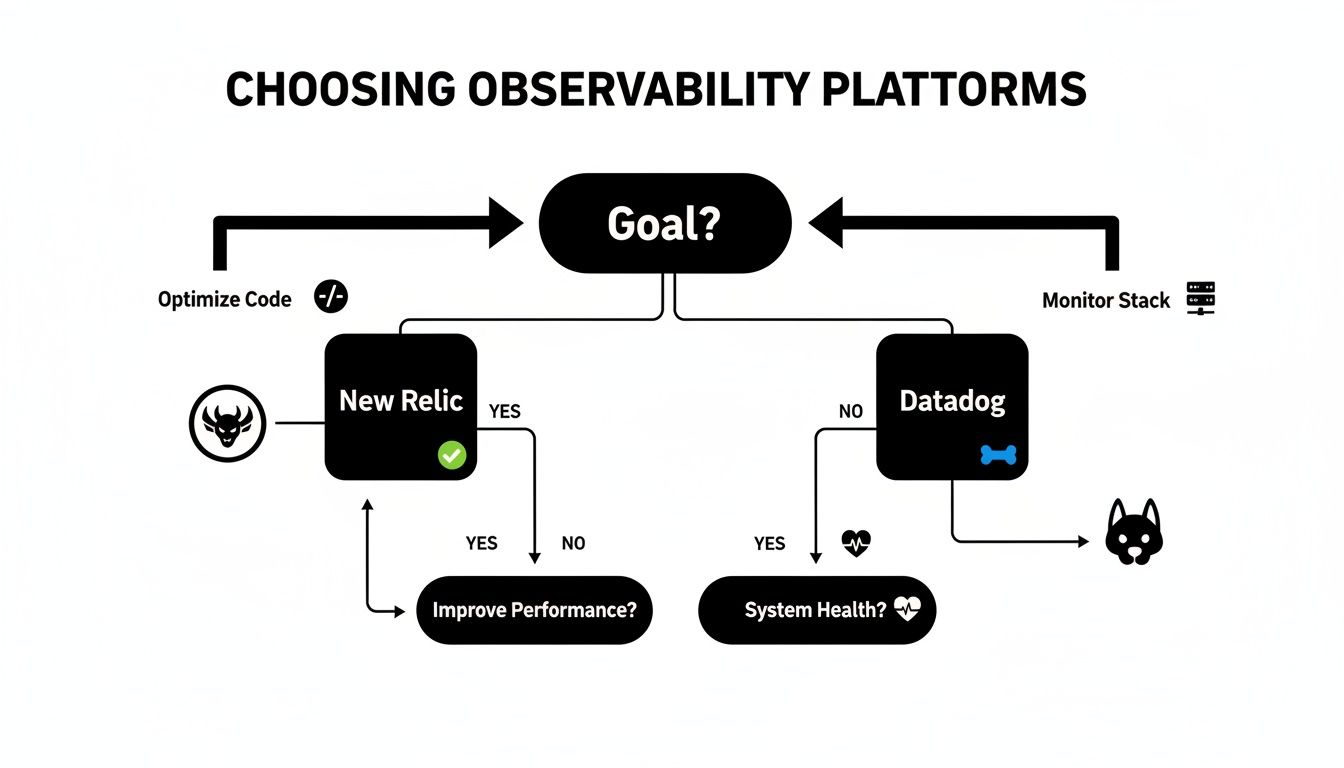
The flowchart highlights a critical point: the "best" tool always depends on your specific situation. The choice depends on whether your priority is deep-diving into code performance (New Relic) or gaining a comprehensive view of your entire stack (Datadog).
By offloading infrastructure management, you free your internal developers to focus on what they do best: innovating and building core product features that drive revenue. This strategic move transforms a cost center into a direct contributor to business growth.
Ultimately, the goal is to make your DevOps vision a reality. A strategic partner like Group107 Digital provides the expertise to assess your current DevOps maturity, identify high-impact opportunities, and implement a solution that delivers tangible results. It is about fast-tracking your progress and ensuring your technology investments directly fuel your business objectives.
Your DevOps Tools Questions Answered
When navigating the complex landscape of DevOps tools, many questions arise. Here are practical, straightforward answers to the questions we hear most frequently from engineering leaders and their teams.
What's the Real Difference Between DevOps and CI/CD Tools?
This is a common point of confusion, but the distinction is clear. DevOps is the overarching philosophy—a culture focused on unifying development and operations teams to work collaboratively. CI/CD, in contrast, is a critical tactic used to implement that philosophy.
- DevOps Tools encompass the entire toolchain. This includes everything from planning in Jira and defining infrastructure with Terraform to monitoring with Datadog.
- CI/CD Tools are a specific subset of the DevOps toolchain, such as Jenkins or GitHub Actions. Their purpose is to automate the build, test, and deployment pipeline—the engine that drives a core part of the DevOps lifecycle.
How Should a Small Team Pick the Right Tools?
For a small team or startup, the primary goal should be simplicity and minimizing maintenance overhead. The most effective strategy is to leverage fully managed (SaaS) or all-in-one platforms to reduce integration complexity.
A solid starting stack could include:
- CI/CD & Source Control: Choose GitLab or GitHub Actions. They bundle version control and CI/CD, creating a much cleaner workflow.
- Infrastructure: Start with a managed cloud service like AWS Elastic Beanstalk or Azure App Service before tackling the complexities of Kubernetes.
- Monitoring: Select a platform with strong out-of-the-box functionality. Datadog is an excellent choice due to its generous free tier and its ability to consolidate logs, metrics, and APM.
For a small team, the golden rule is to avoid self-hosting complex tools like Jenkins or a full Kubernetes cluster until absolutely necessary. Your engineers' time is better spent building your product, not managing infrastructure.
Is It Okay to Mix Open-Source and Commercial Tools?
Yes, and it is a common best practice. Most mature organizations use a hybrid toolchain. A sound strategy is to use open-source tools for flexibility and community support, while investing in commercial tools for mission-critical areas where guaranteed support and enterprise-grade features are required.
For example, a highly effective setup involves using open-source Terraform to provision infrastructure while relying on a commercial platform like New Relic for deep, actionable insights into application performance. This approach provides the best of both worlds.
At Group107, we specialize in designing and implementing DevOps toolchains that accelerate your development lifecycle and help you achieve your business goals. Learn how our DevOps as a Service can transform your operations.