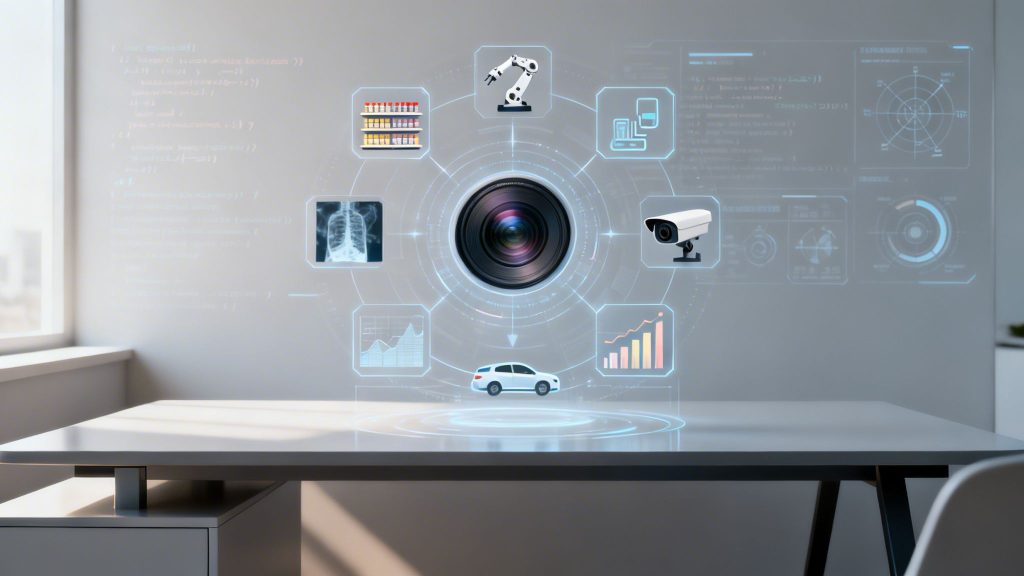
Computer vision is no longer a futuristic concept; it's a core technology driving efficiency, security, and profitability across industries. By enabling machines to interpret and act on visual data from images and videos, the practical applications of computer vision are fundamentally reshaping how modern businesses operate. These systems translate visual inputs into actionable data that powers smarter decisions, enhances security protocols, and enables autonomous processes at scale.
This article moves beyond theoretical discussions to provide a deep, actionable dive into the most impactful use cases. We will break down how these technologies work, their tangible business value, and how you can implement them. Whether you're in fintech, manufacturing, e-commerce, or SaaS, understanding these computer vision examples is critical for maintaining a competitive edge. For example, in construction, businesses are already gaining an edge with tools like AI-powered aerial roof measurement services that automate complex manual work and deliver precise results.
This guide is designed for product teams, startup founders, and enterprise leaders who need to identify and execute on high-ROI computer vision projects. We’ll explore how Group107 helps clients integrate these advanced AI solutions, turning complex visual data into measurable business outcomes. The goal is to equip you with a strategic framework for applying this powerful technology to solve concrete business challenges, from enhancing security and compliance to optimizing operations and improving customer experiences. This listicle will detail the specific tactics behind today's most effective computer vision applications.
1. Real-Time Facial Recognition for Fintech Security & KYC Compliance
Facial recognition technology provides financial institutions with a powerful tool for identity verification and transaction authentication. This specific application of computer vision automates Know Your Customer (KYC) processes, which are critical for regulatory compliance and fraud prevention. By matching a live image of a user's face against a photo on a government-issued ID, fintech companies can significantly reduce fraud, accelerate customer onboarding, and secure their digital platforms.

This method directly replaces slow, manual verification procedures, allowing platforms like Revolut and Wise to onboard global customers in minutes, not days. Stripe’s Identity product offers this as a pre-built, integrable solution, demonstrating its market-wide value and impact on the digital economy.
Business Value & ROI
- Fraud Reduction: Actively prevents identity theft and synthetic identity fraud, saving millions in potential losses and protecting brand reputation.
- Operational Efficiency: Automates a manual, labor-intensive process, reducing headcount needs in compliance departments and lowering operational costs.
- Improved Customer Experience: Provides near-instant account access, which reduces user drop-off during onboarding and increases conversion rates.
Implementation Strategy & Key Considerations
Successfully deploying facial recognition for KYC is more than just plugging in an API. Product teams must focus on accuracy, security, and user trust to deliver a solution that is both effective and compliant.
Key Strategic Insight: The most significant risk in facial recognition is a "presentation attack," where a fraudster uses a photo, video, or mask to impersonate a legitimate user. Your system's primary defense is robust liveness detection, which verifies the user is physically present through subtle challenges like head movements or blinking.
Actionable steps for product teams include:
- Select the Right Model: Use pre-trained models from providers like Amazon Rekognition or specialized fintech vendors such as SumSub and IDology. These models are trained on vast, diverse datasets to ensure high accuracy.
- Integrate Liveness Detection: Implement active or passive liveness checks to confirm the user's presence. This is a non-negotiable security layer for preventing spoofing attacks.
- Ensure Compliance: Encrypt all biometric data both in transit and at rest. Establish clear data retention policies that align with GDPR, CCPA, and other regional regulations. Keep detailed, immutable audit logs of every verification attempt.
- Design for Edge Cases: Always provide a clear pathway for manual verification. A certain percentage of users will fail automated checks due to poor lighting, non-standard IDs, or algorithmic bias. A seamless handoff to a human agent prevents user frustration and abandonment.
These detailed approaches to identity verification are part of a broader set of biometric authentication methods that can secure your platform. By focusing on these technical and user-centric details, you can build a secure and compliant fintech product that earns customer trust.
2. Automated Document Processing & Data Extraction
Computer vision combined with Optical Character Recognition (OCR) gives businesses the ability to extract structured data from unstructured documents like invoices, receipts, and contracts. This technology automates manual data entry, which reduces human error and accelerates document workflows in finance and enterprise operations. By identifying and digitizing key information, it turns stacks of paper or PDFs into actionable data streams that integrate directly with core business systems.

This application of computer vision is central to modern Robotic Process Automation (RPA). Platforms like UiPath and Automation Anywhere use it to automate entire accounts payable pipelines, from invoice receipt to payment processing. Similarly, fintech companies like Klarna use it to process merchant invoices and receipts, speeding up financial reconciliation and improving cash flow management.
Business Value & ROI
- Drastic Error Reduction: Eliminates typos and data entry mistakes common in manual processes, improving data accuracy and financial integrity.
- Accelerated Workflows: Reduces document processing time from days to minutes, speeding up approvals, payments, and customer onboarding.
- Cost Savings: Frees up employees from repetitive data entry, allowing them to focus on higher-value tasks and reducing operational overhead.
Implementation Strategy & Key Considerations
Effective document automation requires a focus on accuracy, scalability, and creating a system that learns and improves over time.
Key Strategic Insight: The biggest challenge is variability in document layouts. A system trained only on one invoice format will fail when it encounters a new one. The solution is a "human-in-the-loop" feedback system where low-confidence extractions are flagged for human review, and the corrections are used to retrain the model.
Actionable steps for product teams include:
- Start with Standardized Documents: Begin your automation project with high-volume, predictable documents like W-2 forms or a specific vendor's invoices to secure an early win and demonstrate ROI.
- Use a Specialized Model: Employ pre-built solutions like Google Cloud Document AI or Microsoft Azure Form Recognizer. These services are trained on millions of diverse documents and can handle many formats out of the box.
- Implement Quality Scoring: Configure your system to assign a confidence score to every piece of extracted data. Set a threshold to automatically flag low-confidence fields for manual verification.
- Establish Validation Rules: Cross-reference extracted data against existing business rules or database records. For example, match an extracted PO number against your ERP system to confirm its validity before processing an invoice.
3. Quality Assurance & Manufacturing Defect Detection
Computer vision systems provide manufacturers with a powerful method for inspecting products on production lines with speed and precision that surpasses human capability. These systems identify defects, surface imperfections, dimensional errors, and other quality issues in real-time. This specific application of computer vision drives immense value by improving final product quality, reducing material waste, and increasing overall factory output.
Industry leaders like Tesla and major semiconductor manufacturers use these systems to maintain exacting standards. For instance, in electronics manufacturing, vision systems scan circuit boards for soldering defects that are nearly invisible to the naked eye. In pharmaceuticals, they ensure every tablet is free from cracks or discoloration, guaranteeing product safety and efficacy.
Business Value & ROI
- Waste Reduction: Catches defects early in the production cycle, preventing flawed components from moving downstream and reducing scrap rates.
- Increased Throughput: Automates a slow, manual inspection process, allowing production lines to run at higher speeds without sacrificing quality control.
- Improved Product Quality: Achieves near-perfect detection rates for even minor flaws, leading to higher customer satisfaction and fewer warranty claims.
Implementation Strategy & Key Considerations
Deploying a vision system for quality assurance requires a focus on consistency, speed, and data integrity. It's a blend of hardware setup and machine learning model refinement.
Key Strategic Insight: The success of a manufacturing vision system depends entirely on the quality and consistency of the input data. Inconsistent lighting, camera angles, or product positioning will create "noise" that confuses the model, leading to false positives (flagging good parts as bad) and false negatives (missing actual defects).
Actionable steps for product teams include:
- Standardize the Inspection Environment: Use controlled, high-intensity LED lighting and fixed camera mounts to ensure every image is captured under identical conditions. This eliminates variables and simplifies the defect detection task for the model.
- Deploy on the Edge: Process images directly on the factory floor using edge computing devices. This minimizes latency, enabling real-time decisions (e.g., rejecting a part) without waiting for a round trip to a cloud server.
- Build a Robust Training Dataset: Collect thousands of images representing not just "good" and "bad" products but also a wide variety of edge-case defects. Include subtle flaws, variations in lighting, and different product orientations.
- Define Clear Performance Metrics: Establish specific Service Level Agreements (SLAs) that balance detection accuracy with line speed. Determine an acceptable trade-off between false positives and negatives based on business priorities. This is a critical part of optimizing the overall quality assurance process steps.
4. Autonomous Vehicles & Advanced Driver Assistance Systems (ADAS)
Computer vision is the core sensory system for autonomous vehicles (AVs) and advanced driver-assistance systems (ADAS), enabling them to perceive and interpret the world in real time. This application of computer vision processes data from multiple camera feeds to identify pedestrians, other vehicles, road signs, lane markings, and unexpected obstacles. This continuous environmental analysis allows the vehicle to make critical safety and navigation decisions, from emergency braking to lane-keeping.
This technology is central to the operation of Tesla's Autopilot, Waymo's ride-hailing service, and Cruise's driverless vehicles. It also powers common ADAS features like adaptive cruise control and automatic lane centering in cars from BMW, Mercedes, and Audi. In the realm of advanced driver assistance systems (ADAS), computer vision plays a vital role in enhancing safety and convenience. For those looking to upgrade their vehicles, researching the best backup cameras for trucks provides a clear example of this technology in action.
Business Value & ROI
- Enhanced Safety: Radically reduces human error, the leading cause of traffic accidents, by providing constant, 360-degree monitoring and automated responses.
- Operational Efficiency: For commercial applications like autonomous trucking and ride-hailing, it removes the cost of a human driver, dramatically improving unit economics and scalability.
- Increased Accessibility: Creates new mobility options for individuals who are unable to drive, expanding the total addressable market for transportation services.
Implementation Strategy & Key Considerations
Deploying computer vision for automotive use requires an extreme focus on redundancy, accuracy, and real-time performance, as system failures can have life-or-death consequences.
Key Strategic Insight: A significant challenge in autonomous driving is handling "edge cases" or rare, unpredictable events not present in training data (e.g., an animal on the road, unusual construction zones). The robustness of an AV or ADAS product is defined by its ability to identify, process, and safely react to these novel scenarios.
Actionable steps for product teams include:
- Use Multi-Sensor Fusion: Do not rely on cameras alone. Fuse computer vision data with inputs from LiDAR and radar. This creates redundancy and provides a more complete perception model that functions in diverse weather and lighting conditions.
- Employ Synthetic Data: Generate synthetic data to train models on rare edge cases that are too dangerous or expensive to capture in the real world. This "sim-to-real" training method accelerates model development and improves robustness.
- Establish Clear Failure Modes: Define and test specific fallback behaviors for when the system encounters a situation it cannot confidently handle. This could involve slowing the vehicle, pulling over safely, or handing control back to a human driver.
- Implement a Continuous Feedback Loop: Build a data pipeline to continuously collect and analyze driving data from deployed vehicles, especially instances where the system failed or required human intervention. Use this data to retrain and improve the models.
5. Medical Image Analysis & Diagnostic Assistance
Computer vision algorithms are becoming a critical second set of eyes in healthcare, analyzing medical images like X-rays, CT scans, and MRIs to spot abnormalities. This application of computer vision augments the diagnostic process by identifying patterns that may be too subtle for the human eye, helping to quantify disease progression and enable earlier, more accurate diagnoses. It acts as a powerful assistant for radiologists, not a replacement, improving the speed and precision of their work.

This technology is already in clinical use. Companies like Aidoc provide platforms that flag anomalies in imaging scans for immediate review, while vendors like Siemens Healthineers and GE Healthcare integrate AI-driven analysis directly into their imaging equipment. These tools are helping medical professionals manage increasing workloads and focus their attention where it is needed most.
Business Value & ROI
- Improved Diagnostic Accuracy: Reduces false negatives and false positives, leading to better patient outcomes and lower malpractice risk.
- Operational Throughput: Speeds up the image review process, allowing radiology departments to handle higher volumes without compromising quality.
- Early Disease Detection: Identifies incipient signs of conditions like cancer or neurological disorders, enabling proactive treatment and improving patient survival rates.
Implementation Strategy & Key Considerations
Deploying AI for diagnostic assistance requires an unwavering focus on clinical validation, regulatory compliance, and seamless workflow integration. Trust is paramount, both from clinicians and patients.
Key Strategic Insight: Model interpretability is not optional in medical AI. Clinicians will not trust a "black box" recommendation. Your system must use explainable AI (XAI) techniques to highlight exactly which pixels or regions in an image led to its conclusion, making the AI's reasoning transparent and verifiable.
Actionable steps for product teams include:
- Partner for Data and Validation: Collaborate with hospitals and research institutions to access anonymized, high-quality labeled data. These partnerships are essential for training and, more importantly, for clinical validation.
- Design a Human-in-the-Loop Workflow: The AI should act as a screening or highlighting tool that triages cases and presents findings to a radiologist for final interpretation. The human expert always makes the final call.
- Prioritize Regulatory Compliance: Follow a strict development process that aligns with FDA, CE, and other regional medical device regulations. Maintain complete, unchangeable audit logs for every analysis to ensure accountability and traceability.
- Conduct Rigorous Clinical Trials: Before any market deployment, the system must undergo extensive clinical trials to prove its safety, efficacy, and real-world value compared to existing standards of care. This is a non-negotiable step for regulatory approval.
6. Retail Analytics & Customer Behavior Monitoring
Computer vision systems provide brick-and-mortar retailers with a powerful method for understanding in-store customer behavior. By analyzing video feeds from overhead cameras, these systems can track foot traffic patterns, measure how long customers linger in certain areas (dwell time), identify product interactions, and monitor checkout queue lengths. This data gives retailers the kind of rich, actionable insights that e-commerce platforms have long taken for granted.
Pioneered by concepts like Amazon Go's cashier-less stores, this technology is now more accessible through platforms like RetailNext and Nvidia Metropolis. Major retailers, including Walmart and Target, use these computer vision applications to optimize store layouts, adjust staffing based on real-time demand, and refine product placement for maximum engagement.
Business Value & ROI
- Optimized Store Layout: Heatmaps and path analysis reveal which layouts encourage exploration and which create bottlenecks, enabling data-driven store design changes that boost sales.
- Improved Staffing Efficiency: Real-time queue monitoring can trigger alerts to open new checkout lanes or re-assign staff, improving customer flow and reducing labor waste.
- Enhanced Customer Experience: By understanding friction points, like long waits or hard-to-find products, retailers can make targeted improvements that increase satisfaction and loyalty.
Implementation Strategy & Key Considerations
Deploying in-store analytics requires a balance between gathering valuable data and respecting customer privacy. Transparency is crucial for maintaining trust.
Key Strategic Insight: The primary challenge is not just collecting data but connecting it to tangible outcomes. Vision data becomes most powerful when correlated with Point of Sale (POS) and inventory systems. For example, knowing that a promotion display has high dwell time but low sales conversion signals a problem with pricing, product information, or inventory.
Actionable steps for product teams include:
- Prioritize Privacy by Design: Implement anonymized processing from the start. Systems should track anonymous "blobs" or skeletons, not identifiable individuals. Discard raw footage quickly after processing and only store aggregated, anonymous metrics.
- Deploy Edge Computing: Process video data on-site using edge devices (like Nvidia Jetson or Intel NUCs). This minimizes the amount of sensitive data transmitted over the network, reducing latency, bandwidth costs, and privacy risks.
- Start with Aggregate Metrics: Begin by focusing on high-level insights like store-wide foot traffic, zone-based dwell times, and queue lengths. These provide significant value without the complexities of individual tracking.
- Ensure Transparency: Use clear in-store signage to inform customers that video analytics are in use for improving their shopping experience. This builds trust and helps meet regional regulatory requirements.
By carefully planning for privacy and focusing on actionable correlations, retailers can use computer vision to build a smarter, more responsive, and profitable physical store environment.
7. Security & Surveillance with Threat Detection
Advanced computer vision systems are transforming physical security by actively monitoring video feeds for threats. These systems can identify unauthorized access, detect loitering, flag unusual behavior patterns, and even spot weapons in real-time. This specific application of computer vision enables security teams to move from a reactive to a proactive posture, anticipating and neutralizing threats before they escalate.
This technology directly reduces reliance on human operators to watch countless screens, a task prone to fatigue and error. Companies like Axis Communications and Databuoy provide intelligent analytics that turn standard cameras into active threat detectors, allowing security operations centers (SOCs) to focus only on credible alerts and conduct effective forensic analysis after an incident.
Business Value & ROI
- Proactive Threat Mitigation: Identifies potential dangers like abandoned packages or aggressive behavior, allowing for intervention before an incident occurs.
- Reduced Operational Costs: Lowers the need for extensive on-site security patrols and monitoring staff, optimizing labor expenditure.
- Enhanced Forensic Capabilities: Provides indexed, searchable video records of specific events, dramatically speeding up post-incident investigations.
Implementation Strategy & Key Considerations
Deploying an intelligent surveillance system requires a careful balance between security gains and individual privacy. Product and security teams must architect systems that are both effective and trustworthy.
Key Strategic Insight: The greatest challenge is managing false positives and ensuring the system respects privacy. Overly sensitive behavioral models can generate alert fatigue, while intrusive monitoring can erode employee and public trust. Edge processing, where video is analyzed on the camera itself without sending raw footage to the cloud, is a critical privacy-by-design technique.
Actionable steps for product teams include:
- Define Specific Threat Models: Instead of a generic "threat detection" system, specify what you are looking for: weapon detection in a lobby, tailgating at an access point, or perimeter breaches after hours. This focuses the model and reduces noise.
- Prioritize Privacy by Design: Use edge computing to analyze video locally. Implement privacy masking to automatically blur faces or irrelevant background areas. Be transparent with clear signage and policies about what is being monitored and why.
- Establish Clear Alert Protocols: Create a detailed standard operating procedure (SOP) for every type of alert. Define who is notified, what the immediate verification steps are, and how to escalate a confirmed threat. This prevents chaos and ensures consistent responses.
- Audit for Bias: Behavioral and anomaly detection models can be biased based on their training data. Regularly audit your system's performance across different demographics and environmental conditions to ensure it is not disproportionately flagging certain groups or benign activities.
8. Agricultural Monitoring & Crop Disease Detection
In agriculture, computer vision gives farmers a powerful way to monitor crop health with incredible precision. By deploying drones, ground sensors, or analyzing satellite imagery, AI models can identify early signs of disease, pest infestations, water stress, and nutrient deficiencies. This precision agriculture approach analyzes visual indicators like leaf color, texture, and density, allowing for targeted interventions that optimize resource use and boost yields.
This technology powers solutions like John Deere’s See & Spray, which uses cameras to distinguish weeds from crops and applies herbicide only where needed, reducing chemical use by over 77%. Companies like Indigo Ag and Climate FieldView provide similar AI-driven insights, turning raw field data into actionable advice for farmers. This is a critical one of the many applications of computer vision that directly impacts global food production.
Business Value & ROI
- Increased Crop Yield: Early and accurate detection of threats allows for timely intervention, maximizing harvest potential and revenue.
- Reduced Operational Costs: Targeted application of water, fertilizer, and pesticides cuts waste and lowers spending on expensive inputs.
- Improved Sustainability: Minimizing chemical runoff and optimizing water usage leads to more environmentally friendly farming practices, which can also satisfy regulatory requirements.
Implementation Strategy & Key Considerations
Deploying a computer vision system for agriculture requires a deep understanding of agronomy, data sources, and on-the-ground operational realities. The goal is to deliver timely, accurate, and easy-to-understand insights to the end-user.
Key Strategic Insight: The true value is not in the imagery itself but in the fusion of different data types. Combining high-resolution drone imagery (for detail) with lower-resolution satellite imagery (for broad coverage) and ground sensor data (for soil truth) creates a far more accurate and reliable monitoring system than any single source alone.
Actionable steps for product teams include:
- Use Multispectral Imagery: Equip drones or access satellite data with multispectral or hyperspectral cameras. These sensors capture light beyond the visible spectrum (like near-infrared), revealing plant stress long before it's visible to the human eye.
- Build Region-Specific Models: A model trained to detect blight in Idaho potatoes will not work for citrus greening in Florida. Develop or fine-tune models on datasets specific to the target crop, soil type, and geographic region. Partner with agricultural extension services for expert-labeled data.
- Ensure Farmer Accessibility: The most advanced model is useless if a farmer can't access its insights. Develop simple, mobile-first applications with clear visual maps (e.g., color-coded "health maps") and straightforward alerts.
- Integrate with Farm Equipment: For maximum impact, link the vision system's output directly to farm machinery. An API can send precise GPS coordinates of a problem area to a smart tractor or variable-rate sprayer, enabling automated, targeted action.
9. Accessibility Compliance & Assistive Technology
Computer vision provides powerful assistive technologies that help visually impaired users interpret digital content and navigate physical environments. This specific application of computer vision is central to meeting Web Content Accessibility Guidelines (WCAG) by automating tasks like alt-text generation for images, real-time scene description, and document text extraction. These tools convert visual information into audible or tactile feedback, making the world more accessible.
This technology is the engine behind apps like Microsoft's Seeing AI, which can read text, identify products, and describe scenes aloud. Similarly, Google’s Live Translate uses scene understanding to overlay translated text onto signs in real time. These tools are no longer niche; they are essential for creating inclusive digital products and achieving regulatory compliance.
Business Value & ROI
- Expanded Market Reach: Makes products and services usable by millions of people with visual impairments, opening up new customer segments.
- Compliance & Risk Mitigation: Helps meet legal accessibility requirements like the ADA and WCAG, avoiding costly lawsuits and reputational damage.
- Brand Enhancement: Demonstrates a commitment to corporate social responsibility and inclusivity, which builds positive brand perception and customer loyalty.
Implementation Strategy & Key Considerations
Integrating computer vision for accessibility requires a deep focus on the user's context and the reliability of the output. The goal is to provide genuine assistance, not just technical functionality.
Key Strategic Insight: The greatest failure in accessibility AI is generating inaccurate or irrelevant descriptions. A meaningless description is worse than none at all, as it erodes user trust. A human-in-the-loop (HITL) system is critical for quality assurance, especially for important content.
Actionable steps for product teams include:
- Integrate with Existing Frameworks: Use models from providers like Microsoft Azure AI Vision or Amazon Rekognition that are designed for accessibility use cases. Connect their output directly with screen reader APIs like VoiceOver (Apple) and NVDA.
- Implement Human-in-the-Loop (HITL): For critical user-facing content, route AI-generated alt-text to a human team for review before publishing. This guarantees accuracy and context.
- Test with Real Users: Collaborate directly with visually impaired users throughout the development cycle. Their feedback is non-negotiable for understanding how the technology performs in real-world scenarios.
- Embed in Content Workflows: Make automated alt-text generation a standard step in your content management system (CMS). This ensures that accessibility is built-in, not an afterthought.
Focusing on these steps aligns with the core tenets of inclusive design. You can explore more strategies by reviewing these web accessibility best practices to build products that serve everyone.
10. Inventory Management & Stock Monitoring
Computer vision systems automate inventory tracking in warehouses and retail settings by detecting products, reading barcodes, and identifying empty shelves or misplaced items. This is a crucial application of computer vision that moves businesses away from manual cycle counts and toward real-time stock visibility. By using fixed cameras, drones, or autonomous mobile robots, companies can achieve near-perfect inventory accuracy, reduce labor costs, and prevent stockouts.
Retail and logistics giants like Walmart and Amazon have operationalized this technology at scale. Amazon's robotic systems constantly scan and track millions of items in its fulfillment centers, while Walmart uses autonomous floor scrubbers equipped with cameras to monitor on-shelf availability. These systems provide a continuous stream of data, replacing periodic manual checks with a dynamic, always-on inventory picture.
Business Value & ROI
- Improved Inventory Accuracy: Drastically reduces discrepancies between digital records and physical stock, leading to fewer lost sales and overstocks.
- Reduced Labor Costs: Automates the time-consuming and error-prone process of manual counting, freeing up employees for higher-value tasks.
- Enhanced Supply Chain Visibility: Provides real-time data that feeds into demand planning and replenishment systems, preventing stockouts and improving order fulfillment rates.
Implementation Strategy & Key Considerations
Effective deployment requires a robust system that can operate reliably in complex and often changing environments like a busy warehouse or retail floor.
Key Strategic Insight: The true value is unlocked when vision data is integrated directly with your Warehouse Management System (WMS) or Enterprise Resource Planning (ERP) platform. An alert about a low-stock item is only useful if it automatically triggers a replenishment order or a picking task.
Actionable steps for product teams include:
- Determine the Capture Method: Choose between fixed overhead cameras for specific zones, drones for covering large vertical spaces, or autonomous mobile robots (AMRs) for floor-level aisle scanning. The choice depends on warehouse layout, inventory type, and budget.
- Develop a Robust Object Detection Model: Train a model to accurately identify specific products, SKUs, barcodes, and empty shelf space. Start with a pre-trained model like YOLO or RetinaNet and fine-tune it on your specific product catalog and environment.
- Optimize for Edge Processing: Warehouse-scale operations generate immense video data. Use edge computing devices on cameras or robots to process data locally, reducing latency and network bandwidth requirements. Only send metadata (e.g., item count, location, stock level) to the central system.
- Create a Hybrid System: For maximum accuracy, combine computer vision with RFID or QR code technology. Vision can identify empty spaces or misplaced bulk items, while RFID provides precise identification for high-value or individual items, creating a more complete and fault-tolerant system.
10-Point Comparison of Computer Vision Applications
| Solution | Implementation Complexity | Resource Requirements | Expected Outcomes | Ideal Use Cases | Key Advantages |
|---|---|---|---|---|---|
| Real-Time Facial Recognition for Fintech Security & KYC Compliance | High — real-time liveness, regulatory controls | High compute, secure biometric storage, labeled ID datasets, licensing/legal support | Rapid onboarding, near-elimination of identity fraud, automated compliance trails | Fintech onboarding, transaction authentication, high-risk KYC workflows | Sub-second verification, large manual cost savings, auditability |
| Automated Document Processing & Data Extraction | Medium — OCR, classification, domain training | Moderate compute, labeled document datasets, integration with RPA/workflows | Dramatically reduced manual data entry, high accuracy for printed docs, scalable throughput | Invoicing, receipts, loan apps, back-office automation | Fast scale-up, 95%+ reduction in manual entry, RPA compatibility |
| Quality Assurance & Manufacturing Defect Detection | High — edge inference, lighting and timing controls | High hardware (cameras, lighting), edge servers, specialized engineering | Continuous defect detection, reduced waste, improved first-pass yield | High-volume production lines: electronics, automotive, pharma | 24/7 superhuman inspection, inline correction, quality analytics |
| Autonomous Vehicles & ADAS | Very high — safety-critical, sensor fusion, validation | Massive compute, extensive datasets/simulation, regulatory testing infrastructure | Reduced human-error accidents, advanced autonomy levels, real-time situational awareness | Autonomous fleets, ADAS feature development, mobility services | Real-time decisioning, redundancy for fault tolerance, scalable autonomy |
| Medical Image Analysis & Diagnostic Assistance | Very high — clinical validation, regulatory approvals | Specialized medical datasets, clinical partners, HIPAA-compliant infrastructure | Improved diagnostic accuracy, faster reads, earlier disease detection | Radiology support, screening programs, clinical decision support | Augments clinicians, reduces interpretation time, enables second opinions |
| Retail Analytics & Customer Behavior Monitoring | Medium — store deployment, privacy controls | Cameras, edge analytics, integration with POS/BI, compliance measures | Improved store layouts, staffing optimization, increased sales conversion | Brick-and-mortar retail optimization, merchandising, campaign measurement | Real-time heatmaps and flow analytics, queue reduction, targeted merchandising |
| Security & Surveillance with Threat Detection | High — multi-camera tracking, bias and privacy mitigation | Extensive camera networks, edge/cloud processing, secure policies and SOC integration | Faster threat detection, forensic records, reduced patrol burden | Airports, critical infrastructure, campuses, large facilities | 24/7 monitoring, anomaly and weapons detection, alarm integration |
| Agricultural Monitoring & Crop Disease Detection | Medium–High — multispectral analysis, variable conditions | Drones/satellite imagery, multispectral sensors, agronomic training data | Higher yields, reduced pesticide use, targeted interventions | Precision agriculture, large or commercial farms, agritech platforms | Targeted treatment, NDVI-based health mapping, sustainability improvements |
| Accessibility Compliance & Assistive Technology | Medium — semantic models, human-in-loop QA | ML models, accessibility expertise, user testing and integration | Better inclusion, WCAG/ADA compliance, reduced manual alt-text creation | Websites, apps, digital content pipelines, assistive devices | Automated alt-text and scene description, broadens market access, compliance support |
| Inventory Management & Stock Monitoring | Medium — camera placement, occlusion handling, ERP integration | High-res cameras, edge compute, WMS/ERP integration, optional RFID | Faster cycle counts, near-real-time stock visibility, fewer out-of-stocks | Warehouses, retail shelf monitoring, distributed inventory networks | Real-time visibility, large time savings in counting, improved accuracy and forecasting |
Your Next Steps: Turning Computer Vision into Business Value
The journey through the various applications of computer vision reveals a clear and consistent theme: this technology is no longer a futuristic concept but a present-day engine for operational excellence, security, and growth. From automating quality assurance on a factory floor to securing financial transactions with facial recognition, the ability for machines to "see" and interpret the world is creating measurable business impact across every sector. The examples detailed in this article, spanning healthcare, retail, agriculture, and accessibility, are not isolated successes. They are blueprints for implementation.
The common thread connecting these successful applications is a strategic, problem-first approach. Technology for its own sake rarely produces a positive return on investment. True value emerges when computer vision is applied to solve a specific, well-defined business challenge. Whether the goal is to reduce manual data entry errors, improve diagnostic accuracy, or create a more inclusive user experience, the most effective projects begin with a clear "why."
Core Principles for Successful Implementation
As we've analyzed, moving from a compelling idea to a deployed solution requires careful planning. The most critical takeaways for your product and leadership teams to focus on are:
- Data as the Foundation: The performance of any computer vision model is directly tied to the quality and relevance of its training data. Sourcing, cleaning, and labeling this data is not a preliminary step; it is an ongoing process that defines the system's accuracy and reliability. Your data strategy must account for diversity, edge cases, and potential biases from the very beginning.
- Ethical and Compliant Deployment: With great power comes significant responsibility. Applications involving personal data, such as facial recognition for KYC or public surveillance, demand a rigorous focus on privacy, security, and compliance. Adhering to regulations like GDPR and ensuring your systems are transparent and fair is non-negotiable for building trust and avoiding severe legal and reputational damage.
- Integration is Key: A brilliant model that doesn't integrate into existing workflows is useless. Successful computer vision projects are designed for seamless adoption. This means considering latency for real-time applications (like ADAS), creating intuitive user interfaces for medical professionals, and ensuring the system's outputs feed directly into your business intelligence or operational platforms.
- Start with an MVP: The scope of computer vision can feel immense. Instead of attempting a massive, all-encompassing project, the most effective path is to identify a high-impact, narrowly-scoped problem and build a Minimum Viable Product (MVP). This approach allows you to prove value quickly, gather real-world feedback, and iterate with a data-driven methodology.
Strategic Insight: Your first computer vision project should target a "quick win." Identify a process bottleneck where visual automation can deliver a clear and quantifiable improvement in efficiency, cost, or accuracy within a 6-month timeframe. This initial success will build momentum and secure buy-in for more ambitious initiatives.
The diverse applications of computer vision we've explored prove that any organization can find a starting point. Your next step is not to master every facet of machine learning, but to identify that single, most valuable opportunity within your own operations. Is it reducing product defects? Is it accelerating document processing? Or is it making your digital products accessible to all users?
Once you have zeroed in on that primary objective, the roadmap to building, testing, and scaling a solution becomes concrete. The path forward involves assembling the right expertise, from data science to DevOps, to ensure your vision becomes a reality. This is how you transform a powerful technology into a genuine competitive advantage.
Ready to translate these computer vision applications into a tangible business advantage? Group 107 provides the specialized data science, AI engineering, and DevOps teams required to build, deploy, and scale secure, high-performance solutions. Contact Group 107 for a strategic consultation to roadmap your first computer vision MVP and start transforming your operations today.