
Knowing how to add keywords to a website is more than an SEO checklist item; it's the core strategy that connects your solutions to the people actively searching for them. This process transforms search intent into qualified traffic, leads, and measurable revenue. For any business, especially in competitive sectors like SaaS, finance, or enterprise technology, mastering keyword implementation is the engine of digital growth.
Why Adding Keywords is a Critical Growth Lever
Does your website feel like it’s broadcasting to an empty room? Even with exceptional content and a sophisticated design, if your target audience can't find you on a search engine, your solution effectively doesn't exist. This is why mastering keyword implementation is one of the most powerful growth levers for your business.
For technology companies—whether you're a SaaS platform, a fintech innovator, or an enterprise with complex digital offerings—this is non-negotiable. Your potential clients are searching for highly specific, often technical solutions. If you're not targeting their exact language, you're invisible when it matters most. To fully grasp this, it's essential to understand the fundamentals of Organic SEO and why you need to prioritize it.
Bridging the Gap Between Content and Customers
The hard truth is that most web pages get no organic visibility. A staggering 96.55% of all web pages receive zero traffic from Google. This is typically due to a mismatch between content and user search terms, targeting keywords with no search demand, or a weak backlink profile. You can explore the full study about these search engine optimization findings. For any business, that number represents a massive, untapped opportunity.
Strategic keyword implementation is the bridge between your content and your future customers. It ensures every blog post, service page, and technical document is optimized to attract qualified visitors who are actively looking for what you offer.
This isn't just about boosting traffic; it’s about attracting the right traffic. When you effectively add keywords to your website, you initiate a powerful growth cycle:
- Increased Visibility: Your pages rank for the terms that directly drive business value.
- Qualified Leads: You attract visitors with a high probability of needing your products or services.
- Higher ROI: Your marketing efforts deliver measurable business results, not just vanity metrics.
Ultimately, smart keyword integration transforms your website from a passive digital brochure into an active, lead-generating machine. It’s a foundational step for any business looking to improve its bottom line, especially when paired with a strong plan for converting that new traffic. To complete that cycle, review our guide on conversion rate optimization best practices.
Building Your Keyword Research and Mapping Foundation
Before you can add keywords to your website, you must identify the right ones. Randomly selecting terms is a recipe for attracting the wrong audience—or no audience at all. This foundational research is what separates SEO that drives business impact from efforts that fail to deliver results.
The process begins with understanding user intent. You need to analyze what your ideal customer is trying to achieve when they search. For a tech company, this means distinguishing between a junior developer researching a new framework and a CTO evaluating vendors. Nailing this is critical, and digging into proven keyword research strategies is the perfect place to start.
Uncovering High-Intent Keywords
The most valuable keywords are those your ideal customers use right before making a purchasing decision. These are not always obvious; you have to dig for them.
- Analyze Competitors: Use an SEO tool to identify which keywords drive traffic to your competitors' core service pages. Terms they rank for that map directly to a commercial offering are high-value targets.
- Consult Your Internal Teams: Your sales and customer support staff possess a wealth of keyword ideas. What exact phrases do prospects use to describe their pain points? What questions arise repeatedly in demos? These conversations are full of high-intent, long-tail keywords.
- Monitor Audience Channels: Spend time on Reddit, Stack Overflow, and niche industry forums. The raw, unfiltered language people use when they need a solution provides authentic keyword ideas you won’t find with a tool alone.
This isn't about traffic for traffic's sake. It's about building a direct line from search to sale, turning a low-traffic site into a lead-generation machine.
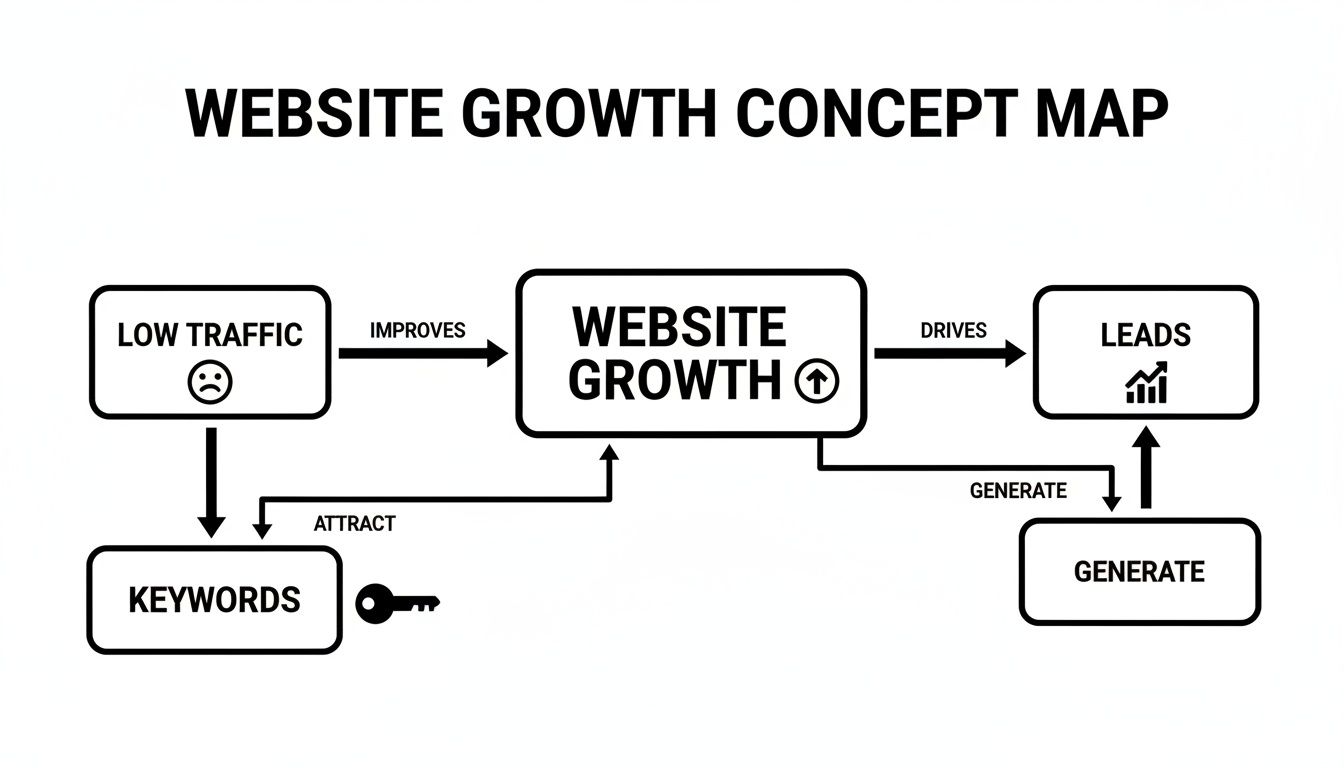
As you can see, the right keywords act as the bridge. They connect the problem your customer has with the solution you provide, fueling real opportunities and tangible growth.
From Keywords to a Strategic Map
Once you have a solid list of keywords, you need a plan. This is where keyword mapping comes in. It’s the critical process of assigning a primary keyword and a handful of related, secondary terms to every important page on your website.
Without a map, you risk "keyword cannibalization"—a situation where your own pages compete against each other in search results, confusing Google and diluting your authority.
A keyword map is your website's SEO blueprint. It ensures every page has a distinct purpose, targets a specific user intent, and contributes to your overall business goals.
To make this practical, organize your keywords by intent and map them to the right type of content. This ensures you're meeting users where they are in their journey.
Keyword Intent Mapping Framework
| Keyword Intent | User Goal | Associated Content Type | Example Keyword (for a DevOps Firm) |
|---|---|---|---|
| Informational | To learn something or find an answer. | Blog Posts, Guides, Whitepapers | "what is ci/cd" |
| Commercial | To investigate products or services. | Service Pages, Solution Briefs | "ci/cd implementation services" |
| Transactional | To make a purchase or take a specific action. | Pricing Pages, Contact Forms, Demo Requests | "get a quote for jenkins pipeline setup" |
This structured approach transforms a simple list of terms into a powerful strategic asset. It forces you to align your content with your sales funnel, ensuring that every keyword you add to your site is there for a reason: to drive conversions, not just clicks.
How to Weave Keywords Into Your On-Page SEO
With your keyword map complete, it's time to put those terms to work on your website. This is not about keyword stuffing; it's about weaving them into your site's fabric so naturally that your content speaks clearly to both people and search engines.
The goal is always to write for humans first. When a fintech company builds a page about secure payment processing, the phrase "secure payment gateway API" should feel like a natural part of the conversation, not a term that's been awkwardly shoehorned in. Get this right, and you’re not just optimizing a page; you're creating a powerful asset that genuinely helps users and earns its rank.

Optimizing Critical On-Page Elements
Certain on-page elements carry more weight with search engines. Placing your primary and secondary keywords in these high-impact locations gives Google the strong, clear signals it needs to understand and rank your content.
Here’s where to focus for maximum impact:
- Title Tag: This is your page's headline in the search results. Place your primary keyword near the front and keep it within 40-60 characters to avoid truncation and maximize clicks.
- Meta Description: While not a direct ranking factor, a well-written meta description acts as your 160-character ad. Include your keyword and a compelling call-to-action to convince searchers that your page has the best answer.
- H1 Tag: This is your on-page title. Each page should have one unique H1 that features the primary keyword.
- H2 and H3 Subheadings: These structure your content and are ideal places for secondary keywords and related questions. For a page targeting "offshore development team," you might use H2s like "Benefits of a Dedicated Offshore Team" or "Our Vetting Process for Offshore Developers."
URLs, Body Content, and Images
Once the primary tags are optimized, focus on the details that distinguish top-ranking pages. Your URL is surprisingly powerful SEO real estate. Analyses show that keyword-rich URLs can boost clicks by up to 45%. A URL like domain.com/solutions/enterprise-project-management is far more effective than a generic one like domain.com/product-id-789.
The battle for search visibility is won in the details. The #1 spot in search results commands 39.8% of all clicks. This level of dominance comes from mastering the fundamentals, like optimized titles and clean URLs. You can dive deeper into these impactful SEO statistics to see why every element matters.
When writing body content, don't force keywords. If you focus on creating a comprehensive, helpful piece that solves a user's problem, your keywords will appear naturally. This is how you build topical authority and earn trust.
Finally, optimize your images. Use descriptive, keyword-rich filenames and alt text. Instead of "screenshot1.png," an alt text like "dashboard of our DevOps automation platform showing CI/CD pipeline" is far more effective. This is not only good for SEO but is also a critical component of web accessibility. Our guide on how to make your website accessible explains why this is so important.
Advanced Keyword Implementation and Technical SEO

This is where leading companies gain a competitive edge. Going beyond basic on-page factors means communicating with search engines on a technical level, turning keyword placement into a precise science. This is how you truly add keywords to a website for both authority and performance.
A key part of this is structured data, or Schema markup. It’s a vocabulary that gives Google explicit context about your content. Instead of just seeing "Acme SaaS Pricing," you can use Product schema to tell Google this is pricing for a specific software product.
For instance, a fintech company can apply FinancialService schema to its core banking platform page. This helps search engines understand the page’s function and can unlock rich snippets in search results—like FAQs or ratings—which are proven to boost click-through rates.
Integrating Keywords into Development Workflows
In a modern tech company, SEO cannot be an afterthought. It must be woven into the development lifecycle, especially for teams using CI/CD (Continuous Integration/Continuous Deployment). SEO rules should be automatically verified every time your DevOps team pushes new code.
By treating SEO rules as part of your deployment pipeline, you prevent costly mistakes. Imagine a developer accidentally overwriting a batch of critical title tags during a release—a CI/CD check could flag and prevent this, safeguarding your organic traffic.
This integration is essential for programmatic SEO. If you have a SaaS platform with thousands of dynamically generated landing pages, a programmatic workflow is the only way to scale effectively. It lets you:
- Automate Title Tag Generation: Create templates that populate keyword-rich titles based on page-specific data.
- Implement Schema Programmatically: Automatically apply the correct structured data as new pages are built.
- Enforce Alt Text Compliance: Run automated checks to ensure all new images have descriptive, keyword-optimized alt text.
By embedding these checks, DevOps and SEO can work in unison to ensure every deployment strengthens the site’s SEO, rather than putting it at risk. At Group107, we specialize in building these types of robust DevOps as a Service solutions that fuse technical execution with strategic growth.
Strategic Internal Linking and Accessibility
How you link between your own pages is a powerful signal to search engines. A smart internal linking strategy passes authority (or "link equity") throughout your site and clarifies the relationships between different pieces of content for Google.
Every internal link should use descriptive, keyword-rich anchor text. Instead of a generic phrase like "click here," an anchor like "learn about our secure offshore development process" gives both users and search engines valuable context.
This isn't just an SEO tactic; it's also a web accessibility best practice. Screen readers rely on descriptive anchor text to help visually impaired users navigate a website. Similarly, keyword-rich alt tags on images—a must for image SEO—are a core component of WCAG compliance. When you properly add keywords to these elements, you’re improving SEO while building a more inclusive experience for everyone.
Measuring Success and Iterating Your Keyword Strategy
Adding keywords to your website is the starting point, not the finish line. The real value comes from a continuous improvement cycle where hard data guides your next move. Without tracking impact, you're flying blind, unable to distinguish between a winning strategy and a wasted effort. The goal is to draw a direct line from keyword implementation to tangible business results.
Core Metrics to Track in Google Tools
Your two most critical allies here are Google Search Console (GSC) and Google Analytics (GA4). They provide direct, unfiltered feedback on how your strategy is performing.
Here are the essential metrics to monitor:
- Keyword Rankings (GSC): Are your target keywords climbing, falling, or stagnating? Find this in Search Console’s Performance report. A steady upward trend is the clearest sign that your on-page and technical efforts are resonating with Google.
- Organic Traffic (GA4): Is overall traffic from search engines growing? Drill down to see which specific pages are responsible for that growth. A sudden traffic spike to a newly optimized service page is a strong positive signal.
- Click-Through Rate (CTR) (GSC): This measures how compelling your page appears in search results. A page might rank in the top five, but a low CTR indicates its title tag or meta description isn't convincing users to click.
- Conversion Rates (GA4): This is the ultimate measure of success. Are visitors from organic search taking desired actions—requesting a demo, starting a trial, or contacting sales? Tie this data back to specific landing pages to see which keywords are driving real business value. For a deeper dive, our article on collecting and analyzing data offers a complete framework.
Consider this scenario: a SaaS company sees high rankings and a great CTR for "enterprise cloud migration services" but zero conversions. The issue isn't the keyword; it's the landing page. The content, the offer, or the user experience is failing to convert traffic.
This data-driven feedback loop enables continuous optimization. The numbers tell you exactly where to focus your energy next, whether it’s rewriting a weak title tag, refreshing an old blog post, or building more internal links to a page that’s gaining traction. This iterative process is how you turn a good website into a powerful and efficient engine for growth.
Common Questions About Adding Keywords to a Website
Even with a solid plan, questions arise during implementation. Here are answers to the most common queries we receive from our SaaS, fintech, and enterprise clients.
How many keywords should I put on a page?
Focus on one primary keyword per page. This sends a clear signal to search engines about the page's core topic. Supplement this with 3-5 secondary keywords—closely related terms or synonyms that add context and help you rank for a broader set of queries. The goal is topical depth, not keyword density.
Is keyword density still a relevant metric?
No. The outdated tactic of hitting a specific keyword percentage (e.g., 2%) leads to robotic, unreadable content. Modern search engines are sophisticated enough to understand topics and natural language.
Forget counting keywords. Instead, ask: "Does this page comprehensively cover the topic and answer every likely user question?" If you create high-quality, genuinely helpful content, your keywords will naturally appear in the copy, headings, and other elements.
How long does it take to see results from adding keywords?
The timeline depends on several factors, but here is a realistic outlook based on our experience:
- For newer, less established sites: Gaining significant traction for competitive terms typically takes 6-12 months.
- For established, authoritative sites: You may see positive movement in as little as 4-6 weeks, especially when optimizing content that already has some authority.
Patience is a cornerstone of SEO. It's a long-term investment, not an overnight fix. Your site's authority, keyword competitiveness, and execution quality all influence the timeline.
Can I add keywords to my website for free?
Yes. You can execute an entire keyword strategy without paid tools. Google Search Console and Google Trends are free and provide a wealth of data about how users find your site. The only cost is your time—invested in research, content creation, and meticulous implementation.
Summary and Next Steps
Successfully adding keywords to your website is a strategic process that aligns your content with user intent to drive qualified traffic and business growth.
Your Action Plan:
- Build a Foundation: Conduct thorough keyword research focused on user intent and create a keyword map to assign terms to specific pages.
- Execute On-Page SEO: Weave your primary and secondary keywords naturally into critical elements like title tags, H1s, meta descriptions, and body content.
- Implement Technical SEO: Leverage structured data, integrate SEO checks into your CI/CD pipeline, and build a strategic internal linking structure.
- Measure and Iterate: Use Google Search Console and Analytics to track rankings, traffic, CTR, and conversions. Use this data to continuously refine your strategy.
Ready to transform your website into a powerful growth engine? Group107 provides end-to-end digital solutions, from expert offshore development to data-driven SEO strategies that deliver measurable results. We connect your vision with your audience. Get in touch with us today.