
In 2026, artificial intelligence is no longer an optional add-on; it's the core engine driving measurable growth in digital marketing. From automating routine tasks to uncovering deep audience insights, AI allows marketing teams to work faster, make smarter decisions, and achieve a significant return on investment. This shift moves far beyond simple content generation.
The real impact comes from AI-driven SEO that identifies high-intent keywords, automated ad bidding that optimizes spend in real-time, and personalized website experiences that turn visitors into customers. For businesses in competitive sectors like SaaS, finance, and e-commerce, ignoring these tools means falling behind competitors who are already using them to gain an edge. This guide is built to cut through the noise and provide a strategic look at the best AI tools for digital marketing available today.
This resource is designed to help you find the right platforms for your specific business needs, whether you are a tech startup, a large enterprise, or a financial institution. We will explore how to integrate these solutions into your existing workflows for maximum effect. Each entry includes a direct link, screenshots, key features, pricing, and an honest assessment of its pros and cons. We will also detail how a technology partner like Group107 can support you in building and scaling a powerful, ROI-focused AI marketing stack.
1. Group107 Digital — Your Partner in the Digital Journey
For growth teams focused on measurable ROI over vanity metrics, Group107 Digital offers an integrated AI marketing stack delivered as a complete service. Instead of patching together disparate tools, this offering provides an end-to-end solution that combines AI-driven SEO, automated PPC management, AI sales agents for outreach, and on-site personalization. This approach moves beyond simple toolsets to provide a full-fledged technology partnership.

What makes this one of the best AI tools for digital marketing is its delivery model. Group107 Digital embeds dedicated engineering, data science, and marketing teams directly into your operations. This tight integration ensures that AI-driven insights from your marketing campaigns are translated directly into product improvements and technical fixes, creating a powerful feedback loop that connects growth initiatives to your core business functions. This model is especially effective for startups and enterprises needing to accelerate time-to-market while managing costs through an offshore talent structure.
Key Features & Use Cases
- Integrated AI Stack: Combines SEO, PPC, and personalization to optimize the entire customer journey, from discovery to conversion. A typical use case involves using AI to identify high-intent keywords, automatically bidding on them in PPC campaigns, and then personalizing landing page content for visitors who click through.
- Embedded Multidisciplinary Teams: Provides access to engineers, data scientists, and marketers who work as an extension of your team. This closes the gap between marketing insights and technical execution, ensuring that SEO recommendations are implemented and campaign data informs product development.
- ROI-Focused Automation: Automates campaign management and bid optimization to improve ad spend efficiency and reduce manual overhead. For example, the system can continuously adjust PPC bids based on real-time conversion data to maximize return on ad spend.
- Cost-Efficient Talent Model: Access top-tier IT and marketing expertise through a flexible offshore model that includes robust IP protection and complete transparency.
Pricing and Access
Pricing is customized based on the scope of engagement, the size of the embedded team, and specific business goals. Access begins with a consultation to define objectives and structure the partnership.
Pros:
- End-to-end AI stack for complete conversion path optimization.
- Marketing insights are directly linked to engineering and product execution.
- Focuses on measurable ROI and improved ad spend efficiency.
- Cost-effective access to expert talent with IP protection.
Cons:
- Requires quality data and an initial integration effort to achieve full automation.
- May involve upfront investment to embed the team and operationalize the stack.
To better understand how to integrate these advanced systems, explore our guide on how to use AI in business and take it to the next level.
2. HubSpot Marketing Hub (with AI Content Assistant)
HubSpot’s Marketing Hub has evolved beyond a traditional CRM and marketing automation platform by integrating its AI Content Assistant directly into its core tools. This makes it an excellent choice for businesses that need AI capabilities deeply connected to their customer data, which is a key differentiator among the best AI tools for digital marketing. Instead of generating content in a vacuum, you can create blog posts, emails, and landing pages informed by contact properties, lifecycle stages, and past engagement.
The primary benefit is the unified data model. When your AI content tools live in the same system as your contacts and analytics, you eliminate the friction of exporting, importing, and integrating disparate systems. This native connection allows for powerful segmentation and personalization at scale. For instance, you can ask the AI to draft an email promoting a new feature specifically to customers in the "Evangelist" lifecycle stage, using a tone that reflects their loyalty.
However, the platform's power comes with complexity. The pricing structure can be intricate, scaling based on contact tiers and the number of "Core Seats," which can quickly increase costs. Onboarding also requires a dedicated effort, especially when migrating from another system.
Key Features & Use Cases
- Integrated AI Content & Image Generation: Create drafts for blogs, social posts, and emails directly within the editor. The AI can also generate royalty-free images to match your content.
- CRM-Powered Prompts: Base AI prompts on specific CRM data. Example Workflow: Generate a sequence of three follow-up emails for leads who downloaded an ebook but did not request a demo, with each email addressing a different potential pain point.
- Smart Content & Reporting: Use AI to suggest A/B testing variations for headlines or calls-to-action, then track performance directly in HubSpot’s analytics dashboards.
| Feature | Best For |
|---|---|
| Pricing | Starts with a free plan; paid plans (Starter, Professional, Enterprise) scale significantly with features and contacts. |
| Integrations | Extensive App Marketplace with thousands of integrations, including native connections to Salesforce, Shopify, and more. |
| Best For | Startups and enterprises committed to a unified platform strategy for marketing, sales, and service. |
Group107 Implementation Tip: We help you configure HubSpot’s AI tools to align with your specific sales funnels. By building custom workflows that trigger AI-assisted content based on lead behavior, we ensure your messaging is both timely and highly relevant, improving conversion rates. Learn more about our AI and automation services.
Pros:
- Unified platform reduces tool fragmentation and data silos.
- Mature ecosystem with extensive support and learning resources.
Cons:
- Pricing can become expensive as your contact list and team grow.
- Initial setup and data migration can be time-consuming.
Website: https://www.hubspot.com
3. Jasper
Jasper positions itself as an AI marketing copilot designed for teams focused on creating brand-consistent content at scale. It moves beyond simple text generation by incorporating a brand's specific voice, style guides, and product knowledge directly into the creative workflow. This makes it one of the best AI tools for digital marketing for organizations where maintaining a unified brand identity across all channels is a top priority. Instead of producing generic copy, teams can ensure every piece of content, from ad copy to sales collateral, is on-brand.
The core strength of Jasper lies in its governance and collaboration features. Its "Brand Voice" and "Memory" capabilities allow you to train the AI on your company’s style, marketing materials, and product catalog. This internal knowledge base ensures the AI generates accurate, relevant, and consistent output. It is an excellent choice for marketing departments that need to scale content production without sacrificing quality or brand integrity.
The platform is most effective at the team or enterprise level, where collaboration and workflow management are critical. For a solo marketer or a very small business, the extensive feature set might feel like overkill, and the pricing for advanced features reflects its enterprise focus.
Key Features & Use Cases
- Brand Voice & Memory: Train the AI by providing style guides, product information, and company background to ensure all generated content is on-brand and factually correct.
- Campaign Workflows: Use purpose-built templates and tools like Jasper's Canvas to map out and generate all assets for an entire marketing campaign from a single brief. Example Workflow: Create a campaign brief for a new product launch. Jasper can then generate social media announcements, a promotional email series, a landing page, and Google Ads copy, all adhering to the same core messaging and brand voice.
- Team Collaboration & Governance: Manage user permissions, review content, and maintain control over what is published, ensuring brand safety and consistency across large teams.
| Feature | Best For |
|---|---|
| Pricing | Offers Creator, Teams, and Business (custom) plans. The Teams plan is required for most collaboration features. |
| Integrations | Integrates with tools like Surfer SEO for content optimization, Grammarly for proofreading, and offers a browser extension. |
| Best For | Marketing teams and agencies that need to produce high-volume, on-brand content with strong governance and collaboration controls. |
Group107 Implementation Tip: We help you configure Jasper's Brand Voice and Memory by systematically feeding it your core marketing assets and style guides. We'll build custom campaign templates within Jasper that align with your go-to-market strategy, drastically reducing the time it takes to launch new initiatives. Learn more about our AI and automation services.
Pros:
- Strong brand consistency controls across all channels.
- Robust team collaboration and workflow features.
Cons:
- Best value is at the team/enterprise scale; can be overkill for solo users.
- Advanced features are locked behind higher-priced tiers.
Website: https://www.jasper.ai
4. Semrush (with ContentShake AI)
Semrush is a powerhouse SEO and SEM suite, and its addition of ContentShake AI makes it an indispensable tool for content-driven marketing. It stands out by grounding its AI content generation process in hard data from its massive keyword and competitor research database. This makes it one of the best AI tools for digital marketing for teams focused on achieving high search engine rankings. Instead of creating content blindly, you plan, write, and optimize articles based on real-time SEO intelligence.
The core advantage is the direct link between data and creation. You can use Semrush’s deep competitive analysis to find content gaps, then immediately task ContentShake AI with building an outline and first draft designed to outperform rivals. This integration of research and execution within one platform eliminates the need to juggle separate tools for keyword research, content writing, and on-page optimization, which saves considerable time and ensures strategic alignment.
However, the platform's depth can be a double-edged sword. For users unfamiliar with SEO principles, the sheer volume of data and tools can be overwhelming. The pricing is also premium, with costs increasing for additional users and access to specialized toolkits, making it a significant investment.
Key Features & Use Cases
- Data-Driven Content Generation: ContentShake AI uses Semrush’s keyword and competitor data to generate topic ideas, create SEO-friendly outlines, and draft articles.
- Integrated SEO Optimization: Get real-time feedback on content as you write, including suggestions for keyword inclusion, readability, and tone of voice, all within the Semrush editor. Example Workflow: Use the Keyword Magic Tool to find a low-competition, high-intent keyword. Send it to ContentShake AI to generate a full article brief, including target word count and semantic keywords. Write and optimize the draft using the SEO Writing Assistant before publishing.
- Comprehensive Competitor Analysis: Analyze top-ranking pages for a target keyword to understand their structure, content, and backlink profiles, providing a clear roadmap for your own content.
| Feature | Best For |
|---|---|
| Pricing | Premium plans (Pro, Guru, Business) with costs based on features, users, and project limits. Add-ons cost extra. |
| Integrations | Strong integrations with Google Analytics 4, Looker Studio, Google Business Profile, and various project management tools. |
| Best For | SEO-focused businesses, digital marketing agencies, and enterprises needing a data-backed content creation process. |
Group107 Implementation Tip: We help you integrate Semrush's data into your broader content strategy. By performing a thorough keyword gap analysis, we identify high-value opportunities your competitors are missing and configure ContentShake AI to produce content that fills those gaps. You can learn more about how to strategically add keywords to your website to maximize impact.
Pros:
- Deep dataset provides unmatched competitive and keyword intelligence.
- Comprehensive toolset covers SEO, PPC, and content marketing.
Cons:
- Pricing structure is at the premium end of the market.
- Steep learning curve for users without an SEO background.
Website: https://www.semrush.com
5. Surfer SEO
Surfer SEO is an AI-driven content optimization platform designed to improve a page's on-page signals to match search intent. It analyzes top-ranking competitor pages to generate actionable guidelines, making it one of the best AI tools for digital marketing for teams focused on organic search traffic. Instead of guessing which keywords and topics to include, Surfer provides a data-backed roadmap for creating content that Google is likely to reward.
The platform’s core value lies in its Content Editor, which gives writers a real-time score and a checklist of terms, headings, and structural elements to include. This turns the often-subjective process of SEO writing into a more objective task. While Surfer does have its own AI writer (Surfer AI), many teams use it to create briefs and optimize content drafted in other LLMs like Jasper or ChatGPT, giving them control over the initial draft quality.
However, its focus is narrow. Surfer is not a complete SEO platform; it doesn't handle technical SEO audits, backlink analysis, or rank tracking in depth. Furthermore, lower-tier plans come with usage credits for audits and AI features, which requires careful management to avoid unexpected costs.
Key Features & Use Cases
- Content Editor: Provides real-time optimization scoring based on SERP analysis, with NLP term suggestions, word count targets, and structural guidance.
- Content Briefs & Outlines: Automatically generates comprehensive briefs with competitor outlines, key topics, and questions to answer, speeding up content planning. Example Workflow: Generate a brief for a new blog post, send it to a freelance writer, and have them write directly in the shared Google Doc integrated with Surfer for real-time scoring.
- Competitor Gap Analysis: Identifies keyword and topic gaps by comparing your domain against top competitors, revealing opportunities for new or updated content.
| Feature | Best For |
|---|---|
| Pricing | Offers several paid tiers (Essential, Advanced, Max) with pricing based on features and usage credits. |
| Integrations | Native integrations with Google Docs, WordPress, and Jasper for a seamless writing and publishing workflow. |
| Best For | Content marketers and SEO specialists who need a data-driven process for creating and optimizing long-form content. |
Group107 Implementation Tip: We can integrate Surfer SEO into your content marketing workflow to systematically improve on-page SEO. By creating a process where every new and existing piece of high-value content is run through Surfer’s audit tool, we establish a baseline and prioritize optimization efforts that deliver the quickest ranking improvements. Find out more at our AI and automation services page.
Pros:
- Provides clear, actionable guidance for on-page optimization.
- Significantly speeds up the creation of content briefs and updating existing pages.
Cons:
- Usage credits and caps on lower-tier plans require careful management.
- Not a full technical SEO platform; best when combined with other tools like Ahrefs or Semrush.
Website: https://surferseo.com
6. Canva Magic Studio (Canva AI)
Canva Magic Studio injects a full suite of AI-native features into the platform’s well-known collaborative design environment. This positions it as one of the best AI tools for digital marketing for teams that need to produce a high volume of visual assets quickly, from social media graphics to sales enablement one-pagers. Instead of starting from scratch, marketers can now generate entire designs, videos, and presentations from a simple text prompt, drastically cutting down on creation time.
The core advantage is its accessibility for non-designers. Tools like Magic Write for copy and Magic Resize for reformatting a single creative for multiple platforms (e.g., from an Instagram Story to a LinkedIn ad) remove technical barriers. This frees up professional designers to focus on higher-impact brand work while empowering marketing teams to handle day-to-day content needs independently.
However, advanced brand governance and security features like SSO are gated behind the more expensive Business and Enterprise plans. While the AI outputs are impressive for speed, some generated effects or layouts may still require a professional designer's touch to ensure they are perfectly on-brand and polished for major campaigns.
Key Features & Use Cases
- AI-Powered Design Tools: Use Magic Write for copy, Magic Resize to adapt formats, and text-to-image or text-to-video generators to create assets from prompts.
- Brand Kits & Team Collaboration: Maintain brand consistency with preset colors, logos, and fonts. Teams can comment, edit, and approve designs in real-time. Example Workflow: A social media manager uses a text prompt to generate five different ad creatives for a new product launch. They share the designs with a brand manager, who leaves comments for minor tweaks before final approval, all within Canva.
- Canva Shield & Enterprise Controls: For larger organizations, Canva Shield offers AI-related indemnification and advanced controls to manage how teams use AI tools securely.
| Feature | Best For |
|---|---|
| Pricing | Free version with limited AI credits; Pro and Teams plans offer more features and usage. Enterprise provides custom pricing. |
| Integrations | Connects with social media schedulers, cloud storage like Google Drive and Dropbox, and various marketing platforms. |
| Best For | Marketing teams and startups that need to create a wide variety of visual assets quickly without deep design expertise. |
Group107 Implementation Tip: We integrate Canva into our clients' marketing workflows by establishing brand kits and creating a library of pre-approved, AI-enhanced templates. This ensures that even with the speed of AI generation, all assets remain consistent and on-brand, supporting scalable content strategies. Learn more about our AI and automation services.
Pros:
- Enables rapid creation of diverse assets (social posts, decks, one-pagers).
- User-friendly interface lowers the barrier for non-designers.
Cons:
- Advanced governance and SSO require more expensive enterprise plans.
- AI-generated outputs may occasionally need professional design polish.
Website: https://www.canva.com/magic/
7. Adobe Firefly
Adobe Firefly is the company’s generative AI model, designed specifically for the safe commercial creation of images, vectors, and text effects. It is deeply integrated into the Adobe Creative Cloud ecosystem, making it a powerful choice for marketing teams already using Photoshop, Illustrator, and Adobe Express. This native connection allows designers and marketers to generate and edit visual assets directly within their existing workflows, a key advantage that places it among the best AI tools for digital marketing for creative production.
The primary benefit of Firefly is its training data. Adobe trained it on Adobe Stock’s library of licensed images and openly licensed content, meaning the assets you generate are designed to be commercially safe and avoid infringing on third-party intellectual property. This provides a level of brand safety that is critical for enterprise use. Functions like Generative Fill and Generative Expand in Photoshop allow you to seamlessly add, remove, or extend parts of an image with AI-generated content that matches the original’s lighting and style.
While the free plan is generous, the best features and higher generation limits are locked behind paid subscriptions. Additionally, its video generation capabilities are still developing and lag behind its more mature image generation features.
Key Features & Use Cases
- Text-to-Image Generation: Create high-quality, commercially safe images from simple text descriptions for use in ad creative, social media posts, and website hero banners.
- Generative Fill & Expand: Edit existing images directly in Photoshop by selecting an area and describing what you want to add, remove, or change. Example Workflow: Take a product photograph and use Generative Expand to change its aspect ratio from square to a 16:9 widescreen format for a YouTube thumbnail, with the AI generating the new background.
- Integration with Adobe Creative Cloud: Access Firefly features directly within Adobe Express, Photoshop, and Illustrator, maintaining a fluid creative process without switching between applications.
| Feature | Best For |
|---|---|
| Pricing | Free plan with generative credits; paid plans (Premium) offer more credits and features. Also included with many Creative Cloud subscriptions. |
| Integrations | Native integration with Adobe Photoshop, Illustrator, Adobe Express, and Adobe Stock. |
| Best For | Marketing teams, design agencies, and enterprises that are heavily invested in the Adobe Creative Cloud suite for content creation. |
Group107 Implementation Tip: We help your marketing team build a streamlined workflow for creating on-brand campaign assets using Firefly. By establishing brand kits in Adobe Express and training your team on advanced Generative Fill techniques, we can significantly accelerate your visual content production while maintaining creative control. Learn more about our AI and automation services.
Pros:
- Tight integration with Adobe’s creative toolset.
- Designed for commercial safety with licensable assets.
Cons:
- Higher usage requires paid tiers with generative credit limits.
- Motion and video generation capabilities are still evolving.
Website: https://www.adobe.com/products/firefly.html
8. Sprout Social (AI Assist and Trellis)
Sprout Social evolves beyond a standard social media scheduler by integrating powerful AI features designed for enterprise-level management and analytics. Its AI Assist and advanced listening tools, like Trellis, make it one of the best AI tools for digital marketing for teams that need to manage brand reputation and generate content at scale. The platform's strength lies in its ability to connect content creation directly with social listening data, ensuring posts are not only scheduled but also strategically informed by real-time audience conversations.
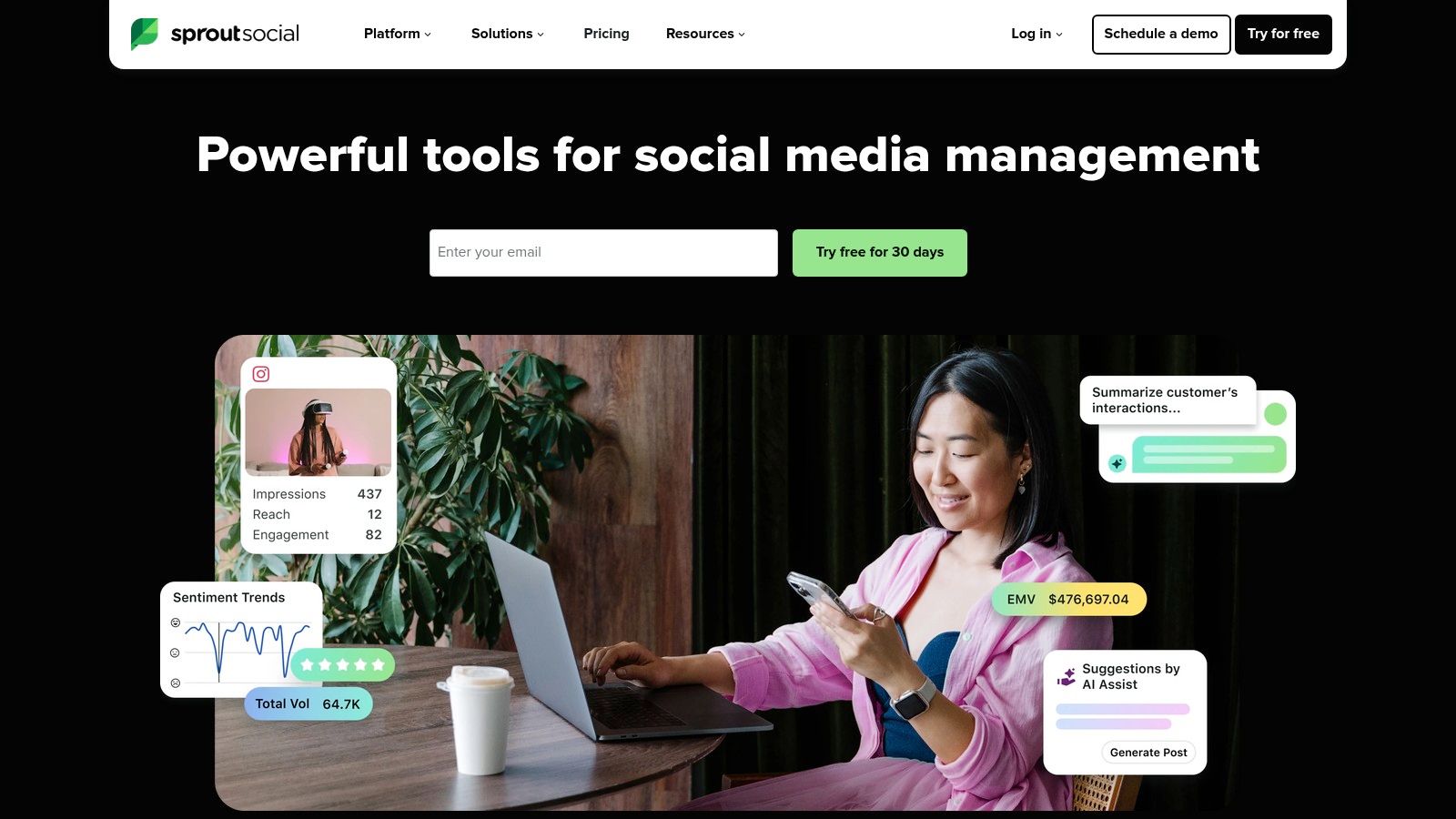
The main advantage is its comprehensive, all-in-one nature built for complex organizations. AI Assist helps writers generate or refine copy for different platforms, while other features automatically generate AI-powered alt-text for images, improving accessibility. Its listening tools use AI to analyze sentiment and identify trends, providing actionable insights that can guide your entire content strategy. This closed-loop system of listening, creating, and analyzing is what sets it apart from simpler schedulers.
However, this enterprise focus comes at a price. Sprout Social is more expensive than many schedulers aimed at small businesses, and costs can increase further with add-ons for premium analytics and listening features.
Key Features & Use Cases
- AI-Assisted Content Creation: Generate social media copy variations, refine tone, and automatically create alt-text for images to ensure content is both engaging and accessible.
- Listening-Informed Strategy: Use AI-powered social listening to detect emerging trends, analyze brand sentiment, and find relevant conversations to join. Example Workflow: Configure a listening topic for competitor brand names, use the AI insights to identify common customer complaints, and then task AI Assist with drafting a series of social posts that highlight how your product solves those specific issues.
- Unified Engagement & Analytics: Manage incoming messages across all platforms from a single smart inbox and use AI-driven analytics to measure performance and ROI.
| Feature | Best For |
|---|---|
| Pricing | Premium pricing with plans (Standard, Professional, Advanced) and optional add-ons for listening and analytics. |
| Integrations | Strong native integrations with major social networks as well as tools like Zendesk, HubSpot, and Salesforce. |
| Best For | Mid-to-large enterprises and agencies requiring robust governance, analytics, and team collaboration features for social media. |
Group107 Implementation Tip: We help you integrate Sprout Social's listening data with your broader marketing analytics stack. By setting up custom dashboards that correlate social trends with website traffic and lead generation, we provide a complete view of how your social media activities directly impact business goals. Learn more about our AI and automation services.
Pros:
- Enterprise-grade governance, security, and reporting capabilities.
- Well-documented AI features across content creation, listening, and customer care.
Cons:
- Higher price point compared to many SMB-focused schedulers.
- Total cost can escalate with premium add-ons for listening and analytics.
Website: https://sproutsocial.com
9. Mutiny
Mutiny is a B2B website personalization platform that uses AI and firmographic data to automatically tailor website content for different account segments. Its core strength lies in its ability to modify headlines, calls-to-action, and even social proof logos for visitors from specific industries or target accounts. This makes it a powerful tool for account-based marketing (ABM) strategies, moving beyond generic messaging to deliver a relevant experience that can significantly increase demo requests and pipeline from existing web traffic.
The platform’s no-code editor is a key advantage, allowing marketers to launch personalization campaigns without relying on developer resources. Mutiny identifies visitors and matches them to audiences, then serves the right content variations. It suggests "playbooks" based on successful campaigns from other users, providing a data-backed starting point for optimization. This approach positions it among the best AI tools for digital marketing for B2B companies focused on conversion rate optimization.
However, Mutiny is an enterprise-oriented solution with pricing that reflects its focus on driving pipeline. Costs can also increase when pairing it with essential data enrichment tools for maximum effectiveness.
Key Features & Use Cases
- No-Code Personalization: Visually edit any page element to create different versions for unique audience segments, such as industry, company size, or ad campaign source.
- AI-Powered Audience & Content Suggestions: The platform identifies high-value visitor segments and recommends personalization "playbooks." Example Workflow: Target visitors from the financial services industry, automatically changing the headline to "Secure Data Solutions for Fintech" and swapping customer logos to show well-known banks.
- A/B Testing & Analytics: Test personalized experiences against a control version to measure the direct impact on conversion rates and revenue, with results displayed in a clear dashboard.
| Feature | Best For |
|---|---|
| Pricing | Enterprise-focused; requires contacting the sales team for a custom quote. |
| Integrations | Connects with CRMs like HubSpot and Salesforce, data providers like Clearbit, and analytics tools like Google Analytics. |
| Best For | B2B SaaS and enterprise companies with a strong focus on ABM and converting website traffic into qualified leads. |
Group107 Implementation Tip: We integrate Mutiny with your existing marketing and sales stack to create a cohesive data flow. By connecting it to your CRM and enrichment tools, we can build hyper-targeted audience segments based on firmographic and behavioral data, ensuring your highest-value prospects see the most compelling message. Learn more about our AI and automation services.
Pros:
- Empowers marketers to run personalization campaigns without developer help.
- Proven to lift mid-funnel conversions for B2B and ABM motions.
Cons:
- Pricing is geared toward the enterprise and may be prohibitive for smaller businesses.
- Often requires additional investment in data tools to reach its full potential.
Website: https://www.mutinyhq.com
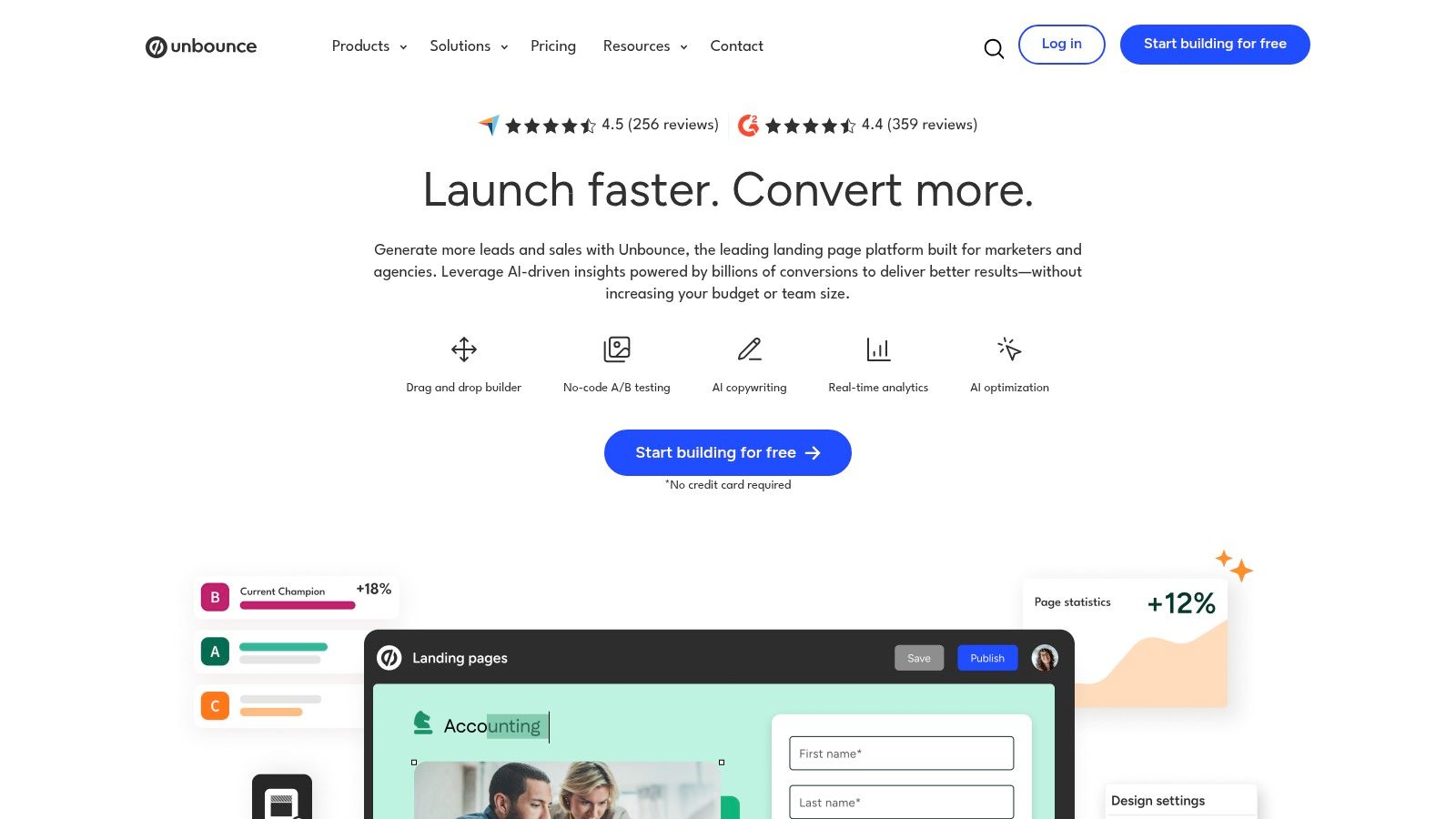
10. Unbounce (Smart Traffic and Smart Builder)
Unbounce moves beyond traditional A/B testing with its AI-powered landing page platform, making it one of the best AI tools for digital marketing for performance-driven campaigns. Its core feature, Smart Traffic, analyzes visitor attributes and automatically routes them to the landing page variant where they are most likely to convert. This accelerates optimization, especially for campaigns with limited traffic where a standard A/B test would take too long to reach statistical significance.
Instead of waiting for a clear "winner," Smart Traffic begins optimizing conversions from the first visitor. This dynamic approach ensures your ad spend is directed toward the most effective page variations in real-time, improving return on investment (ROI) from paid media. The platform is designed for marketers, allowing teams to launch and test high-quality landing pages, popups, and sticky bars without needing developer support.
However, the tool's effectiveness is tied to its plan limitations. Costs scale based on traffic volume and the number of published pages, which can become a factor for high-traffic sites or agencies managing many clients. While excellent for landing page optimization, it lacks the deep product experimentation features found in dedicated conversion rate optimization (CRO) suites.
Key Features & Use Cases
- Smart Traffic AI Routing: Automatically directs visitors to the page variant most likely to convert based on their attributes, improving results faster than manual testing.
- Drag-and-Drop Builder: Create and publish responsive landing pages, popups, and sticky bars using a library of templates without writing any code.
- A/B/n Testing & Analytics: Run classic A/B tests alongside Smart Traffic campaigns and connect directly with Google Analytics and ad platforms to track performance. Example Workflow: Launch a new SaaS product with three landing page variants, each highlighting a different primary benefit. Activate Smart Traffic to learn which value proposition resonates most with visitors from different ad channels (e.g., Google Ads vs. LinkedIn).
| Feature | Best For |
|---|---|
| Pricing | Tiered plans based on traffic, conversions, and domains. Starts with a 14-day free trial. |
| Integrations | Native connections to HubSpot, Salesforce, Marketo, Zapier, and major ad platforms. |
| Best For | Performance marketers and PPC specialists focused on maximizing lead generation and ad spend ROI. |
Group107 Implementation Tip: We integrate Unbounce with your analytics and CRM to create a closed-loop reporting system. This allows you to not only track conversions but also measure lead quality down-funnel, ensuring your AI-optimized pages attract the right customers. Check out our conversion rate optimization best practices for more strategies.
Pros:
- Faster optimization, especially for campaigns with lower traffic volumes.
- Marketer-friendly interface allows for quick page launches without engineering resources.
Cons:
- Pricing plans have traffic and page limits, which can increase costs.
- Less suited for deep, on-site product experimentation compared to full CRO platforms.
Website: https://unbounce.com
11. Mailchimp (with Intuit Assist and AI-driven automations)
Mailchimp has long been a go-to for email marketing, and its integration of Intuit Assist brings AI-powered features directly into its familiar interface. This makes it one of the best AI tools for digital marketing for small and medium-sized businesses that need accessible AI without a steep learning curve. Instead of a standalone AI tool, Mailchimp embeds generative assistance and predictive analytics into the campaign creation and audience management workflows.
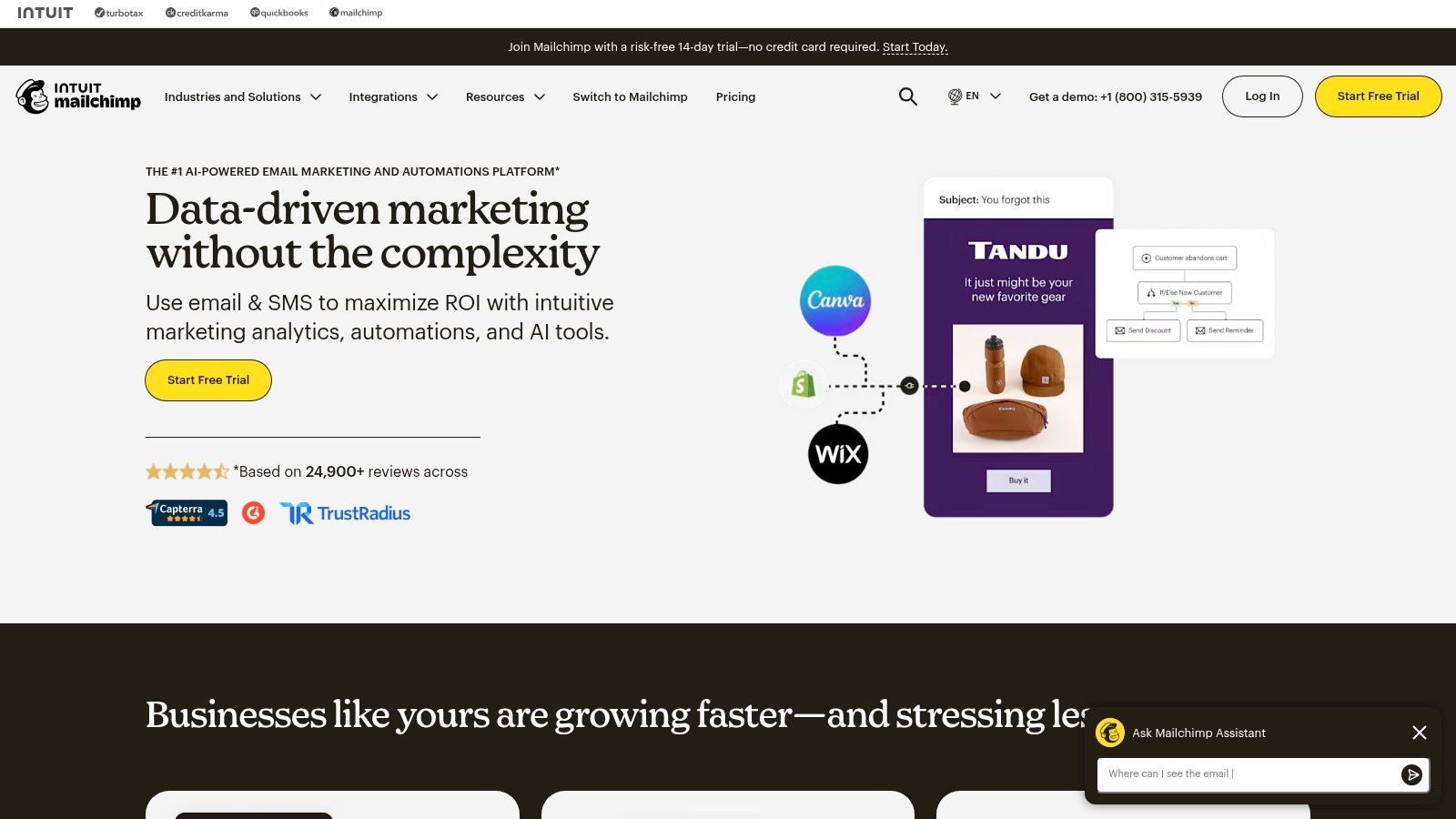
The primary advantage is its simplicity and focus on core marketing tasks. The AI helps generate subject lines, email copy, and even entire campaign structures, which is ideal for teams needing to launch quickly. Furthermore, its predictive segmentation can automatically identify contacts most likely to purchase or churn, allowing for targeted re-engagement campaigns without complex manual analysis.
However, the platform’s billing model, which considers both contact count and send frequency, can become costly as a business scales. While excellent for fundamental campaigns, users may find the depth of automation, particularly in multi-path conditional logic (journeys), is more limited in lower tiers compared to enterprise-focused systems.
Key Features & Use Cases
- Generative Content Assistance: Use Intuit Assist to draft subject lines, email headers, and body copy directly within the editor. AI suggests content based on your campaign goal.
- Predictive Segmentation: Automatically identifies audience segments based on their predicted lifetime value and likelihood to purchase. Example Workflow: Create a customer journey that automatically sends a special offer to the "High Predicted LTV" segment and a re-engagement email to those with a low purchase likelihood.
- AI-Powered Send-Time Optimization: The platform analyzes past engagement data to recommend the optimal time to send an email to each individual contact, maximizing open rates.
| Feature | Best For |
|---|---|
| Pricing | Free plan for up to 500 contacts; paid plans (Essentials, Standard, Premium) scale with contacts and features. Pay-as-you-go options available. |
| Integrations | Hundreds of integrations with major e-commerce platforms like Shopify, WooCommerce, and Squarespace, plus tools like Canva and Stripe. |
| Best For | SMBs, e-commerce stores, and startups that need a quick-to-launch email and marketing automation platform with built-in AI assistance. |
Group107 Implementation Tip: We connect Mailchimp to your e-commerce backend and CRM to build high-ROI automations. By configuring predictive segments and AI-assisted content, we can develop abandoned cart sequences and post-purchase follow-ups that increase customer lifetime value. Explore our AI and automation services.
Pros:
- Extensive library of templates and pre-built automation journeys.
- Transparent documentation on pricing, feature limits, and overage costs.
Cons:
- Billing based on both contacts and sends can increase costs at scale.
- Advanced automation and testing features are often restricted to higher-priced tiers.
Website: https://mailchimp.com
12. OpenAI ChatGPT (Team / Business / Enterprise)
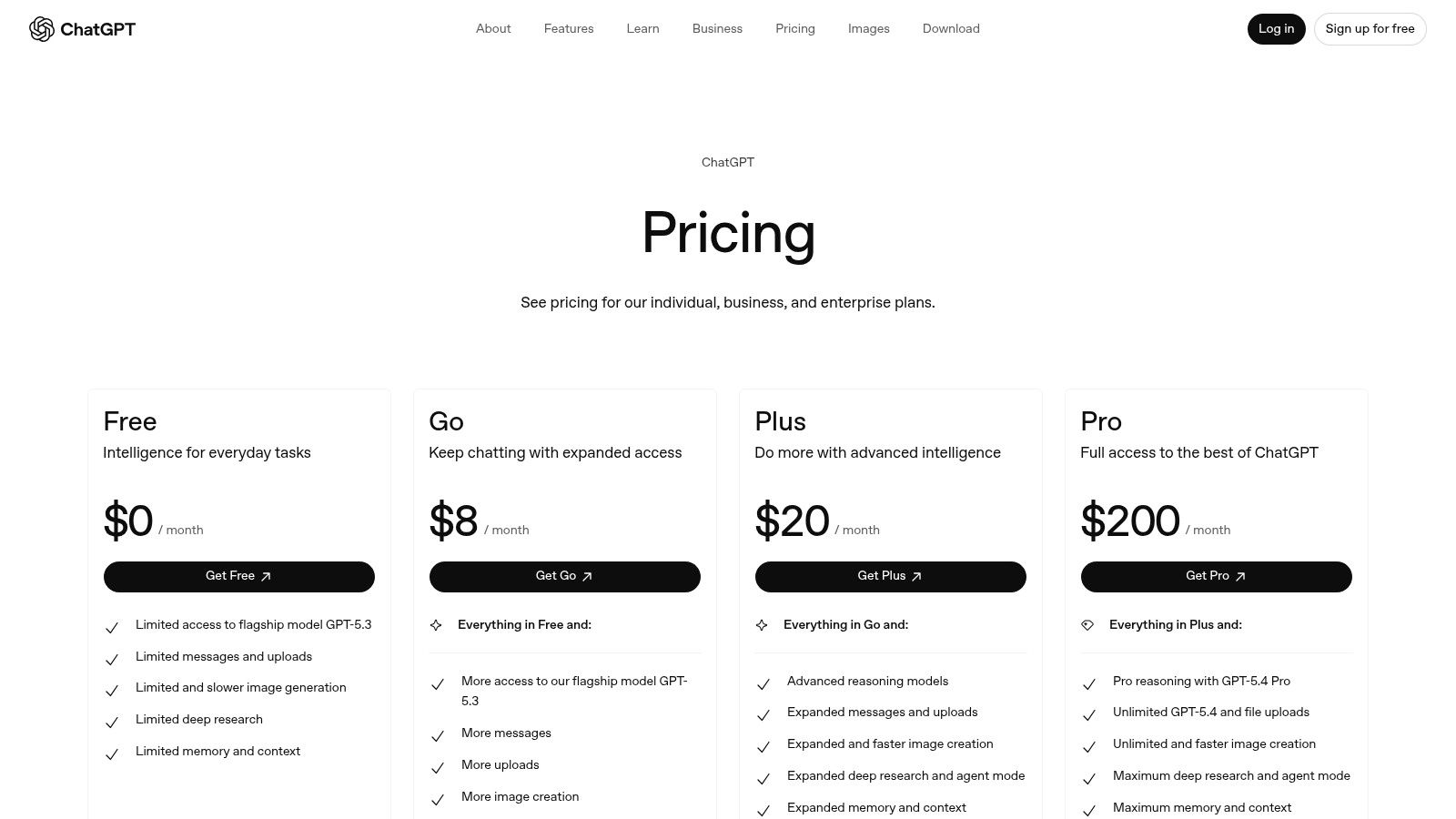
While many know ChatGPT as a consumer tool, its paid tiers (Team, Business, Enterprise) transform it into a secure, collaborative asset essential for marketing departments. These versions move beyond individual use, adding administrative controls, higher usage limits, and workspace features that make it one of the best AI tools for digital marketing for team-based workflows. The core value lies in its versatility for everything from initial market research and campaign ideation to drafting ad copy, emails, and technical briefs.
The primary advantage of the team-focused plans is standardization and governance. Instead of employees using personal accounts with varying capabilities and no oversight, a business can create a central workspace. This allows for the creation of Custom GPTs, which are specialized agents trained on specific instructions, brand guidelines, and knowledge bases. A marketing team can build a "Brand Voice Guardian" GPT to ensure all generated copy adheres to style guides or a "PPC Ad Crafter" GPT to standardize ad creation.
However, its general-purpose nature means outputs require strong prompt engineering and human oversight to align with specific brand tones and factual accuracy. The cost of advanced tiers can also be a factor for smaller teams, and getting the most value requires an investment in training staff on effective prompting and workflow design.
Key Features & Use Cases
- Advanced Multimodal Models: Use GPT-4 class models for sophisticated text analysis, content creation, data interpretation from uploaded files, and image generation.
- Workspace Collaboration & Admin: Team and Business plans offer a shared workspace, user management, and administrative controls for security and governance.
- Custom GPTs & Agents: Build and share custom AI agents tailored to specific marketing tasks. Example Workflow: Create a "Persona Builder" GPT. Feed it customer survey data and interview transcripts, and instruct it to generate detailed marketing personas, including pain points, goals, and preferred communication channels.
- Broad Ecosystem: Integrates with thousands of other applications through APIs and third-party tools like Zapier, enabling automated cross-channel workflows.
| Feature | Best For |
|---|---|
| Pricing | Free plan available; paid plans include Plus, Team (per-user/month), and custom Enterprise pricing. |
| Integrations | Extensive API access and a massive ecosystem of third-party connectors for nearly any marketing tool. |
| Best For | Marketing teams needing a versatile, secure AI assistant for research, ideation, and content creation with collaborative features. |
Group107 Implementation Tip: We specialize in developing custom GPTs and agents that act as a "brand-in-a-box" for your marketing team. By embedding your style guides, product information, and strategic goals into a secure agent, we can help you scale content creation while maintaining strict brand consistency. Discover our AI and automation services.
Pros:
- Extremely versatile across research, writing, creative, and analytical tasks.
- Strong ecosystem and integration potential for automating workflows.
Cons:
- Outputs require skilled prompt engineering and brand guardrails.
- Advanced tiers and enterprise-level features come at a premium price.
Website: https://openai.com/pricing/
Top 12 AI Tools for Digital Marketing — Comparison
| Product | Core features | UX & quality | Value / ROI | Target audience | Unique selling points & Pricing |
|---|---|---|---|---|---|
| Group107 Digital — Your Partner in the Digital Journey | End-to-end AI marketing stack: AI SEO, automated PPC, AI agents/SDR, personalization, embedded teams | Enterprise-grade delivery, continuous optimization, measurable attribution focus | Faster time-to-market, up to ~60% labor cost savings via Ukrainian offshore teams | Startups, product companies, enterprises, fintech | Dedicated embedded teams, IP protection, deep product/DevOps integration; custom/enterprise pricing |
| HubSpot Marketing Hub (with AI Content Assistant) | AI writing, SEO, email, native CRM, automation, reporting | Unified data model, mature UX, governance & permissions | Reduces tool fragmentation; CRM-connected targeting & reporting | SMBs to enterprises, CRM-driven marketing teams | All-in-one CRM+marketing stack; pricing scales with seats/contacts (can be costly) |
| Jasper | AI content copilot, brand voice controls, agents, templates, collaboration | Strong brand consistency, team workflows, governance | Scales content production with brand safety and speed | Marketing teams, agencies, enterprises | Robust brand/voice controls and campaign agents; best value at team/enterprise tiers |
| Semrush (with ContentShake AI) | Keyword research, competitive intel, technical audits, AI content tools | Data-driven insights, comprehensive SEO/SEM toolkit | Improves organic/paid strategy via deep datasets | SEOs, agencies, growth teams | Large search dataset and broad toolset; premium pricing and add-ons |
| Surfer SEO | Content editor with real-time scoring, NLP term suggestions, briefs, integrations | Actionable on-page guidance, clear optimization signals | Speeds content briefs and page updates for better SERP fit | Content SEOs, writers, agencies | Focused on on-page optimization; usage/credits caps on lower tiers |
| Canva Magic Studio (Canva AI) | Text-to-design, AI resize/animate, image/video generation, brand kits | Fast, easy asset creation for non-designers, collaborative | Reduces design bottlenecks, speeds creative production | Marketers, social teams, SMBs | Wide template library and collaboration; advanced governance on Business/Enterprise |
| Adobe Firefly | Text-to-image/video, generative fill/expand, Adobe integrations, licensable assets | Professional creative output within Adobe workflows | High-quality campaign visuals and agency-grade assets | Designers, agencies, enterprises | Deep integration with Adobe suite; best features and credits on paid plans |
| Sprout Social (AI Assist & Trellis) | AI social copy, alt-text, subtitles, listening, publishing, analytics | Enterprise-grade governance, centralized social ops | Streamlines social publishing and customer care, improves insights | Social teams, customer care, enterprises | Documented AI across creation and listening; higher cost than SMB schedulers |
| Mutiny | No-code page personalization, account ID, prebuilt ABM playbooks | Marketer-first personalization, A/B testing support | Increases demo rates and pipeline conversion for B2B | B2B marketers, ABM teams, revenue ops | B2B-focused personalization and playbooks; enterprise pricing, often needs enrichment tools |
| Unbounce (Smart Traffic & Smart Builder) | Smart Traffic routing, drag-and-drop builder, templates, integrations | Marketer-friendly, quick launches, effective with limited traffic | Improves paid media ROI by routing highest-converting variants | Performance marketers, agencies, SMBs | AI-driven traffic routing for faster optimization; page/traffic limits by plan |
| Mailchimp (with Intuit Assist) | Generative content, predictive segmentation, journeys, ecommerce automations | Easy campaign setup, wide templates, clear docs | Fast-to-launch email commerce workflows; flexible billing options | SMBs, ecommerce stores, small marketing teams | Pay-as-you-go and ecommerce focus; contact/send billing can increase costs |
| OpenAI ChatGPT (Team / Business / Enterprise) | Advanced LLMs, multimodal models, custom GPTs, collaboration & admin tools | Highly versatile toolset, requires prompt engineering for best results | Boosts productivity across research, briefs, ideation, analysis | Marketers, product teams, developers, enterprises | Custom GPTs/agents and broad integrations; enterprise features and limits are premium-priced |
From Tools to Transformation: Your Next Steps in AI-Powered Marketing
The array of AI tools available to digital marketers today is extensive, covering everything from SEO optimization with Semrush and Surfer SEO to dynamic content creation with Jasper and Canva Magic Studio. We've explored how platforms like HubSpot and Mailchimp embed AI to refine automation and how specialized tools like Mutiny and Unbounce are rewriting the rules of personalization and conversion rate optimization. The common thread is clear: AI is no longer a futuristic concept but a practical, results-oriented asset for modern marketing teams.
Adopting the right AI tools is a critical first step, but true business impact comes from integrating them into a cohesive, goal-oriented strategy. The best AI tools for digital marketing are not just about automation; they are about generating actionable insights that drive better business decisions. Whether you're optimizing SEO, personalizing user experiences, or scaling content creation, the objective is always to achieve measurable results like more leads, higher conversions, and greater ROI.
Making the Right Choice for Your Business
Selecting a tool from a long list can feel daunting. The key is to ground your decision in your specific business context. A fintech startup, for instance, might prioritize Unbounce and Mutiny for their immediate impact on lead conversion and personalization, while a large enterprise may find more value in the integrated ecosystem of HubSpot or the secure, scalable power of an OpenAI Enterprise plan.
Consider these factors as you evaluate your options:
- Business Stage & Scale: A startup's needs differ greatly from an enterprise's. Startups should look for tools with a low barrier to entry and quick ROI, while enterprises need solutions that offer security, scalability, and deep integration capabilities.
- Integration is Key: A powerful AI tool that operates in a silo is a missed opportunity. Prioritize tools that connect seamlessly with your existing technology stack, especially your CRM (like Salesforce or HubSpot), analytics platforms, and project management systems. This creates a unified data flow, which is the foundation of intelligent automation.
- Team Skillset: Evaluate your team's current capabilities. Do you have the technical expertise to manage complex integrations, or do you need a more user-friendly, plug-and-play solution? This assessment will determine whether you can manage implementation in-house or require an expert partner.
Actionable Next Steps to Get Started
Moving from theory to practice is where the real work begins. Follow these steps to implement AI in a structured and effective way.
- Audit Your Current Stack: Begin by identifying gaps and redundancies in your existing marketing tools. Pinpoint your biggest manual bottlenecks. Ask where AI could make the most significant difference, whether it's improving lead quality, boosting conversion rates, or reducing content production time.
- Start with a Pilot Project: Don't try to overhaul your entire marketing operation at once. Choose one high-impact, low-risk area to test an AI tool. For example, use Surfer SEO to update a piece of content that is ranking on page two, or deploy Unbounce's Smart Traffic on a single high-traffic paid campaign to measure the lift in conversions.
- Develop an Integration Roadmap: The real power of AI is unlocked when tools and data are connected. Before you purchase, think about how your chosen AI tools will integrate with your CRM, analytics platform, and other core business systems. A well-defined roadmap prevents data silos and ensures your technology investment pays dividends.
Building a sophisticated, scalable, and ROI-driven AI marketing engine requires both the right technology and the right expertise. It's about turning a collection of impressive tools into a unified system that predictably drives business growth.
Ready to move beyond individual tools and build a fully integrated AI-powered marketing system? Group 107 specializes in designing and implementing bespoke technology stacks that align with your unique business goals. Visit Group 107 to see how our expert teams can help you architect, integrate, and scale your digital marketing for maximum impact.