
When we talk about digital transformation for enterprises, we’re not just talking about shiny new tech. It’s a complete overhaul of how your organization uses technology, people, and processes to fundamentally shift business performance.
This is not an IT upgrade; it's a full-scale business evolution. The goal is to build an agile, data-driven, and customer-focused organization that can outmaneuver competitors in a rapidly changing market.
Why Digital Transformation Is a Business Imperative
In today's economy, digital transformation is the core strategy for survival and growth. Market pressures, disruptive competitors, and ever-rising customer expectations demand a fundamental change in how your business operates, creates value, and engages its audience. The real challenge isn't just implementing new tools; it's rewiring your company's operational DNA.
Many enterprises get stuck in a defensive, "must-do" mindset. To gain a real competitive advantage, you must shift to an offensive strategy that unlocks new revenue streams and builds a sustainable market edge. This requires transforming both your culture and operations, turning technology from a cost center into a primary driver of business outcomes. A critical component of this strategy is understanding how to incorporate advancements like AI digital transformation into your core processes.
The Market Demands Change
The numbers don't lie. The global digital transformation market reached USD 1,070.43 billion in 2024 and is projected to explode to USD 4,617.78 billion by 2030. This exponential growth signals an urgent, global race among enterprises to digitize their operations.
With 70% of executives stating that digital initiatives are critical for survival, inaction is not an option. For a full analysis, see the research on the digital transformation market growth from Grand View Research.
"The biggest mistake we see is enterprises treating transformation as a series of isolated IT projects. True success comes when the C-suite leads a unified effort to solve specific business problems, from improving customer experience to streamlining supply chains."
Core Pillars of Enterprise Digital Transformation
A successful transformation requires a holistic plan that balances technology, people, and strategy. We’ve found that the most effective initiatives are consistently built on four core pillars working in unison. These pillars provide a solid foundation for any large-scale transformation effort.
| Pillar | Strategic Focus | Business Impact |
|---|---|---|
| Customer Experience | Reimagining the entire customer journey using data and seamless digital touchpoints. | Creates personalized interactions that build loyalty, reduce churn, and increase lifetime value. |
| Operational Agility | Automating core processes, modernizing legacy systems, and adopting agile methodologies. | Increases efficiency, reduces operational costs, and accelerates time-to-market for new products and services. |
| Culture & Leadership | Fostering a culture of innovation, continuous learning, and data-driven decision-making from the top down. | Drives adoption, encourages experimentation, and aligns the entire organization toward shared goals. |
| Technology Integration | Implementing a modern, scalable tech stack, including cloud, AI, and advanced data analytics. | Serves as the engine for new business models, enhanced capabilities, and sustainable competitive advantage. |
These pillars provide the framework, but successful execution is where the real work begins. Each pillar is a complex domain, and all must be addressed cohesively for the transformation to succeed. To explore these concepts further, review our guide on digital transformation best practices. In the following sections, we will provide an actionable roadmap to help you build and execute your strategy, turning these pillars into measurable business results.
Building Your Transformation Roadmap and Governance
Kicking off a major transformation by diving blindly into new technology is a recipe for failure. A clear roadmap—a strategic blueprint that ties every initiative directly to a measurable business outcome—is non-negotiable. This is how ambitious goals become real-world milestones that your entire organization can execute. This strategic planning is the bedrock of any successful digital transformation for enterprises.
Without a clear vision, you are left with a collection of disconnected IT projects. For a SaaS client, the vision was to cut customer churn by 15% by personalizing the in-app experience. For a financial institution, the goal was to slash loan processing times by 40% by automating back-office workflows. Both goals were specific, had a clear ROI, and provided every team with a solid "why" for their work.
Aligning Stakeholders for Momentum
Securing stakeholder buy-in is often the most challenging part of the process. Without alignment from the C-suite down to the front lines, even the most brilliant strategy will fail. True alignment means every team member understands the vision, their role in it, and the metrics for success.
Therefore, communication must be a core strategic function, not an afterthought. It requires a constant, transparent dialogue tailored to each audience:
- For the C-Suite: Frame the transformation in terms of market position, competitive advantage, and long-term financial health.
- For Department Heads: Demonstrate how new processes and tools will help their teams achieve their KPIs and eliminate operational bottlenecks.
- For Front-Line Employees: The message must focus on how these changes will make their daily jobs more meaningful, less repetitive, and more impactful.
The transformation journey evolves from fixing internal operations to creating new business value, which in turn fosters a supportive culture.
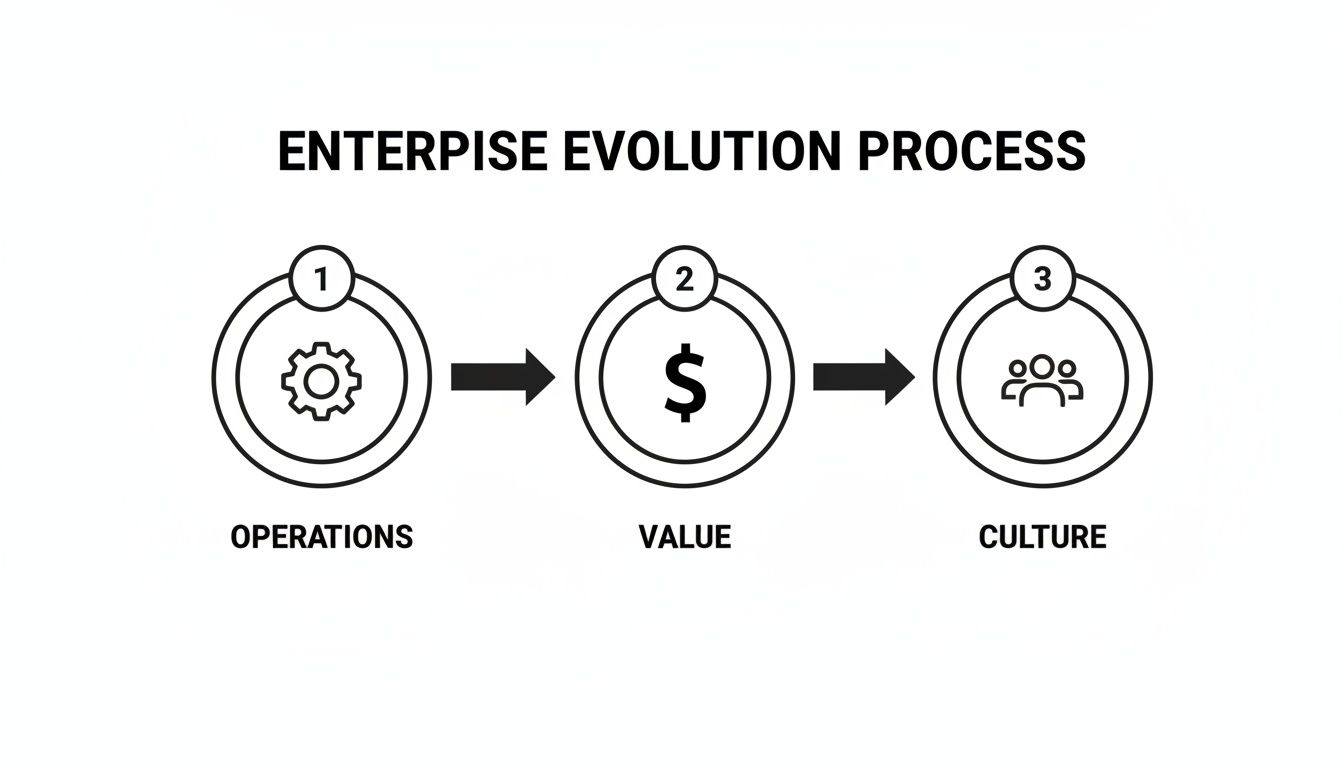
This sequence is critical. A new culture cannot be forced; it must be built on the foundation of operational wins that create tangible value people can see and feel.
Establishing a Strong Governance Model
With a clear vision and alignment, governance provides the structure to keep the transformation on track. A robust governance model is your best defense against scope creep, budget overruns, and shifting priorities. It establishes accountability and ensures all efforts remain focused on the strategic goals defined from the outset.
A well-defined governance framework doesn't stifle innovation; it directs it. It creates clear guardrails that empower teams to make decisions confidently within an agreed-upon strategic context, preventing chaos and ensuring every dollar spent moves the needle.
For an effective governance model, these components are non-negotiable:
- A Steering Committee: A cross-functional group of leaders from IT, finance, operations, and HR responsible for high-level decision-making, resource allocation, and clearing major roadblocks.
- Clear Roles and Responsibilities: A dedicated Project Management Office (PMO) to track progress, product owners for specific initiatives, and technical leads to guide execution. Everyone must know who owns what.
- Risk Management Protocol: A formal process to identify, assess, and mitigate risks. Proactive risk management is critical, especially when navigating compliance and data security in regulated industries like finance and government.
- Change Control Process: A formalized system for evaluating and approving changes to the project scope, preventing the "death by a thousand cuts" that derails large-scale programs.
Building this roadmap and governance structure is not administrative overhead. It is the strategic framework that separates successful transformations from expensive failures, ensuring your journey is deliberate, controlled, and focused on creating real business value.
Modernizing Your Enterprise Technology Architecture
Outdated, monolithic systems are often the single greatest barrier to enterprise agility. Modernizing your architecture is the technical heart of your transformation, enabling the speed, scale, and resilience required in today's market. This isn't about chasing trends; it's about building a future-proof foundation that allows your teams to build, test, and release value faster.
The objective is to break free from rigid, slow-to-change legacy systems and embrace a flexible, modular approach. A modern architecture, particularly one based on microservices, allows different parts of an application to be developed, deployed, and scaled independently, radically reducing dependencies and shortening delivery cycles.

Cloud-Native Platforms as the Foundation
Today, any serious enterprise transformation is built on the cloud. The hosted cloud segment commands a 51.6% revenue share and is projected for a 30.5% CAGR through 2035 as companies abandon on-premise infrastructure. This shift can reduce IT expenses by 30-60% and provide the agility needed for advanced AI and IoT initiatives.
Going cloud-native means designing and running applications to fully leverage the capabilities of modern cloud platforms. It is a paradigm shift centered on key practices:
- Containerization: Using tools like Docker to package applications and their dependencies into standardized, portable units.
- Orchestration: Managing containers at scale with a platform like Kubernetes, which automates deployment, scaling, and operations.
- Microservices: Decomposing large applications into a collection of smaller, independent services that communicate via APIs.
When you embrace a cloud-native architecture, you're doing more than just moving servers. You're fundamentally changing how your organization builds and delivers software, giving your teams the speed and autonomy they need to win.
Moving core systems requires a well-defined plan. For a detailed framework on executing your migration, our guide on enterprise cloud migration strategy is an essential resource.
Accelerating Delivery with DevOps and CI/CD
A modern architecture is only half the battle; it requires modern processes. DevOps practices break down the traditional silos between development and operations teams, fostering a culture of collaboration and shared ownership. This cultural shift is supercharged by Continuous Integration and Continuous Delivery (CI/CD) pipelines.
CI/CD automates the entire build, test, and deployment process, enabling teams to release software changes quickly, frequently, and reliably. We implemented a robust CI/CD pipeline for a financial services client that reduced their deployment time from weeks to just a few hours.
This level of modernization also depends on a high-performance network. As you upgrade your tech stack, understanding how components like a managed network switch provide critical control over data flow becomes paramount.
Monolithic vs. Microservices Architecture
Choosing the right architectural style is a pivotal decision. While a monolithic architecture may seem simpler initially, it quickly becomes a liability as your business grows and requires greater adaptability.
| Aspect | Monolithic Architecture | Microservices Architecture |
|---|---|---|
| Development Speed | Slow. The entire application must be rebuilt and deployed for every change. | Fast. Teams can work on and deploy individual services independently. |
| Scalability | Inefficient. The entire application must be scaled, even if only one feature is under heavy load. | Highly efficient. Individual services can be scaled based on specific demand. |
| Fault Isolation | Poor. A failure in one component can crash the entire application. | Excellent. A failure in one service is contained and will not bring down the entire system. |
| Technology Stack | Inflexible. You are locked into a single technology stack for the whole application. | Flexible. Each service can use the optimal technology for its specific job. |
By dismantling monolithic applications and adopting a modern, cloud-native approach powered by DevOps, enterprises unlock significant gains in speed, resilience, and efficiency. This is how you transform your technology stack from a cost center into a true competitive advantage.
Integrating AI and Data to Gain a Competitive Edge
Your data is your most valuable asset—but only if you put it to work. True digital transformation for an enterprise is not about collecting more data; it's about using that data to make smarter decisions, automate processes, and build a sustainable competitive advantage. This is where artificial intelligence and advanced analytics transition from buzzwords to the core of your business strategy.
It all starts with building a modern data stack. Legacy systems often trap crucial data in disconnected silos, making a unified view of the business impossible. Modernization involves creating a central, accessible data architecture to turn raw information from every corner of your operations into actionable insights.

Building a Strong Data Governance Foundation
Before you can derive value from AI, you must trust your data. A solid data governance framework—the collection of rules, processes, and standards that ensures your data is accurate, consistent, and secure—is essential. Without it, you are building AI models on a foundation of sand, leading to flawed insights and poor business outcomes.
Effective data governance isn’t about restricting data access; it’s about enabling people to use it safely and effectively. Key components include:
- Data Quality Management: Implementing automated checks and processes to clean, validate, and enrich data as it flows into your systems.
- Master Data Management (MDM): Establishing a single, authoritative source of truth for critical data entities like customer profiles, product catalogs, and supplier information.
- Data Security and Privacy: Defining clear policies for data access, encryption, and ensuring compliance with regulations like GDPR and CCPA.
This structured approach is the only way to prevent the "garbage in, garbage out" problem that derails so many promising AI initiatives.
Practical AI Use Cases That Drive ROI
The real power of AI lies in solving specific business problems and delivering measurable results. Look past the hype and focus on practical applications that provide immediate, tangible value.
AI isn't a magic wand; it's a powerful tool for optimization. The most successful projects target well-defined problems where data-driven predictions or automation lead to clear improvements in efficiency, customer experience, or revenue.
Consider these high-impact examples:
E-commerce:
- Predictive Customer Analytics: Analyzing browsing and purchase data to predict churn risk, then proactively deploying targeted retention campaigns.
- Hyper-Personalization: Using AI algorithms to power real-time product recommendations, creating a unique experience for every visitor and boosting conversion rates.
Finance:
- Algorithmic Trading: Developing AI models that analyze market data to execute trades at optimal prices, directly improving portfolio performance.
- Fraud Detection: Implementing machine learning systems that identify and flag anomalous transaction patterns in real-time. We've seen this reduce financial losses from fraud by over 70% for our clients.
These examples show how AI can directly drive efficiency and revenue. To learn more, explore our detailed guide on how to use AI in business and take it to the next level.
From Raw Data to Actionable Intelligence
The journey from raw data to actionable intelligence is a continuous cycle of collecting, processing, analyzing, and acting on information.
The pipeline typically includes these steps:
- Data Ingestion and Storage: Pulling data from all sources—CRM, ERP, IoT devices—into a central data lake or warehouse.
- Data Processing and Transformation: Cleaning and structuring raw data to ensure it is consistent and ready for analysis.
- Analytics and Modeling: Applying statistical analysis and machine learning models to uncover patterns, trends, and predictions.
- Visualization and Action: Presenting insights through intuitive dashboards and reports that empower business users to make data-informed decisions.
By weaving AI and data into the fabric of your core operations, you can transition from reactive, gut-feel decision-making to proactive, data-driven strategies that create a sustainable market advantage.
Assembling Your High-Performance Delivery Team
A transformation strategy is merely a document until the right people bring it to life. While roadmaps and technology are critical, the human element—the delivery team—is what turns ambitious plans into tangible results. Deciding how to build that team is one of the most critical decisions you will make.
The central question is team structure: do you build an in-house team from scratch or engage external experts? For an enterprise-wide transformation, the answer is often a strategic blend of both.
In-House Teams vs. Dedicated Partners
An internal team offers complete control and helps cultivate institutional knowledge. However, it can be slow and expensive, especially when you need specialized skills in cloud architecture, AI, or cybersecurity. In today's competitive talent market, hiring and retaining top-tier experts can stall your project before it even begins.
This is where a dedicated partner model excels. Unlike traditional outsourcing, a dedicated team embeds expert resources directly into your organization. They become a seamless, long-term extension of your staff, focused exclusively on your projects and fully aligned with your company’s culture and goals.
The embedded team model isn’t about outsourcing work; it’s about insourcing expertise. You get the exact skills you need, right when you need them, without the recruiting headaches and overhead of direct hiring. This approach slashes your time-to-market while you keep full control over your project's direction and IP.
The Power of the Embedded Team Model
For a complex, long-term initiative like an enterprise digital transformation, the embedded model provides an optimal balance of speed, cost, and quality.
Consider these strategic advantages:
- Accelerated Time-to-Market: Assemble a full-stack team of senior engineers, DevOps specialists, and QA professionals in weeks, not the months it takes to hire internally.
- Cost Optimization: Tap into top-tier global talent pools, like the expert engineers Group107 provides from Ukraine, to reduce labor costs by up to 60% compared to local hiring.
- Focused Expertise: Your dedicated team brings deep experience from numerous transformation projects, enabling them to anticipate challenges and apply best practices from day one.
- Scalability on Demand: The model provides the financial and operational flexibility to adjust your team size based on real-time project needs, whether you need to ramp up for a major push or scale back after a launch.
This model is increasingly vital as large enterprises drive market innovation. With large firms capturing over 57% of the digital transformation market share, their capacity to invest in sophisticated technology is clear. Professional services handle the majority of this work, and flexible models like dedicated teams are proving essential for success, as detailed in the latest digital transformation market analysis by Fortune Business Insights.
Case Study: A SaaS Company's Competitive Edge
We partnered with a fast-growing SaaS company struggling to keep up with its product roadmap. Their in-house team was overwhelmed, and they were losing ground to more agile competitors.
We provided a dedicated offshore team of six senior developers and two QA engineers. This new team cleared their entire feature backlog in just four months.
They integrated seamlessly into the company’s agile sprints, participated in daily stand-ups, and collaborated in real-time with internal product managers. The result? They launched three major product updates in six months—a timeline their CTO admitted would have taken over a year to achieve alone. This not only helped them catch up but allowed them to innovate past their rivals and secure a new round of funding.
This experience highlights the importance of a delivery-focused culture. Whether your team is in-house, offshore, or a hybrid, success depends on creating a unified group aligned on your goals and empowered to execute.
Embedding Security, Compliance, and Accessibility
During a major enterprise overhaul, security and compliance are not just checklist items—they are the foundation. A digital project without robust security is a liability, and one that ignores accessibility excludes a significant portion of your market. Building trust and inclusivity from the start is not just good ethics; it is a core component of any digital transformation for enterprises built to last.
This requires shifting security from a final inspection to an integrated part of your development lifecycle. This practice, known as DevSecOps, embeds security checks throughout the entire process—from initial design to deployment and beyond. By automating security scans and addressing threats early, you move from reactive firefighting to proactive risk management. It is the only sustainable approach in the modern regulatory environment.
Security and accessibility aren't just IT problems; they're business-critical functions. A secure product builds customer trust and protects your brand. An accessible one expands your market and shows you're committed to all of your users.
Navigating the Regulatory Landscape
For any large enterprise, especially those in finance, healthcare, or government, compliance is non-negotiable. Regulations like GDPR in Europe, HIPAA in healthcare, and CCPA in California carry severe penalties for non-compliance. A successful transformation must be designed with these rules in mind from day one.
- GDPR (General Data Protection Regulation): Demands strict control over how you process the personal data of EU residents.
- HIPAA (Health Insurance Portability and Accountability Act): Mandates strict privacy and security for all patient health information in the US healthcare sector.
- WCAG (Web Content Accessibility Guidelines): Increasingly recognized as the global standard for digital accessibility and a legal requirement for many public-facing organizations.
The optimal approach is to use these regulations as a blueprint for building better, more trustworthy products. An effective strategy includes continuous compliance monitoring, regular audits, and designing systems with privacy as a core feature, not an afterthought.
Why Accessibility Is a Strategic Imperative
Digital accessibility is often mistakenly viewed as a niche issue or a compliance burden. In reality, it is a powerful driver of business growth. When you design products that are usable for people with disabilities by adhering to WCAG standards, you improve the experience for everyone.
For example, closed captions benefit users in noisy environments, high-contrast modes reduce eye strain for all users, and clear navigation helps those who are distracted or in a hurry. By building accessible platforms, you can expand your potential market by up to 15% and solidify your brand’s reputation as a thoughtful, inclusive organization. It is a commitment that ensures the value you create is shared as widely as possible.
Digital Transformation FAQs
Even with meticulous planning, questions will arise during a project of this scale. Here are concise answers to the most common questions we hear from enterprise leaders.
What Is the Most Common Reason Enterprise Digital Transformations Fail?
The single biggest point of failure is a disconnect between technology initiatives and business strategy. Too often, transformations begin as IT-led projects focused on new tools rather than business-led efforts designed to solve a specific operational problem or unlock a new revenue stream. Without a clear, universally understood "why" and strong executive sponsorship, projects lose momentum, encounter internal resistance, and ultimately fail to deliver measurable ROI.
How Do We Measure the ROI of Digital Transformation?
To measure the ROI of a digital transformation for enterprises, you must tie your metrics directly to the initial business goals. Use a balanced scorecard of KPIs that includes both quantitative and qualitative measures.
- Quantitative Measures: Hard numbers like cost savings from automation, revenue growth from digital channels, and improvements in operational efficiency (e.g., reduced processing times).
- Qualitative Measures: Customer and employee experience metrics, such as Customer Satisfaction (CSAT), Net Promoter Score (NPS), and employee engagement survey results.
Establish a clear baseline for all metrics before the transformation begins. This is the only way to accurately track progress and prove the value of your investment.
How Can an Offshore Team Integrate with Our Enterprise Culture?
Successful integration depends on the partnership model. A dedicated, embedded team model, like the one we provide at Group107, is designed for deep cultural alignment. These are not siloed contractors; they work exclusively on your projects, use your communication tools like Slack or Teams, and participate in your daily stand-ups and sprint planning sessions.
True integration happens when you stop thinking of them as a "vendor" and start treating them as a genuine extension of your own staff. It's about clear, constant communication and including them in the big strategic discussions.
This approach ensures your dedicated team is fully aligned with your company’s culture, processes, and strategic goals from day one.
What Are the First Steps to Starting a Digital Transformation?
- Define the "Why": Clearly articulate the core business problem you are trying to solve or the strategic opportunity you want to seize. Is it to reduce operational costs, improve customer retention, or enter a new market?
- Secure Executive Sponsorship: Identify a C-level champion who will advocate for the transformation, secure resources, and drive alignment across the organization.
- Conduct a Current-State Audit: Assess your existing technology, processes, and people to identify key strengths, weaknesses, and opportunities for improvement.
- Start Small with a Pilot Project: Choose a high-impact, low-risk project to build momentum, demonstrate value, and learn valuable lessons before scaling the transformation across the enterprise.
Summary and Next Steps
Successful digital transformation for enterprises is a strategic, top-down initiative focused on driving measurable business outcomes. It requires a clear vision, strong governance, modern cloud-native architecture, and the integration of data and AI. Assembling a high-performance delivery team—often through a flexible, embedded partner model—is critical for execution speed and success. Finally, embedding security, compliance, and accessibility from day one ensures your transformation is sustainable, trustworthy, and inclusive.
Your next steps should be to:
- Assess Your Readiness: Evaluate your current state across technology, processes, and culture to identify your biggest transformation opportunities.
- Define a Pilot Project: Select a specific, high-value initiative that can deliver a quick win and build momentum for broader change.
- Build Your Core Team: Determine the skills you need and decide on the right mix of in-house talent and external expertise to drive your pilot project forward.
Ready to turn your vision into a scalable reality? Group107 provides dedicated offshore software development teams and end-to-end digital solutions to accelerate your transformation. Contact us to build your high-performance team today.
