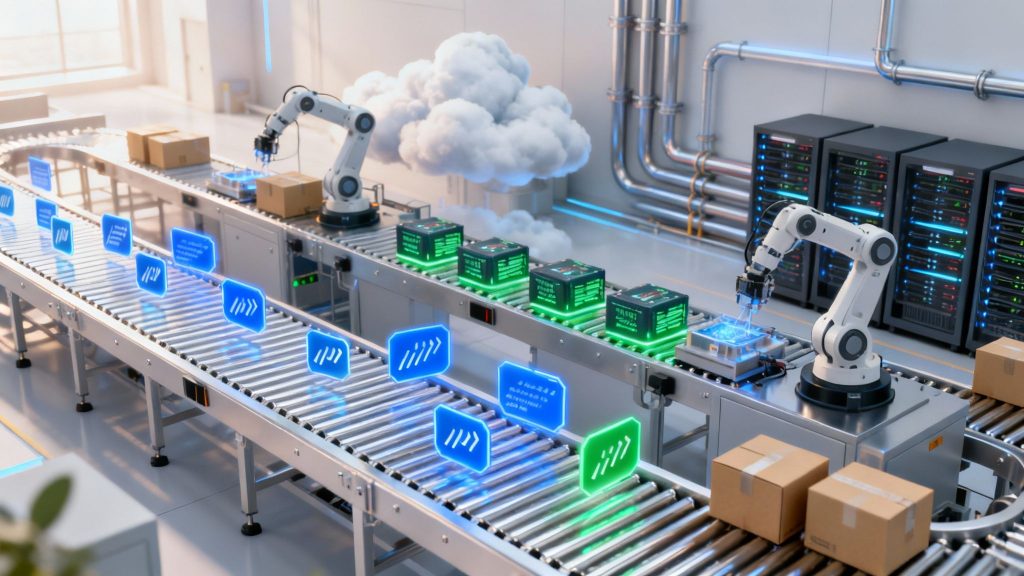
A CI/CD pipeline is the automated assembly line for modern software development. It systematically takes code from a developer’s machine, then builds, tests, and deploys it, eliminating the manual handoffs that create bottlenecks and introduce human error. This automation isn’t just a technical convenience; it’s the operational engine that powers high-performing DevOps teams.
By automating the entire software delivery lifecycle, a CI/CD pipeline enables businesses to release new features, security patches, and bug fixes faster and more reliably. For any organization in a competitive landscape—from SaaS and fintech to e-commerce—mastering this process is a strategic imperative for staying agile and responsive.
Understanding the Core Components: CI vs. CD
A CI/CD pipeline automates the journey of code from a local development environment to a live production server. Instead of teams working in silos and passing code “over the wall,” the pipeline connects every stage into a cohesive, repeatable, and transparent workflow. This is a fundamental shift that enables businesses to accelerate innovation securely.
The market for CI/CD solutions is projected to reach $1.43 billion by 2025, underscoring its critical role in modern digital infrastructure.
The term “CI/CD” combines two distinct but complementary practices that form the backbone of the pipeline.
- Continuous Integration (CI): This practice focuses on developers frequently merging their code changes into a single, shared repository. Each merge automatically triggers a build and a suite of automated tests. The primary business goal of CI is to detect and resolve integration issues early in the development cycle, ensuring the main codebase remains stable and preventing costly bugs from progressing.
- Continuous Delivery/Deployment (CD): This is the second half of the automation, handling everything after the code is successfully integrated and tested.
- Continuous Delivery ensures that every change passing the automated tests is automatically prepared and packaged for release, ready to be deployed to production with a single click. This gives the business control over the final deployment decision.
- Continuous Deployment takes this one step further by automatically deploying every validated build directly to production without any manual intervention. This model maximizes release velocity.
CI vs. CD: Key Differences at a Glance
This table provides a clear, side-by-side comparison of how Continuous Integration and Continuous Delivery/Deployment serve different yet interconnected purposes in the software delivery process.
| Concept | Continuous Integration (CI) | Continuous Delivery/Deployment (CD) |
|---|---|---|
| Primary Business Goal | Minimize integration risks and maintain code stability. | Accelerate the release of validated features to users. |
| Triggering Event | A developer commits new code to a shared repository. | A successful build from the CI stage passes all automated tests. |
| Core Activity | Automatically building the application and executing tests. | Preparing the build for release and deploying it to various environments. |
| Business Outcome | A tested, integrated, and validated software artifact. | A deployed application delivering value to customers. |
Together, these practices create a powerful, rapid feedback loop. Developers receive immediate validation of their work, quality assurance is embedded into the process, and operations teams can release updates with confidence. This entire system is built on automation and collaboration—two core principles of our DevOps services. By automating repetitive work, your team can focus on its highest-value task: building exceptional products that drive business growth.
How a CI/CD Pipeline Works: A Step-by-Step Breakdown
To understand what a CI/CD pipeline is in practice, it’s best to trace the journey of a single code change—from an idea to a live feature. This automated process is a sequence of logical stages, each serving as a quality gate that builds confidence and mitigates risk before the code advances.
Each step in this software assembly line is designed to ensure that only stable, secure, and valuable code reaches your customers.
The diagram below illustrates the typical flow of code from development through integration and finally to deployment.
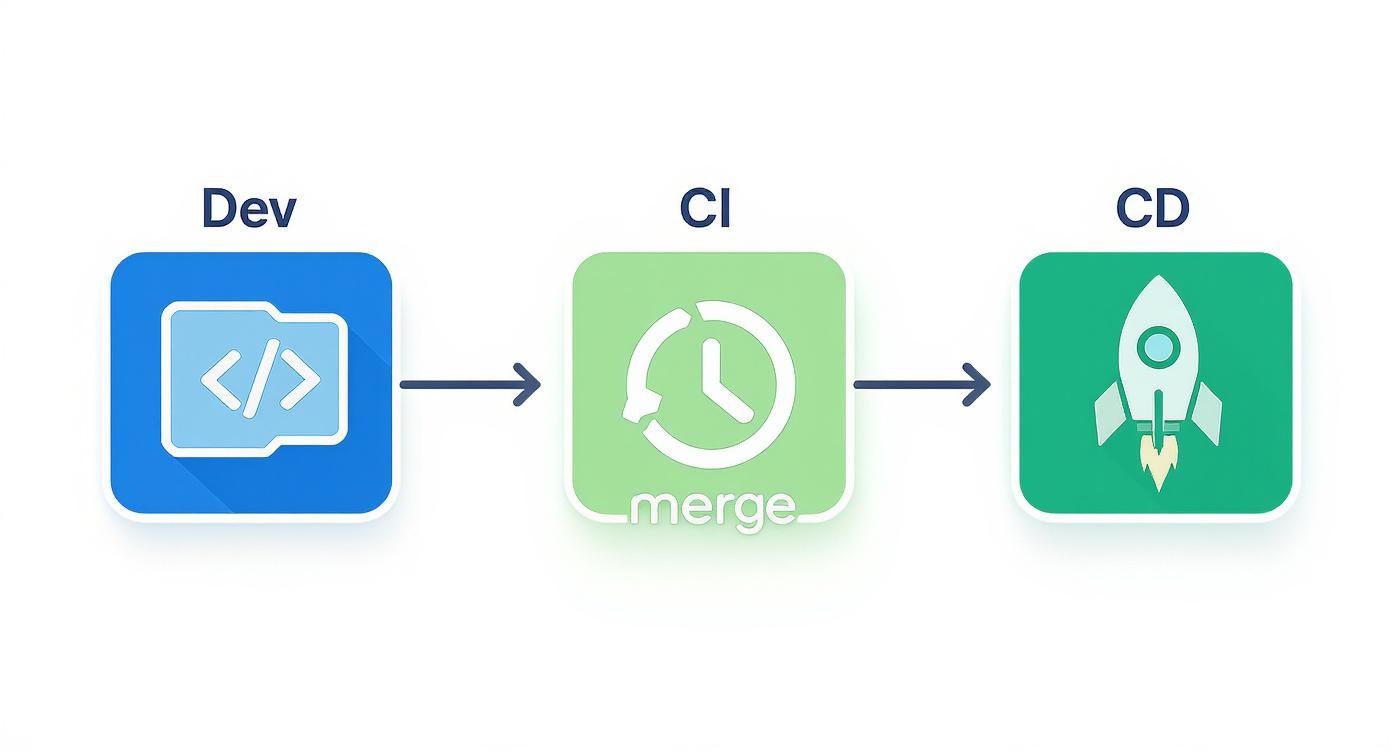
This visual represents the continuous cycle of building, testing, and releasing software that a well-structured pipeline enables.
Stage 1: Source
The process begins the moment a developer commits new code to a shared version control system, such as Git. This commit is the trigger that initiates the entire automated workflow.
Using a centralized repository is the foundation of Continuous Integration. It ensures every team member works from a single source of truth, preventing the chaos of conflicting code versions and siloed development efforts before they can start.
Stage 2: Build
Once new code is committed, the CI server automatically fetches the latest changes and compiles them into a runnable application, known as a build or artifact. This stage serves as the first critical validation, confirming that the new code integrates correctly with the existing codebase.
A failed build is an immediate, unmistakable signal that something is fundamentally broken—a syntax error, a missing dependency, or a code conflict.
Business Impact: Automated builds enforce consistency. The software is assembled the exact same way every time, completely eliminating the costly “it works on my machine” problem that plagues manual processes and drains engineering resources.
This stage is your first line of defense. If the code cannot be compiled into a functional unit, it is stopped from proceeding further.
Stage 3: Test
With a successful build artifact, the pipeline proceeds to the most crucial phase for quality assurance: automated testing. A comprehensive suite of pre-written tests runs against the build to identify bugs and regressions long before they can impact a user. This is not a single test but a multi-layered strategy.
- Unit Tests: These fast, granular tests validate individual components or functions in isolation. They are the first line of defense for catching logic errors at the smallest scale.
- Integration Tests: After verifying individual units, integration tests ensure that different parts of the application work correctly together. This is where issues in data flow and inter-service communication are found.
- End-to-End (E2E) Tests: These tests simulate a real user’s workflow from start to finish. They confirm that critical business processes, such as user authentication or completing a purchase, function as expected.
If any test fails, the pipeline halts and instantly notifies the development team. This rapid feedback is what enables developers to maintain high velocity without sacrificing quality. It is exponentially cheaper and faster to fix a bug at this stage than after it has been released to production.
Stage 4: Deploy
After the code has been successfully built and has passed every automated test, it is ready for release. The Continuous Delivery/Deployment (CD) part of the pipeline automates the promotion of the build through various environments.
This is typically a phased rollout:
- Staging Environment: The build is first deployed to a staging or pre-production environment, which is an exact replica of the live production setup. This is where final quality assurance, performance testing, and user acceptance testing (UAT) occur.
- Production Environment: Once validated in staging, the final step is deploying to the production environment, making the new features available to customers. In a Continuous Delivery model, this may require a manual approval for a final business sign-off. With Continuous Deployment, this step is also fully automated.
This staged approach acts as the ultimate safety net. It provides a final opportunity to identify issues in a production-like setting, minimizing business risk and protecting the customer experience.
The Real Business Impact of a CI/CD Pipeline
Beyond the technical benefits, a well-implemented CI/CD pipeline is a powerful engine for business growth. It’s not about developer convenience; it’s about making the entire organization more agile, profitable, and competitive by translating automated processes into tangible bottom-line results.
By automating the path from code commit to customer value, CI/CD dismantles the traditional barriers that slow down innovation. This has a direct impact on revenue, customer satisfaction, operational efficiency, and risk management.

Accelerate Time to Market
In dynamic industries like SaaS, finance, and e-commerce, speed is a decisive competitive advantage. A CI/CD pipeline automates the entire release process, shrinking delivery cycles from months or weeks down to days or even hours.
This acceleration means you can respond to market demands, ship new features, and address security vulnerabilities faster than competitors who rely on manual processes. For a SaaS company, this could mean launching a highly requested feature weeks ahead of a rival, capturing critical market share.
Enhance Code Quality and Stability
Automated testing acts as a rigorous quality control system embedded directly into your development workflow. By catching bugs early—long before they reach a customer—the pipeline significantly reduces the number of defects that make it into production.
Fewer defects translate directly to financial benefits:
- Lower Support Costs: Reliable software leads to fewer customer support tickets and reduces the operational burden on your team.
- Higher Customer Retention: A seamless, bug-free user experience builds trust and loyalty, reducing customer churn.
- Stronger Brand Reputation: Product stability is a hallmark of quality, enhancing your brand’s perception in the market.
A CI/CD pipeline transforms quality assurance from a manual, reactive task into a proactive, automated discipline. This shift prevents costly mistakes and protects revenue by delivering a consistently superior customer experience.
Boost Team Productivity and Focus
One of the most significant returns on investment from a CI/CD pipeline is the increase in developer productivity. It achieves this by automating the tedious, repetitive tasks that drain engineers’ time and cognitive energy.
Instead of being bogged down by manual builds, testing, and deployments, developers can focus their expertise on high-value activities: designing and building features that solve customer problems and drive business outcomes. This shift not only makes your engineering team more efficient but also more engaged and innovative.
Reduce Deployment Risk
Historically, software deployments were high-stakes, stressful events. A single error could cause system-wide outages, resulting in lost revenue and damaged customer trust. CI/CD pipelines mitigate this risk through small, frequent updates and automated safeguards.
Because each release contains only a few changes, it’s much easier to identify and resolve issues if something goes wrong. Furthermore, modern pipelines can be configured with automated rollback capabilities, instantly reversing a faulty deployment if critical errors are detected. For an e-commerce platform, avoiding even a few minutes of downtime during peak traffic can save thousands in lost sales, making CI/CD a strategic investment in business continuity.
Choosing the Right Tools for Your CI/CD Pipeline
A CI/CD pipeline is only as effective as the tools that power it. Selecting the right technology is a strategic decision that impacts team efficiency, system scalability, and long-term maintenance overhead.
The objective is not to adopt the newest trend but to build a seamless, integrated toolchain where each component excels at its function. This requires aligning your tools with your team’s skills, existing infrastructure, and business objectives. Choosing the right DevOps tools is the first critical step toward achieving meaningful automation.
Core Tool Categories in a CI/CD Pipeline
Every robust pipeline is built on several key categories of tools working in harmony. Each handles a specific, critical part of the software delivery lifecycle.
- Source Code Management (SCM): This is the foundation—the single source of truth for all code. Tools like GitLab, GitHub, and Bitbucket not only store code but also trigger the pipeline when a developer commits a change.
- Build Automation Server: This is the engine of the pipeline. The CI server pulls code from the SCM, compiles it, and runs the initial set of tests. Jenkins, GitLab CI/CD, CircleCI, and GitHub Actions are the market leaders in this category.
- Automated Testing Frameworks: This is where quality is enforced. These frameworks execute the test suites that detect bugs before they reach users. The choice of tools depends on your technology stack, with popular options including Selenium for web UI testing, JUnit for Java, and Pytest for Python.
- Deployment & Orchestration: This is the final stage. These tools automate the release of your application to users. Kubernetes has become the standard for container orchestration, while tools like Ansible and Terraform manage the underlying infrastructure as code.
Self-Hosted vs. Cloud-Native Solutions
A major decision point is whether to use a self-hosted tool like Jenkins or a managed cloud-native solution like GitHub Actions or GitLab CI/CD. Each approach has distinct trade-offs.
A self-hosted server like Jenkins offers maximum control and customization. You can configure the environment, plugins, and security protocols to meet specific needs, making it suitable for organizations with complex legacy systems or stringent compliance requirements. However, this control comes with the responsibility of managing all maintenance, including security patching, updates, and scaling.
Cloud-native tools like CircleCI and GitLab CI/CD abstract away the infrastructure management. Your team focuses solely on defining the pipeline logic, not maintaining servers. This model is optimized for speed and simplicity, making it ideal for teams that need to move fast without a large dedicated DevOps staff.
This choice is increasingly important as data volumes grow. The world is projected to generate 181 zettabytes of data by 2025, and much of it will be processed through automated pipelines. 71% of organizations are already shifting toward cloud-native data pipelines, which deliver an average of 3.7x higher ROI than traditional on-premise solutions.
Popular CI/CD Tool Comparison
This table provides a high-level comparison of leading CI/CD tools, highlighting their strengths and ideal use cases. Use this as a starting point to determine which technology stack aligns with your team’s workflow and business goals.
| Tool | Category | Key Features | Best For |
|---|---|---|---|
| Jenkins | Build Server | Highly extensible (thousands of plugins), on-premise control, open-source | Teams needing deep customization, complex workflows, or self-hosted environments. |
| GitLab CI/CD | Integrated Suite | All-in-one SCM, CI/CD, and security scanning; built-in Docker registry | Organizations seeking a single, unified platform to manage the entire DevOps lifecycle. |
| GitHub Actions | Integrated CI/CD | Tightly integrated with GitHub repos, massive community marketplace, YAML-based | Teams already using GitHub who want a seamless, event-driven CI/CD experience. |
| CircleCI | Cloud-Native CI/CD | Fast performance, powerful caching, Docker/Kubernetes support, easy setup | Startups and teams prioritizing speed and developer experience over infrastructure control. |
| Ansible | IaC/Deployment | Agentless, simple YAML syntax, idempotent | Automating configuration management and application deployment across diverse infrastructure. |
| Terraform | IaC/Orchestration | Declarative, multi-cloud support, state management | Managing cloud infrastructure as code, especially in hybrid or multi-cloud environments. |
Ultimately, the best tool is the one that empowers your team to ship high-quality software efficiently.
Making the Right Choice for Your Business
Look beyond feature lists to make a strategic decision. The ideal tool for a nimble startup is likely unsuitable for a highly regulated financial institution.
Consider these key questions:
- Team Skillset: Does your team have deep expertise in server management, or would a managed service allow them to be more effective?
- Infrastructure: Where do your applications run? On-premise, in the cloud, or a hybrid model? Your tools must align with your environment. Explore what the cloud is and why you need it to inform this decision.
- Scalability Needs: Do you anticipate rapid growth in your team or application complexity? Cloud-native tools often provide more seamless scaling.
- Security and Compliance: Do you operate in an industry like finance or government with strict regulatory requirements? The need for granular control may favor a self-hosted solution.
By thoughtfully evaluating these factors, you can build a CI/CD toolchain that not only automates tasks but actively accelerates your business objectives.
CI/CD Best Practices and Common Mistakes to Avoid
Implementing a CI/CD pipeline is a significant first step, but its real value is realized when it is fast, secure, and maintainable. Without adhering to best practices, an automated workflow can devolve into a slow, complex bottleneck that hinders rather than helps development.
The goal is not just automation but effective automation—a system that accelerates delivery, improves quality, and requires minimal manual intervention. This means prioritizing speed, simplicity, and security at every stage.
Non-Negotiable Best Practices for an Effective Pipeline
To build a high-performing CI/CD pipeline, several foundational principles are essential. These are not mere suggestions but proven practices that maximize velocity, reduce errors, and empower your team to deliver value with confidence.
- Keep Builds Fast: The core purpose of CI is rapid feedback. If a build takes an hour, developers will batch commits or switch contexts, defeating the purpose. Aim for build and test cycles under 10 minutes by optimizing dependencies, parallelizing tests, and leveraging intelligent caching.
- Use Trunk-Based Development: Encourage developers to commit small, frequent changes to a single main branch (“trunk”). This practice nearly eliminates the painful merge conflicts associated with long-running feature branches and ensures the codebase is always in a releasable state.
- Integrate Security from the Start (DevSecOps): Security cannot be an afterthought. Embed automated security scanning tools directly into your pipeline. This should include Static Application Security Testing (SAST) to find vulnerabilities in your code and Software Composition Analysis (SCA) to check for known issues in third-party libraries.
- Make the Pipeline the Only Path to Production: Enforce a strict policy that all code changes—no matter how small—must go through the CI/CD pipeline to reach production. This eliminates risky manual deployments and ensures every change is tested, logged, and deployed consistently.
Common Mistakes and How to Sidestep Them
Many organizations encounter the same predictable challenges when building their first CI/CD pipeline. Understanding these pitfalls upfront allows you to design a more resilient and scalable system from day one.
Mistake 1: Creating ‘Pipeline Sprawl’
This occurs when every team creates dozens of unique, overly complex pipelines for each application or microservice. The result is a maintenance nightmare of duplicated effort, inconsistent standards, and a tangled system that no single person understands.
- How to Avoid It: Adopt a “pipeline as code” mindset by creating reusable pipeline templates or shared libraries. Define a standardized, flexible structure that can be adapted for different projects with minimal configuration changes. This ensures consistency and simplifies management across the organization.
Mistake 2: Neglecting Pipeline Monitoring and Metrics
A pipeline without metrics is a black box. You have no insight into whether it’s slowing down, becoming unreliable, or where the true bottlenecks are. Without data, you cannot make informed improvements.
- How to Avoid It: Track key performance indicators (KPIs) that directly map to business value:
- Cycle Time: The total time from a code commit to its deployment in production.
- Change Failure Rate: The percentage of deployments that cause a failure in production.
- Mean Time to Recovery (MTTR): How quickly you can restore service after a deployment failure.
Monitoring these metrics transforms your pipeline from a simple automation tool into a strategic asset for continuous improvement. It provides the data-driven insights needed to enhance both speed and stability.
Mistake 3: Failing to Secure Team Buy-In
If developers view the pipeline as a bureaucratic hurdle, they will inevitably find ways to circumvent it. A pipeline is only effective if the team actively uses it and understands the value it provides.
- How to Avoid It: Involve your development team in the design process from the beginning. Clearly communicate the “why” behind the pipeline, focusing on how it makes their jobs easier by automating repetitive work and providing fast, reliable feedback. Comprehensive training and clear documentation are also crucial for reducing friction and encouraging adoption.
The Future of CI/CD: AI and Intelligent Automation
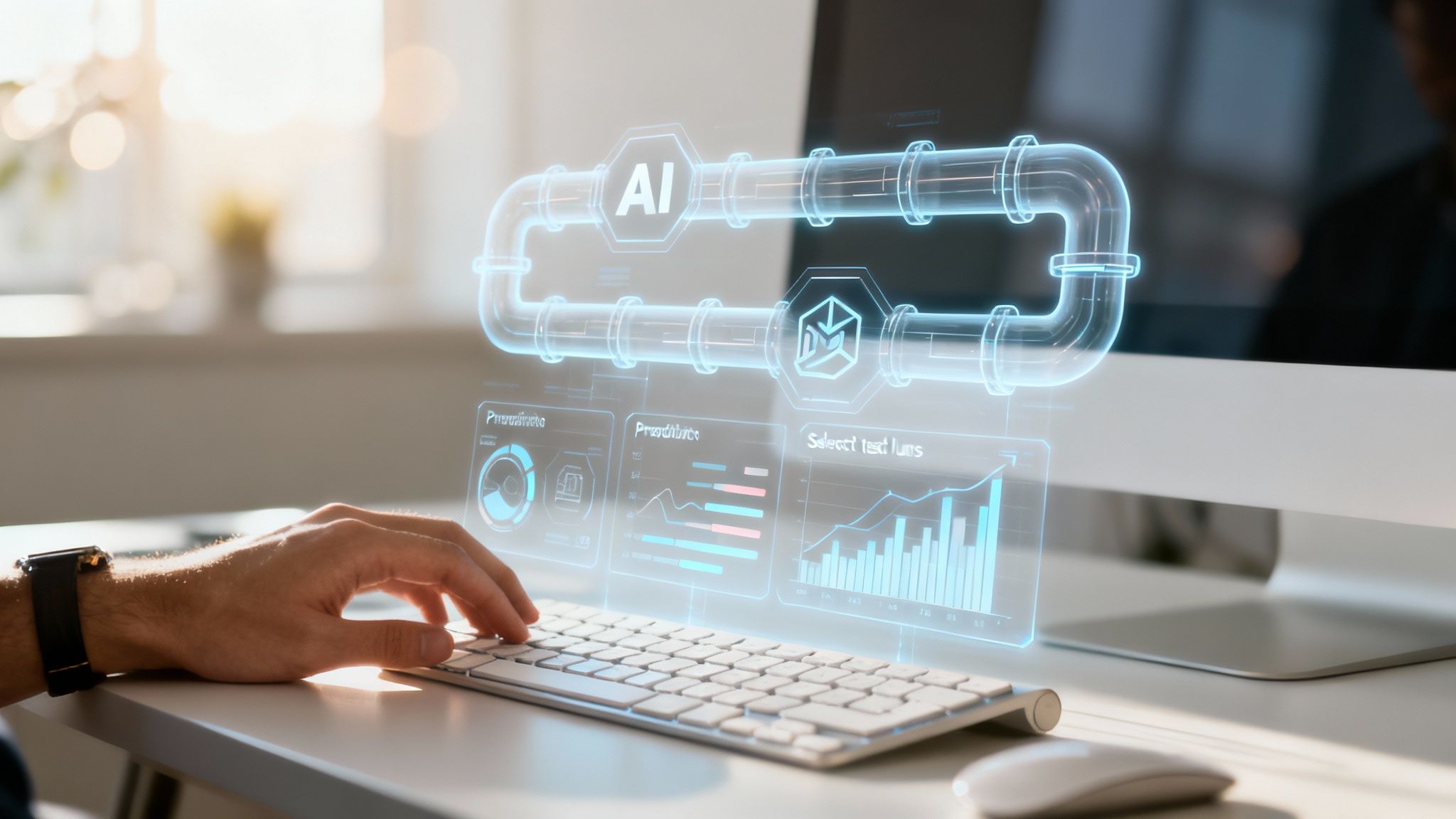
The evolution of CI/CD is moving beyond simple task automation into the realm of intelligent, self-optimizing systems driven by artificial intelligence. AI and machine learning are beginning to reshape these workflows, creating a new generation of pipelines that can predict failures, optimize resource usage, and enhance security with unprecedented accuracy.
This trend, often called AIOps (AI for IT Operations), transforms the pipeline from a static, pre-programmed process into a dynamic system that learns and adapts. Algorithms analyze pipeline data to make faster, smarter decisions without human intervention. The impact is a shift from reactive problem-solving to proactive optimization of the entire delivery lifecycle.
Practical Applications of AI in CI/CD
AI is already delivering tangible results and driving significant efficiency gains in the development cycle. By 2025, AI-driven pipelines offering predictive analytics and intelligent error handling are expected to be mainstream, with some early adopters reporting up to a 10x improvement in development productivity.
Here’s how AI is making pipelines smarter today:
- Predictive Analytics for Build Failures: AI models can analyze historical build data to identify patterns that typically precede a failure. The system can then flag a high-risk code commit before it is merged, saving significant developer time.
- Intelligent Test Selection: Running a full test suite for a minor change is inefficient. AI can analyze a code change and determine the precise subset of tests required to validate it, providing much faster feedback without compromising quality.
- Automated Security Vulnerability Detection: AI enhances DevSecOps by identifying complex security threats with greater accuracy than traditional static analysis tools. It can recognize anomalous patterns and even potential zero-day vulnerabilities, making security a more proactive and intelligent part of the pipeline.
The key takeaway is that pipelines are evolving from executing commands to learning and adapting. With AIOps, a pipeline can self-heal, optimize its own performance, and provide insights that help your team build better software, faster.
To maintain a competitive edge, it is critical to understand how to strategically use AI in your business and leverage these advancements. Embracing this evolution now will ensure your CI/CD pipeline remains a powerful competitive advantage, delivering not just automation but true operational intelligence.
Answering Your CI/CD Questions
As organizations adopt CI/CD, several common questions arise. Clarifying these points helps demystify the process and highlights the immense value that automation brings to software development.
What Is the Difference Between Continuous Delivery and Continuous Deployment?
This is the most frequent point of confusion, as the terms are very similar. The distinction lies in one critical step: the final, manual approval before a production release.
- Continuous Delivery: Every code change that passes all automated tests is automatically built and deployed to a staging environment. The software is ready to go live, but it waits for a human—such as a product manager or QA lead—to provide the final approval and trigger the production deployment.
- Continuous Deployment: This approach takes automation to its final conclusion. If a code change passes every automated test, it is deployed directly to the production environment without any manual intervention.
A simple way to remember it: Continuous Delivery ensures your software is always in a releasable state. Continuous Deployment takes the next step and automatically releases it for you.
How Does a CI/CD Pipeline Improve Software Quality?
A CI/CD pipeline enhances software quality not through a single action, but through a systematic process that reinforces best practices. It catches bugs earlier, enforces consistency, and fosters a culture of quality.
The core principle is that it is far easier, faster, and cheaper to test, debug, and fix a small, recent change than a large one that has been in development for months. A CI/CD pipeline makes this small-batch workflow the default.
This quality improvement stems from three key functions working together:
- Automated Testing: By running a comprehensive suite of tests on every commit, the pipeline acts as a vigilant quality gate, identifying bugs in minutes instead of days.
- Consistent Environments: The pipeline builds and deploys the application in a standardized way every time, eliminating the “it worked on my machine” problems that cause so much friction.
- Rapid Feedback Loops: Developers receive near-instant feedback on their changes, allowing them to fix issues immediately while the context is still fresh in their minds.
What Are the First Steps to Building a CI/CD Pipeline?
Adopting CI/CD does not require an all-or-nothing approach. The most effective strategy is to start small, demonstrate value quickly, and build momentum with incremental improvements.
Here is a practical, step-by-step roadmap for getting your first pipeline started:
- Establish Version Control: This is non-negotiable. All application code must be stored in a centralized repository like Git.
- Automate the Build: Select a CI server (e.g., GitLab CI or Jenkins) and configure it to automatically compile your code every time a change is committed to the main branch.
- Add Foundational Tests: Integrate basic automated tests, such as unit tests. Configure the pipeline to fail automatically if any test does not pass.
- Automate Deployment to a Staging Environment: Set up the pipeline to automatically deploy any successful, tested build to a non-production staging environment. This provides a safe, production-like space to validate changes.
Mastering these four steps creates a solid foundation upon which you can continuously build and improve your automation capabilities over time.
Ready to implement a CI/CD pipeline that accelerates your delivery and enhances product quality? The DevOps experts at Group 107 design and manage high-performing pipelines that drive real business results. https://group107.com