
Structured Query Language (SQL) is the bedrock of modern data management, powering everything from fintech platforms that process millions of transactions to enterprise systems managing vast, complex datasets. A strong command of SQL is not just a desirable skill; it's a non-negotiable requirement for critical roles in data science, back-end development, data engineering, and DevOps. Hiring managers use common SQL interview questions to rigorously test not just technical knowledge, but your strategic problem-solving abilities, precision, and deep understanding of performance at scale.
This guide moves beyond simple definitions to provide a strategic breakdown of the most frequently asked SQL questions. We provide expert answers, practical code examples, and the underlying business logic. We will explore why these concepts are critical for building scalable, high-performance applications—like the robust fintech and enterprise solutions Group107 delivers—and how you can demonstrate true proficiency. Mastering these topics will prepare you to prove your value and secure your next high-impact role at a SaaS startup, public company, or high-growth tech firm.
While technical SQL depth is crucial, success in tech interviews also requires mastering general communication and problem-framing techniques. To prepare for the non-technical aspects of your conversations, it's wise to familiarize yourself with a broader set of common interview questions and answers. This ensures you can articulate your experience and career goals as clearly as you can write a complex query, equipping you to handle any question that comes your way.
1. What is the difference between INNER JOIN and LEFT JOIN?
This is one of the most fundamental and common SQL interview questions, acting as a quick litmus test for a candidate's core relational database knowledge. The distinction between INNER JOIN and LEFT JOIN determines how datasets are combined, directly impacting the completeness and accuracy of query results.
An INNER JOIN returns only the rows where the join condition is met in both tables. It's used for finding the intersection of two datasets. For instance, in an e-commerce platform, joining an orders table with a payments table using INNER JOIN would show only the orders that have been successfully paid.
A LEFT JOIN (or LEFT OUTER JOIN) returns all rows from the left table and the matched rows from the right table. If there is no match in the right table for a row in the left table, the result will contain NULL values for columns from the right table. This is critical for analysis where you need to see all records from a primary dataset, including those without a corresponding entry in another.
Real-World Application
Consider a banking system where you need a report of all customers and their recent transaction activity.
INNER JOIN:
SELECT c.customer_name, t.transaction_amount FROM customers c INNER JOIN transactions t ON c.customer_id = t.customer_id;
This query would only list customers who have made a transaction. Customers who have an account but no transactions in the specified period would be excluded.LEFT JOIN:
SELECT c.customer_name, t.transaction_amount FROM customers c LEFT JOIN transactions t ON c.customer_id = t.customer_id;
This query lists all customers. Customers without transactions will appear in the list with aNULLvalue fortransaction_amount, correctly identifying inactive accounts.
For business intelligence and reporting,
LEFT JOINis often more valuable because it prevents the silent omission of data. In enterprise applications, identifying what is not there (like an employee without a performance review) can be as important as what is there. For expert guidance on building robust data models, see our web development solutions.
2. What is the difference between WHERE and HAVING clauses?
This is another staple among common SQL interview questions, designed to probe a candidate's understanding of query execution order. The distinction between the WHERE and HAVING clauses is fundamental; it dictates when data is filtered, which directly affects the results of aggregate functions and the performance of complex reports.
The WHERE clause filters individual rows before any grouping or aggregation occurs. It scans the table and discards rows that do not meet the specified conditions. Think of it as the first gatekeeper, reducing the dataset that will be processed further. Conversely, the HAVING clause filters groups of rows after they have been aggregated by a GROUP BY clause. It operates on the results of aggregate functions like COUNT(), SUM(), AVG(), etc.

Real-World Application
Imagine you're building a fintech dashboard to identify high-value customers based on transaction patterns. You need to find customers who made more than five large transactions since the start of the year.
WHERE filters individual transactions first:
WHERE transaction_date > '2024-01-01' AND amount > 1000
This initial filter narrows the dataset to only include large transactions from the current year, making the subsequent aggregation more efficient.HAVING filters the resulting groups:
GROUP BY customer_id HAVING COUNT(*) > 5
After grouping the filtered transactions by customer, this clause keeps only those groups (customers) with a count greater than five. The query would look like this:SELECT customer_id, COUNT(transaction_id) AS large_transactions FROM transactions WHERE transaction_date > '2024-01-01' AND amount > 1000 GROUP BY customer_id HAVING COUNT(transaction_id) > 5;
The key takeaway is an order of operations:
WHEREacts on rows, thenGROUP BYaggregates them, and finallyHAVINGacts on the resulting groups. UsingWHEREto pre-filter rows is a critical performance optimization, as it reduces the amount of data the aggregation engine needs to process. For building performant and secure fintech platforms, our expert guidance is invaluable. Explore our fintech software development services to learn more.
3. How do you write a query to find duplicate records in a table?
This practical question is one of the most common SQL interview questions because it directly assesses a candidate's ability to handle data quality, a critical task in any data-driven role. Identifying duplicates is a frequent requirement in fintech systems to prevent double billing, in CRM platforms to consolidate user profiles, and during database migrations to ensure data integrity.

The most straightforward method uses a combination of GROUP BY and HAVING. By grouping rows based on the columns that define a "duplicate" record (e.g., email or transaction_id), you can then use a HAVING clause with COUNT(*) to filter for groups containing more than one entry. This approach is intuitive and easy to implement for basic duplicate detection.
For more complex scenarios, especially on large datasets, window functions like ROW_NUMBER() offer superior performance and flexibility. This technique assigns a sequential integer to each row within a partition (a group of duplicate records) and allows you to easily select all instances beyond the first one.
Real-World Application
Consider a fintech application where you need to find duplicate transactions that might indicate a system error or fraudulent activity. A duplicate is defined by the same account_id, amount, and timestamp occurring within a very short period.
GROUP BY with HAVING:
SELECT account_id, amount, transaction_timestamp, COUNT(*) FROM transactions GROUP BY account_id, amount, transaction_timestamp HAVING COUNT(*) > 1;
This query quickly returns the specific transaction details that appear more than once, helping analysts flag them for review.Window Function:
WITH NumberedTransactions AS (SELECT *, ROW_NUMBER() OVER(PARTITION BY account_id, amount, transaction_timestamp ORDER BY transaction_id) as rn FROM transactions) SELECT * FROM NumberedTransactions WHERE rn > 1;
This query is more powerful as it allows you to select the entire row of each duplicate entry, not just the grouped columns, making it easier to delete or archive them.
An interviewer will look for your ability to define what constitutes a "duplicate" based on business logic. The best answers demonstrate an understanding of both the simple
GROUP BYmethod and the more performant window function approach, explaining the trade-offs. Building robust, error-free data systems from the ground up is key; for expert assistance in this area, explore our enterprise software development services.
4. What is a subquery and when should you use it?
This is another of the most common SQL interview questions because it assesses a candidate's ability to handle complex data retrieval and filtering logic. A subquery, or nested query, is a SELECT statement embedded inside another SQL statement. It allows you to construct dynamic, data-driven conditions for filtering, comparing, or generating values within a main query.
A subquery can return a single value (a scalar subquery), a single column of multiple rows, or a multi-column table. Its versatility makes it essential for solving problems that a simple join cannot. For example, a subquery can be used in WHERE, HAVING, FROM, and even SELECT clauses to perform layered analysis, such as finding all records that relate to an aggregated value like an average or a maximum.
Understanding when to use a subquery versus a JOIN is critical. While a JOIN is often more performant for combining related tables, subqueries excel at creating intermediate result sets that are used for comparison, especially when the comparison involves an aggregate function.
Real-World Application
Consider an e-commerce platform that needs to identify all products priced higher than the site-wide average. A subquery is the most direct way to solve this.
Scalar Subquery in
WHEREclause:SELECT product_name, price FROM products WHERE price > (SELECT AVG(price) FROM products);
This query first calculates the average price of all products in theproductstable using the inner query. The outer query then uses this single calculated value to filter and return only the products with a price above that average.Correlated Subquery:
SELECT employee_name, salary FROM employees e1 WHERE salary > (SELECT AVG(salary) FROM employees e2 WHERE e2.department_id = e1.department_id);
This query finds employees who earn more than the average salary within their own department. The inner query is "correlated" because it depends on thedepartment_idfrom the outer query's current row, recalculating the average for each employee's department.
A common performance pitfall is overusing correlated subqueries on large datasets. For improved efficiency, consider rewriting them as
JOINs or using window functions. For complex business logic that requires robust and performant queries, a well-structured data strategy is key. See our custom software development services for expert guidance on building scalable data-driven applications.
5. Explain the difference between UNION and UNION ALL
This question tests a candidate's understanding of SQL set operators, which are fundamental for combining result sets from multiple SELECT statements. The choice between UNION and UNION ALL directly impacts both query performance and the final dataset's integrity, making it a key concept in many common SQL interview questions.
A UNION operator combines the results of two or more SELECT statements and removes duplicate rows from the final result set. Because it must check for and eliminate duplicates, it is inherently slower and requires more processing resources.
A UNION ALL operator also combines the results of multiple SELECT statements but includes all rows from all queries, including any duplicates. Since it does not perform the extra step of duplicate removal, it is significantly faster and more efficient.
Real-World Application
Consider a fintech company that needs to create a consolidated report of customer transactions from both domestic and international processing systems.
UNION:
SELECT customer_id, transaction_id, amount FROM domestic_transactions UNION SELECT customer_id, transaction_id, amount FROM international_transactions;
This query is useful if a single cross-border transaction might be recorded in both tables. UsingUNIONensures each unique transaction appears only once in the final report, preventing double-counting.UNION ALL:
SELECT account_id, transaction_date, amount FROM checking_transactions UNION ALL SELECT account_id, transaction_date, amount FROM savings_transactions;
In this scenario, a transaction from a checking account is distinct from one in a savings account, even if other details match.UNION ALLcorrectly combines all records into a complete transaction history without incorrectly removing legitimate entries.
The default choice for performance-critical applications should always be
UNION ALL. Only switch toUNIONwhen you have a specific business requirement to de-duplicate records and are certain that the performance overhead is acceptable. For expert help in building performant and scalable data pipelines, explore our custom software development services.
6. What is a self-join and provide an example?
This is one of the more advanced yet common SQL interview questions that moves beyond simple table combinations. It tests a candidate’s ability to think about a single table as two separate, related entities. A self-join is a query where a table is joined to itself. This is achieved by using aliases to create two distinct, temporary representations of the same table within a single query.
A self-join is essential for querying hierarchical or self-referential data structures. For example, it can be used to find employees and their corresponding managers from a single employees table where a manager_id column points to another employee's employee_id. Without a self-join, retrieving this relationship in a single, clean query would be impossible.
This technique is also powerful for comparative analysis within the same dataset, such as finding customers who live in the same city or comparing sales figures for the same product across different time periods.
Real-World Application
Consider an organizational hierarchy within a company, where all employee data, including who they report to, is stored in one employees table. The goal is to generate a list showing each employee next to their direct manager.
A self-join makes this straightforward. We create two aliases for the employees table: e for the employee and m for the manager.
- Self-Join Query:
SELECT e.employee_name, m.employee_name AS manager_name FROM employees e LEFT JOIN employees m ON e.manager_id = m.employee_id;
This query effectively treats the employees table as two separate sources. It links the manager_id from the employee's record (e) to the employee_id of the manager's record (m). Using a LEFT JOIN ensures that even top-level employees without a manager (like the CEO) are included in the results, with NULL in the manager_name column.
A self-join is a critical tool for navigating relational data within a single table, a frequent requirement in enterprise systems. Clear aliases are not just good practice; they are necessary for writing readable and maintainable self-joining queries. Mastering this proves an understanding of data relationships beyond basic joins and is a key indicator of a proficient SQL developer.
7. How do you use GROUP BY and aggregate functions?
This question probes a candidate's ability to move beyond simple data retrieval and perform meaningful data summarization. The combination of GROUP BY and aggregate functions is the cornerstone of business intelligence and analytics, allowing developers to transform raw, row-level data into condensed, high-value insights. Mastery here shows an understanding of fundamental data aggregation patterns.
The GROUP BY clause is used to arrange identical data into groups. It works in tandem with aggregate functions like COUNT(), SUM(), AVG(), MIN(), and MAX() to perform a calculation on each group. For example, you can group all transactions by date to calculate total daily sales or group employees by department to find the average salary for each.
A critical rule to remember is that any non-aggregated column listed in the SELECT statement must also be included in the GROUP BY clause. This ensures the database engine knows how to logically segment the rows before applying the aggregate calculations.
Real-World Application
Consider a fintech analytics platform that needs to generate key performance indicators (KPIs) from a transactions table.
Without GROUP BY: A simple
SELECTquery on thetransactionstable would return thousands of individual records, which is not useful for a high-level dashboard.With GROUP BY:
SELECT DATE(transaction_date), SUM(amount), COUNT(*) FROM transactions GROUP BY DATE(transaction_date);
This query provides a powerful daily summary. It groups all transactions by their specific date, then calculates the total monetary value (SUM) and the total number of transactions (COUNT) for each of those days. This aggregated data is perfect for visualizing daily trends.
When building reports, remember that
WHEREfilters rows before grouping, whileHAVINGfilters groups after aggregation. To create more nuanced summaries, such as categorizing sales into 'High' or 'Low' value tiers directly within a query, you can explore powerful conditional logic. For an in-depth guide, read our post on how to use the CASE statement in SQL.
8. What is a Common Table Expression (CTE) and how do you use it?
This question probes a candidate's ability to structure complex logic and is a staple in many common sql interview questions for mid-to-senior roles. A Common Table Expression, or CTE, is a temporary, named result set defined using a WITH clause that you can reference within a SELECT, INSERT, UPDATE, or DELETE statement. CTEs are essential for breaking down complex queries into logical, readable steps.
Unlike a subquery, a CTE can be referenced multiple times within the same query, which improves code organization and maintainability. A key feature is the ability to create recursive CTEs, which can reference themselves to traverse hierarchical data structures like organizational charts or referral chains. This demonstrates an understanding beyond basic query construction.
Real-World Application
Consider a fintech platform tracking customer referrals. You need to identify all customers in a referral chain starting from a single top-tier referrer.
Simple CTE: First, you might create a CTE to get a summary of recent transactions before joining it to another table.
WITH cte_customer_summary AS (SELECT customer_id, COUNT(*) as transaction_count FROM transactions WHERE transaction_date > '2023-01-01' GROUP BY customer_id)SELECT c.customer_name, s.transaction_count FROM customers c JOIN cte_customer_summary s ON c.customer_id = s.customer_id;Recursive CTE: To map out a referral hierarchy, a recursive CTE is the ideal tool. It requires an anchor member (the starting point) and a recursive member that iterates through the relationship.
WITH RECURSIVE referral_chain AS (SELECT user_id, referred_by_id, 1 as level FROM users WHERE user_id = 'initial_referrer_id' UNION ALL SELECT u.user_id, u.referred_by_id, rc.level + 1 FROM users u INNER JOIN referral_chain rc ON u.referred_by_id = rc.user_id)SELECT * FROM referral_chain;
CTEs are more than just syntactic sugar; they are a powerful tool for building modular and understandable data logic. Using descriptive names for CTEs (e.g.,
active_users,category_sales) makes the final query self-documenting. For more on structuring complex data flows, explore these data engineering best practices.
9. How do you optimize slow SQL queries?
This question moves beyond basic syntax and into practical, high-impact skills that separate junior developers from senior engineers. Answering it well demonstrates an understanding of how databases work under the hood and an ability to ensure applications remain performant and scalable. In production environments handling millions of transactions, like fintech or high-traffic e-commerce platforms, query optimization is a critical, non-negotiable skill.
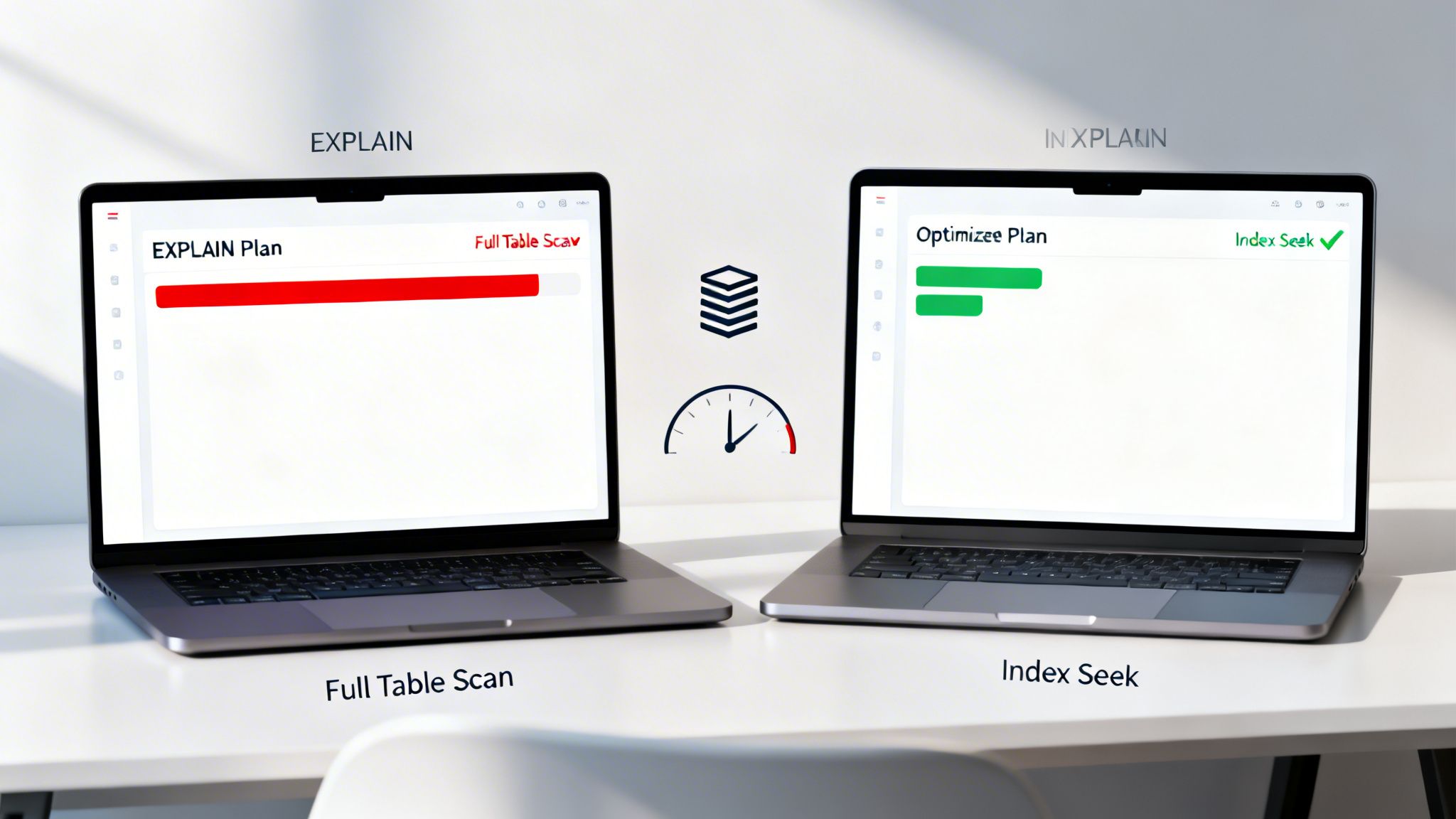
SQL query optimization is the process of improving query speed and efficiency by minimizing resource usage (CPU, I/O, memory). The primary goal is to reduce response time, which is often achieved by helping the database engine find and retrieve data faster. This typically involves analyzing the query's execution plan to identify bottlenecks, such as full table scans where an index could have been used. A slow query can lock database resources, degrade user experience, and prevent a system from scaling.
Real-World Application
Consider a fintech application that needs to display a user's transaction history for the current day. Without optimization, the query might scan the entire multi-billion-row transactions table.
Unoptimized Query:
SELECT * FROM transactions WHERE user_id = 123 AND transaction_date >= '2023-10-27';
This might trigger a full table scan if no indexes are present onuser_idortransaction_date, taking several seconds or even minutes to return a result.Optimized Approach: An experienced developer would first analyze the query with
EXPLAINand identify the missing index. The solution is to create a composite index.CREATE INDEX idx_user_trans_date ON transactions(user_id, transaction_date);
With this index, the database can directly seek the relevant data blocks for that specific user and date range, often reducing query time from seconds to milliseconds. This is one of the most common and effective techniques in database performance tuning.
Always use
EXPLAIN(orEXPLAIN ANALYZE) to view the execution plan before and after making changes. This provides objective proof that your optimization worked. Other key strategies include adding indexes on columns used inWHERE,JOIN, andORDER BYclauses; avoidingSELECT *to reduce data transfer; and considering materialized views for complex, frequently run reports. For a deeper dive into these methods, explore our guide on database performance tuning.
10. What are indexes and how do you create them?
This is one of the most practical and common SQL interview questions, moving beyond data manipulation to database performance optimization. Understanding indexes is crucial because they directly address how to make data retrieval faster as an application scales. An interviewer uses this question to gauge a candidate's ability to build efficient, scalable systems.
An index is a special lookup table that the database search engine can use to speed up data retrieval operations. Simply put, an index is a pointer to data in a table. It works like the index in the back of a book; instead of scanning the entire book (the table), you look up a keyword in the index, which tells you exactly where to find the information. This dramatically reduces the number of disk I/O operations required, resulting in faster queries.
The trade-off is that indexes consume storage space and slow down data modification operations like INSERT, UPDATE, and DELETE. Every time data is changed, the corresponding indexes must also be updated. The syntax for creating a basic index is straightforward: CREATE INDEX index_name ON table_name (column1, column2, ...);.
Real-World Application
Consider a fintech platform where a customer needs to view their transaction history. Without an index, the database would have to perform a full table scan on a massive transactions table every time.
Unindexed Query: The database might scan millions of rows to find the transactions for a single user, leading to slow load times and a poor user experience, especially during peak hours.
Indexed Query:
CREATE INDEX idx_transactions_user_date ON transactions(user_id, transaction_date);
With this composite index, the database can quickly locate all transactions for a specificuser_idand then efficiently sort or filter them bytransaction_date. This changes the query from a full scan to a rapid lookup, making it sub-second.
An effective indexing strategy is a non-negotiable for high-performance applications. For fintech platforms, where transaction lookups must be instant, or for enterprise systems with thousands of concurrent users, proper indexing prevents performance bottlenecks. For expert guidance on architecting performant and scalable database solutions, see our custom web development services.
Comparison of 10 Common SQL Interview Questions
| Topic | Implementation complexity | Resource requirements | Expected outcomes | Ideal use cases | Key advantages |
|---|---|---|---|---|---|
| INNER JOIN vs LEFT JOIN | Low — basic join syntax | Depends on table size and indexes; moderate | INNER: matched rows only; LEFT: all left rows with NULLs for non-matches | Data retrieval where matching required vs preserving left-table rows (reports, optional related data) | INNER: smaller result sets and often faster; LEFT: prevents data loss when relations are incomplete |
| WHERE vs HAVING | Low–medium — needs understanding of execution order | WHERE reduces row set early (low cost); HAVING requires aggregation (higher cost) | WHERE filters rows before aggregation; HAVING filters groups after aggregation | Row-level filtering vs group-level aggregated filtering (dashboards, reports) | WHERE improves performance via early filtering; HAVING enables aggregate-based conditions |
| Finding duplicate records | Medium — several methods (GROUP BY, ROW_NUMBER, self-join) | Potentially high on large tables; benefits from indexes and window-function support | Identifies duplicate groups/rows for cleanup or deduplication | Data quality, fraud detection, database migrations, CRM cleanup | Multiple approaches for flexibility; detects integrity issues before production |
| Subquery (nested queries) | Medium–high — correlated vs non-correlated differences | Correlated subqueries can be expensive; non-correlated are cheaper | Nested filtering/comparisons; can be less efficient than equivalent JOINs | Complex comparisons, aggregate-based filters, conditional selections | Improves readability for complex logic; expressive across clauses |
| UNION vs UNION ALL | Low — simple set operation | UNION costs extra (duplicate elimination, sort); UNION ALL is cheaper | UNION returns unique rows; UNION ALL returns all rows including duplicates | Combining datasets from multiple sources; choose uniqueness vs performance | UNION ensures uniqueness; UNION ALL is faster and preserves all rows |
| Self-join | Medium — requires clear aliasing | Can be resource-heavy on large tables; indexes mitigate cost | Enables row-to-row comparisons within same table (hierarchies, relationships) | Organizational charts, referral chains, temporal comparisons | Handles self-referential data without extracting to application layer |
| GROUP BY & aggregates | Low–medium — must follow SQL grouping rules | Aggregation uses memory and CPU; cost grows with cardinality | Summarized metrics (COUNT, SUM, AVG, MIN, MAX) by group | Dashboards, KPIs, financial summaries, time-series aggregations | Efficient DB-level summarization, supports multi-dimensional analysis |
| Common Table Expression (CTE) | Medium — clearer structuring of complex queries | Similar to subqueries; recursive CTEs may be expensive | Named, reusable query steps; supports recursion for hierarchies | Complex transformations, staged queries, recursive hierarchies | Improves readability/maintainability; reuse and easier debugging |
| Optimizing slow SQL queries | High — requires profiling and deep DB knowledge | Requires tooling (EXPLAIN), indexes, possible partitioning/materialized views | Reduced execution time, better resource utilization, improved scalability | Production performance tuning, high-load transaction systems | Large performance gains, cost and latency reduction when applied correctly |
| Indexes and creation | Medium — design trade-offs required | Additional storage and write overhead; maintenance costs | Faster data retrieval and better query plans, slower writes | Frequent lookups, JOIN/filter columns, enforcing uniqueness | Dramatic read performance improvements, enable index-only scans and uniqueness constraints |
From Theory to Practice: Applying Your SQL Expertise
Navigating this extensive list of common SQL interview questions is more than just memorizing syntax; it's about internalizing the logic behind data manipulation and retrieval. The journey from a basic SELECT statement to a complex, multi-layered query with CTEs and window functions is a testament to the depth and power of SQL. As we've explored, the distinction between a proficient and an exceptional candidate often rests on their ability to connect theoretical knowledge to tangible business outcomes. It’s not enough to know the difference between an INNER JOIN and a LEFT JOIN; you must demonstrate when one is preferable for maintaining data integrity in a financial report versus an all-inclusive user activity log.
The most valuable takeaway from this guide is the emphasis on context and performance. Why choose a subquery over a CTE? How can a strategically placed index reduce query latency from seconds to milliseconds, directly impacting user experience and system load? These are the questions that separate code writers from problem solvers. An interviewer isn't just checking if you can write a query to find duplicates; they are assessing if you understand the performance implications of your method and can articulate a more efficient alternative.
Key Insight: True SQL mastery isn't just about getting the right answer. It’s about getting the right answer in the most efficient, scalable, and maintainable way possible. This mindset is crucial for building robust applications, whether for a fintech platform requiring airtight transaction accuracy or a large-scale e-commerce site needing rapid product lookups.
Solidifying Your Knowledge: Actionable Next Steps
To truly cement these concepts, you must move beyond the theoretical. Passive reading has its limits; active practice is where genuine expertise is forged. Here are concrete steps to take your preparation to the next level:
- Build a Personal Lab: Install a database like PostgreSQL or MySQL on your local machine. Find and import public datasets that interest you, such as financial market data, e-commerce transactions, or government open data. Real-world data is messy and presents challenges that clean, academic examples do not.
- Analyze Your Own Queries: Don't just run a query and check the results. Use the
EXPLAINorEXPLAIN ANALYZEcommand to view the query execution plan. This is your window into the database's brain. Ask yourself: Is it using an index? Is it performing a full table scan? Where are the bottlenecks? - Challenge and Refactor: For every question in this article, write the solution and then challenge yourself to write it two other ways. For example, solve a problem using a subquery, then rewrite it with a
CTE, and again with aJOIN. Compare their performance plans to understand the trade-offs. - Simulate Real-World Scenarios: Go beyond simple retrieval. Create scenarios that require data integrity, like "How would you design a transaction to transfer funds between two accounts, ensuring no money is lost if the system fails mid-process?" This tests your understanding of
ACIDproperties and transactions.
By embracing this hands-on approach, you shift from simply answering common SQL interview questions to demonstrating a deep, practical command of database engineering. You’ll build the confidence and evidence needed to prove you can deliver scalable, high-performance solutions that directly support business objectives. This is the exact level of expertise we cultivate within our teams at Group 107, where our engineers apply these principles to build secure, modern platforms for our clients in finance, enterprise, and tech.
Ready to augment your team with engineers who possess this deep, practical expertise? Group 107 provides dedicated offshore software development teams that live these principles daily, delivering high-performance, scalable solutions that drive business growth. Explore our approach and see how we can accelerate your development roadmap by visiting us at Group 107.