
An accessible website is not a technical checkbox; it’s a strategic imperative. It represents a commitment to building a digital space where everyone, including people with disabilities, can navigate, understand, and engage. More than that, achieving an accessibility compliance website is a critical business function that mitigates legal risk, expands your market reach, and strengthens your brand’s commitment to inclusivity.
Why Website Accessibility is a Business Imperative
Accessibility has evolved from a niche development concern into a core component of modern business strategy. It’s no longer a ‘nice-to-have’—it’s an essential function driven by significant legal, ethical, and commercial pressures. For most organizations, the journey begins by acknowledging a hard truth: their website may be unintentionally excluding a large segment of potential users and customers.
This exclusion creates real-world barriers and exposes your business to substantial risk. The data is clear. A 2025 study by AudioEye that scanned 15,000 websites found an average of 297 accessibility issues per page. This is a dramatic increase from 37 issues in 2023, largely due to more sophisticated automated testing.
These errors are more than just code defects; they are functional roadblocks for the 1.3 billion people globally living with a disability. They are also the primary driver of legal challenges under laws like the Americans with Disabilities Act (ADA). You can explore the full findings on digital accessibility trends to benchmark your industry’s performance.
The Three Pillars of Accessibility
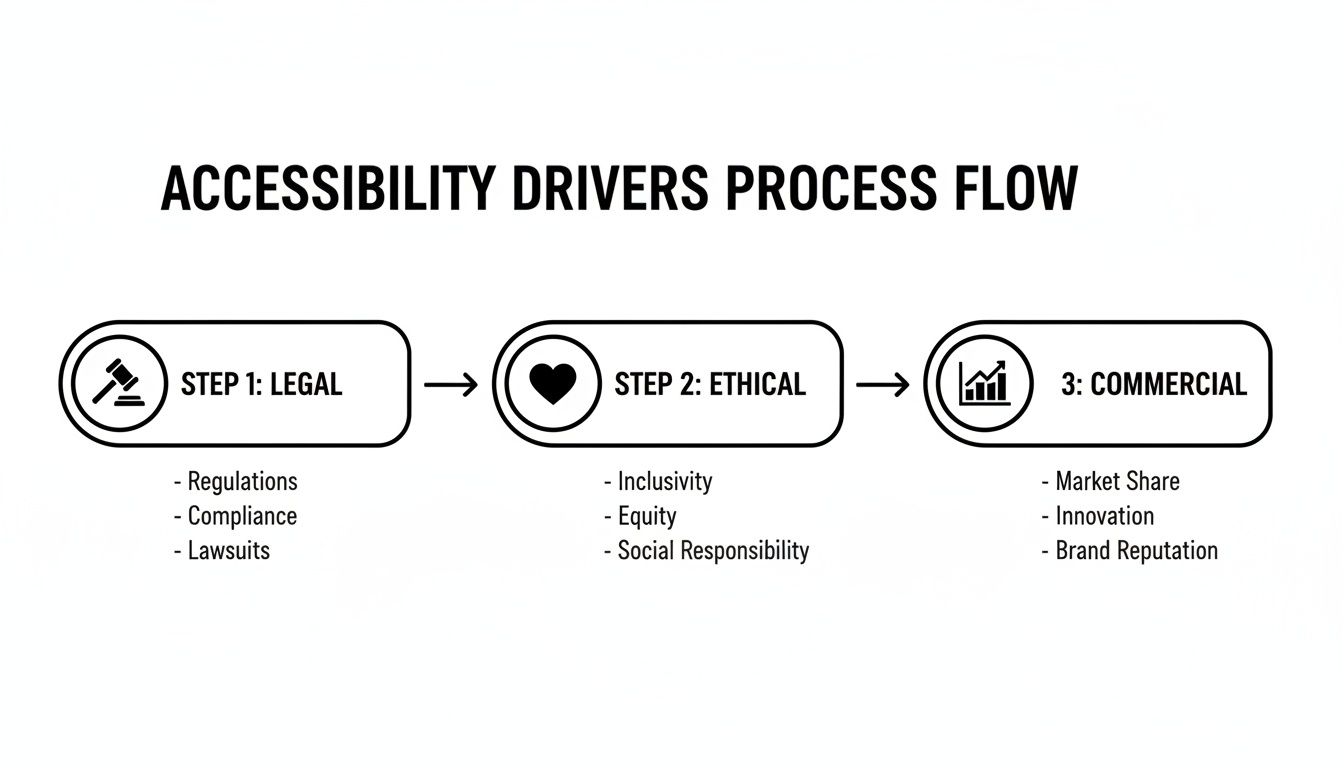
What is driving this strategic shift? In our experience guiding enterprises and public sector organizations, the motivation for building an accessibility compliance website consistently stems from three key pillars.
- Legal & Regulatory Compliance: This is the most urgent driver for many organizations. A growing body of global legislation mandates digital accessibility. Non-compliance can result in demand letters, costly lawsuits, and court-ordered remediation—which is always more expensive than proactive implementation.
- Ethical & Social Responsibility: At its core, accessibility is about providing equitable access. It is a fundamental ethical principle that demonstrates a company’s commitment to corporate social responsibility and helps build a brand that customers and employees can trust.
- Commercial & Strategic Advantage: An accessible website is simply better for business. It opens your products and services to a wider audience, enhances the user experience for all visitors, and frequently improves SEO performance. For an e-commerce business, this means more customers can complete a purchase. For a SaaS company, it means reducing churn by ensuring all paid users can effectively use your platform.
Designing for users with disabilities often leads to universal benefits. Video captions, essential for deaf users, also help someone watching in a loud environment. This is the “curb-cut effect”—when you solve for one, you extend benefits to many.
Demystifying Key Regulations
The world of accessibility is filled with acronyms, but understanding a few key standards is crucial for building a compliance framework. These are the technical blueprints that define what an accessible website looks like.
First, it’s vital to distinguish between legal mandates and the technical standards used to meet them. Each serves a specific purpose, from international guidelines to federal laws.
Here is a breakdown of the standards you will encounter most frequently.
Key Accessibility Standards and Who They Affect
| Standard | Governing Body/Law | Primary Audience | Applies To |
|---|---|---|---|
| WCAG | World Wide Web Consortium (W3C) | Global Developers & Businesses | The international technical standard for web accessibility. |
| ADA | US Department of Justice (DOJ) | US Businesses & Public Entities | A US civil rights law. WCAG is the de facto standard for compliance. |
| Section 508 | US Federal Government | Federal Agencies & Contractors | A US federal law requiring federal tech to be accessible. |
Understanding these frameworks is the first step toward building a compliance strategy that protects your organization and serves all your users.
WCAG (Web Content Accessibility Guidelines)
Developed by the World Wide Web Consortium (W3C), WCAG is the globally recognized gold standard. It provides a detailed, technical roadmap for making web content accessible. It is structured into three conformance levels: A (minimum), AA (the global industry standard), and AAA (highest). For nearly all legal and commercial purposes, WCAG Level AA is the target.
ADA (Americans with Disabilities Act)
The ADA is the landmark U.S. civil rights law prohibiting discrimination based on disability. While the statute itself does not specify technical requirements for websites, the Department of Justice (DOJ) and U.S. courts consistently reference WCAG 2.1 AA as the benchmark for compliance. If your business is considered a “public accommodation”—which includes most commercial websites—the ADA applies to you.
Section 508
This U.S. federal law applies to any organization that works with the federal government. Section 508 requires that all electronic and information technology procured, developed, or used by federal agencies is accessible. The law specifically references WCAG 2.0 AA, making it a non-negotiable requirement for government contractors and partners.
How to Conduct a Meaningful Accessibility Audit
Achieving website compliance begins with a thorough, actionable audit. This is not a box-checking exercise with an automated scanner. An effective audit provides a clear blueprint for improvement by revealing how real people with disabilities experience your website. It requires a hybrid approach, combining the speed of technology with the irreplaceable insights of human evaluation.
Before testing, you must define the audit’s scope. Don’t attempt to test every page; it’s inefficient and unnecessary. Instead, focus on critical user journeys.
- For an e-commerce site, this includes product discovery, adding to cart, and the complete checkout flow.
- For a SaaS application, it’s the user registration process, onboarding, and core feature interactions.
- For a financial institution, it’s logging in, viewing account balances, and initiating a funds transfer.
By scoping your audit around these key paths, you ensure the findings are directly tied to business-critical functions.
The Hybrid Testing Strategy: Automated + Manual
The most effective way to understand your site’s accessibility posture is to use a hybrid approach that combines automated and manual testing. Each method uncovers issues the other cannot, providing a comprehensive view of your compliance status.
Automated tools are your first line of defense, excellent for quickly scanning your entire site for clear-cut, code-based violations.
- Automated Scanning Tools: Browser extensions like WAVE and Axe DevTools can instantly flag issues such as missing alt text, low color contrast, and unlabeled form inputs. They provide fast, efficient coverage for identifying low-hanging fruit.
- What They Catch: They excel at detecting technical violations of WCAG success criteria, like a color contrast ratio falling below the required 4.5:1 for normal text.
- What They Miss: Automated tools lack contextual understanding. A scan can confirm an image has alt text, but it cannot determine if the text is meaningful. It cannot tell you if your navigation is logical for a keyboard-only user. This is where manual testing is indispensable.
Simulating Real User Experiences
Manual testing uncovers the nuanced, experience-driven issues that automated tools will always miss. It involves stepping into the shoes of users with disabilities and interacting with your site using the same assistive technologies they rely on. This is a non-negotiable component of any credible accessibility audit.
An automated scan tells you if your code is compliant. A manual test tells you if your website is usable. The goal is to be both.
Two manual tests are fundamental to any audit:
- Keyboard-Only Navigation: Disconnect your mouse and navigate through a critical user journey using only the Tab, Enter, Spacebar, and arrow keys. Can you visually identify your location on the page via a clear focus indicator? Can you operate every interactive element, including dropdown menus and buttons? Any point where you get stuck is a critical barrier for users with motor impairments.
- Screen Reader Testing: Use a screen reader like NVDA (free) or JAWS (industry standard) to experience your site as a blind or visually impaired user would. Listen to the output. Are images described meaningfully? Are form fields announced correctly? Can you understand the page hierarchy from the headings alone? This test immediately reveals critical issues with semantic HTML and ARIA implementation—problems invisible to sighted users.
Categorizing Findings for Action
Once you have a list of findings from both automated scans and manual tests, the final step is to translate it into a prioritized action plan. A raw list of 200 errors is noise; a categorized list is a roadmap.
Group findings by severity and impact:
- Critical: Blockers that prevent a user from completing a task (e.g., a “Submit” button that cannot be activated by a keyboard).
- Serious: Issues that create significant hurdles but may have a workaround (e.g., a confusing form with missing labels).
- Moderate: Problems that cause user frustration but do not halt progress (e.g., ambiguous link text like “click here”).
- Minor: Best practice violations with low impact on the user experience (e.g., minor semantic HTML errors).
This structured approach—blending automated efficiency with manual, human-centered empathy—transforms an audit from a simple report into a powerful tool for building a genuinely accessible website. To learn more about turning audit results into action, explore our guidance on creating accessible PDFs with tools like AccessibleDocs.
Building a High-Impact Remediation Roadmap
An accessibility audit report is not the destination; it is the starting point. A list of WCAG failures is just data. The real work begins when you transform that data into a strategic remediation roadmap that improves the user experience and delivers business value.
This process is about more than just fixing bugs. It’s about prioritizing fixes that unblock critical user journeys and directly impact your bottom line. An inaccessible “Add to Cart” button is not just a WCAG violation; it is lost revenue.

Prioritize with a Severity and Impact Matrix
Not all accessibility issues are created equal. To avoid getting lost in minor fixes, use a prioritization matrix to bring order to the chaos. This framework helps your team focus on what matters most by plotting each issue on two axes:
- Severity: How significantly does this issue violate a WCAG standard? (e.g., Level A, AA, or AAA).
- Impact: How severely does this issue disrupt a user’s ability to complete a task? Is it a complete blocker or a minor annoyance?
This approach immediately surfaces the most critical items. A checkout form that traps keyboard users is a high-severity, high-impact blocker. A decorative image missing a null alt tag (alt="") is a low-severity, low-impact issue. Your roadmap must address blockers first.
Fixing Common WCAG Failures
During remediation, you will encounter the same common issues repeatedly. The 2025 WebAIM Million project found that 94.8% of the top one million homepages had detectable WCAG 2 failures, with an average of 51 errors per page.
The most common violations—missing alt text, low contrast, and unlabeled forms—are often straightforward to fix once identified.
Here are code-level examples of common remediation tasks:
Meaningful Alt Text for Complex Visuals
An automated tool can flag a missing alt tag, but it can’t evaluate the quality of the text. Effective alt text conveys the same essential information as the image.
- Bad:
<img src="sales-chart-q4.png" alt="Chart"> - Good:
<img src="sales-chart-q4.png" alt="Bar chart showing Q4 sales growth of 15% to $2.4M, driven by the new SaaS product line.">
Correct Implementation of ARIA Landmarks
ARIA (Accessible Rich Internet Applications) roles are essential for helping screen reader users understand page structure. Use them to define the main regions of your layout.
- Bad (Generic Divs):
<div>...</div>(No semantic meaning) - Good (Semantic HTML & ARIA):
<header role="banner">...</header><nav role="navigation">...</nav><main role="main">...</main><footer role="contentinfo">...</footer>
Properly Labeled Form Fields
Every input must have a corresponding <label> tag that is programmatically associated with it. This informs screen readers of the field’s purpose and allows all users to click the label to focus on the input.
- Bad (Placeholder as Label):
<input type="email" placeholder="Email Address"> - Good (Explicit Label):
<label for="email_address">Email Address</label><input type="email" id="email_address">
The goal is not just to make an error disappear from a report; it’s to make a barrier disappear for a person. This shift in perspective is key to creating a truly accessible and compliant website.
Documenting Your Commitment Publicly
Once remediation is underway, transparency is your greatest asset. Publishing clear, public-facing documents demonstrates your commitment to accessibility, builds user trust, and can provide a layer of legal protection.
Two documents are essential for any serious accessibility compliance website strategy:
- Accessibility Statement: A dedicated page on your website outlining your accessibility commitment. It should state your target standard (e.g., WCAG 2.1 AA), list any known issues being addressed, and provide a clear contact method for users to report problems.
- Accessibility Conformance Report (ACR): Typically created using the Voluntary Product Accessibility Template (VPAT®), an ACR is a formal document that details how your product or site conforms to each WCAG criterion. It is often a requirement for B2B sales, particularly in government and enterprise sectors.
By creating a prioritized plan and supporting it with public documentation, you transform audit findings into an engine for continuous improvement. To extend that commitment beyond your website, explore solutions that help you create inclusive PDFs directly from WordPress.
Embedding Accessibility into Your Development Lifecycle
Treating accessibility compliance as a one-time project is a recipe for failure. It is a continuous discipline, not a finite task. The most effective strategy is to “shift left,” integrating accessibility into your development process from the earliest design stages to prevent errors from ever being deployed.
When accessibility checks are embedded into your software development lifecycle (SDLC), it becomes a shared responsibility across design, development, and QA. Catching issues early saves significant time, money, and risk compared to large-scale remediation projects, making inclusivity part of your team’s DNA.
From Manual Checks to Automated Gates
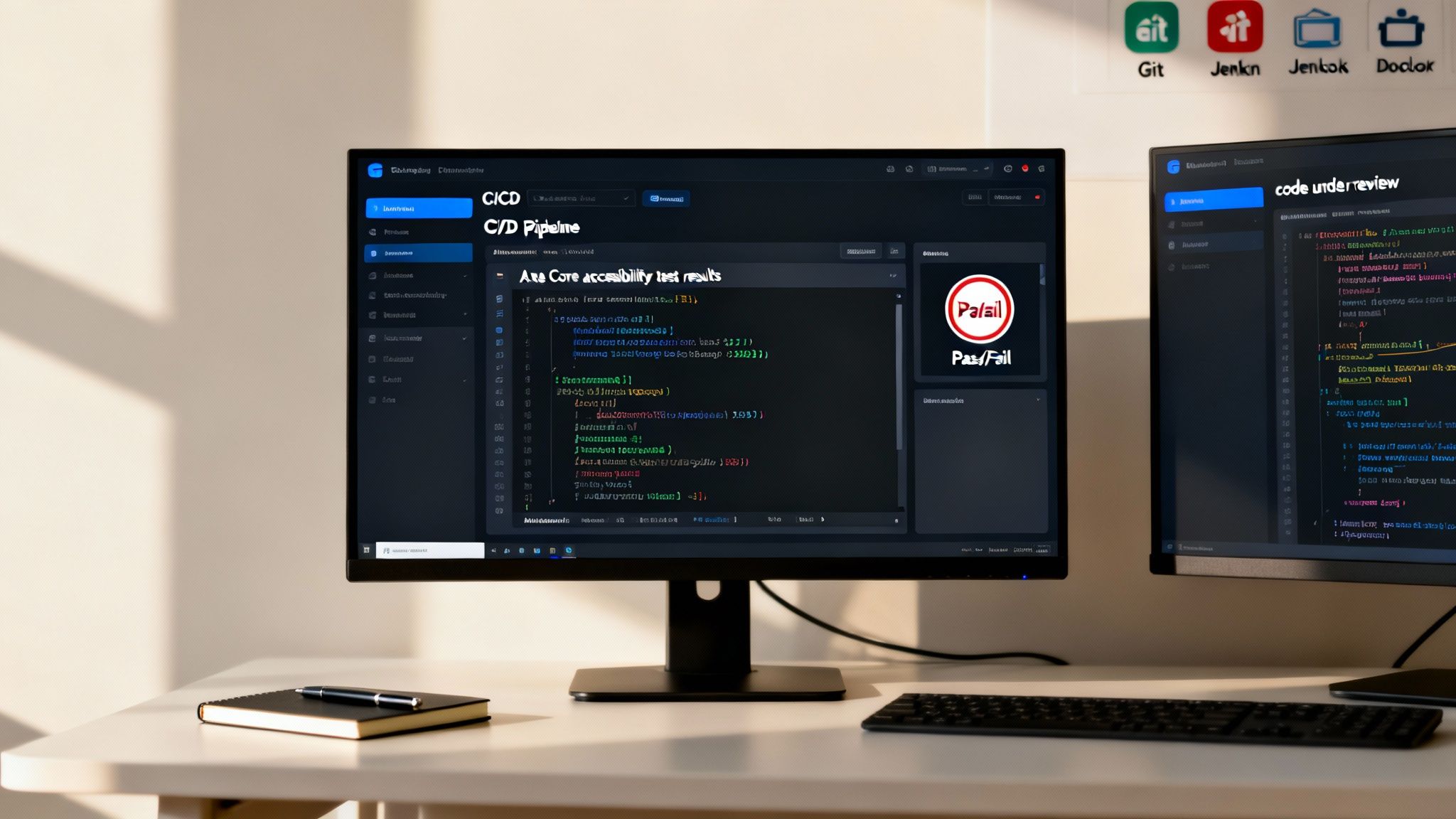
Relying solely on periodic manual audits is inefficient and reactive. The goal is to build an automated safety net that catches common violations before code is merged. This is where your CI/CD (Continuous Integration/Continuous Deployment) pipeline becomes a powerful ally.
By integrating automated accessibility tests into your pipeline, you create quality gates. Each time new code is committed, it is automatically scanned for WCAG violations. If it fails the scan, the build is blocked.
Implementing Accessibility in Your CI/CD Pipeline
Getting started is more straightforward than it sounds. Open-source testing engines like Axe Core can be integrated directly into popular test frameworks like Jest, Cypress, or Playwright.
Here is a practical framework for implementation:
- Install and Configure: Add the Axe library to your project and configure it to enforce your target WCAG rules (typically Level AA) and specify the pages or components to monitor.
- Write the Tests: Developers script tests that load key pages and execute the Axe scan. These tests run alongside existing unit and integration tests, making them a seamless part of the development workflow.
- Fail the Build: This is the critical step. Configure your pipeline tool (e.g., Jenkins, GitHub Actions, GitLab CI) to fail the build if the Axe scan detects any critical or serious issues.
When a build fails due to an accessibility bug, it signals that the issue is as serious as a functional defect. This forces immediate remediation and prevents the accumulation of accessibility debt.
For example, if a developer attempts to merge code for a form that is missing <label> tags, the automated pipeline would execute, Axe would flag the WCAG violation, and the merge would be blocked. The developer receives instant feedback and must fix the issue before it can impact a real user.
Beyond Automation: A Cultural Shift
While automation is powerful, it is not a complete solution. It must be paired with a cultural shift where the entire team embraces essential website accessibility best practices.
- Designers: Must consider accessible color contrast, focus states, and logical navigation from the initial wireframe stage.
- Developers: Are responsible for writing clean, semantic HTML and implementing ARIA roles correctly. Our guide on 10 web accessibility best practices is an excellent resource.
- QA Testers: Should supplement automated checks with manual testing, such as navigating user flows with a screen reader and keyboard.
By combining robust CI/CD automation with an educated and accountable team, you move from a reactive bug-fixing model to a proactive process of building inclusive, compliant, and superior digital products from the start.
Understanding the Evolving Legal Landscape
The era of treating website accessibility as optional is over. The legal risks associated with an inaccessible website are a clear and present reality for businesses of all sizes, and ignorance is not a viable defense.
The global enforcement climate has intensified, transforming digital accessibility from a best practice into a critical risk management strategy. For business leaders, understanding this new landscape is essential for making informed decisions that protect the organization.
A significant shift in the U.S. occurred with the Department of Justice’s (DOJ) final rule for Title II of the Americans with Disabilities Act (ADA). This rule formally established WCAG 2.1 Level AA as the technical standard for state and local governments. While it doesn’t directly apply to private companies under Title III, its impact is profound. It solidifies WCAG 2.1 AA as the de facto legal standard in U.S. courts, providing a clear benchmark for compliance.
The Surge in Digital Accessibility Lawsuits
This regulatory clarification coincides with a dramatic increase in legal challenges. 2025 is proving to be a pivotal year for enforcement globally.
In the U.S., private lawsuits reached over 2,019 in the first half of 2025. This projects a year-end total of 4,975 cases—a 20% increase from 2024 and a continuation of the upward trend from the 4,605 cases filed in 2023. You can review the latest legal trends in accessibility compliance for a detailed analysis.
These lawsuits are concentrated in sectors where digital interaction is critical:
- E-commerce: Retailers are a primary target, as an inaccessible checkout process represents a direct and measurable loss of revenue.
- Finance: Financial institutions are under intense scrutiny. Access to digital banking is essential for managing personal finances, making accessibility a civil rights issue.
- Healthcare: Patients require online access to health records, appointment scheduling, and benefits information. Providers and insurers face increasing pressure to ensure their platforms are accessible.
The consequences of non-compliance extend beyond settlement costs, often including court-mandated remediation, ongoing monitoring, and significant reputational damage. Our guide on ADA website compliance requirements provides further detail on these legal obligations.
The Global Impact of the European Accessibility Act
This is not solely a U.S. issue. The European Accessibility Act (EAA) became fully enforceable on June 28, 2025, establishing a unified set of accessibility rules for all EU member states. For any company doing business in Europe, this is a game-changer.
Unlike the ADA, the EAA is highly specific, explicitly naming the private sector industries it covers, including e-commerce, banking, and technology. It mandates that products and services sold in the EU meet clear accessibility standards, closing loopholes and ensuring consistency. For global SaaS and e-commerce companies, robust accessibility is now the price of admission to one of the world’s largest markets.
The legal precedent is clear: if your website is a place of public accommodation, it must be accessible. The question is no longer if you need to comply, but how you will build a sustainable strategy to do so.
The convergence of U.S. legal precedent and international regulations makes the business case undeniable. Investing in an accessibility compliance website is no longer just about ethics or competitive advantage—it is a core component of modern risk management. Proactive compliance is always less costly and disruptive than court-ordered remediation.
Answering Your Top Accessibility Questions
As organizations begin their accessibility journey, several key questions consistently arise. Clear, straightforward answers are essential for product managers, developers, and business leaders to build a sound strategy for their accessibility compliance website.
Here are the answers to some of the most common questions we encounter.
What’s the Difference Between ADA and WCAG?
This is a frequent point of confusion, but the distinction is simple. Think of it as the “what” versus the “how.”
- The Americans with Disabilities Act (ADA) is a U.S. civil rights law. It mandates non-discrimination but does not provide a technical checklist for websites. It establishes the legal requirement—the “what.”
- The Web Content Accessibility Guidelines (WCAG) are the technical standards that detail how to make a website accessible. This is your implementation guide.
To meet your legal obligations under the ADA, you must implement the technical standards of WCAG 2.1 Level AA. This is the benchmark referenced by courts and the Department of Justice.
Can We Just Use an Automated Tool to Be Compliant?
No. While automated tools are valuable, relying on them exclusively creates a false sense of security and is insufficient for achieving compliance.
Automated scanners are effective at detecting around 30-40% of accessibility issues, such as poor color contrast or missing alt attributes. However, they cannot understand context or evaluate the actual human experience.
An automated tool can verify that an image has alt text, but it cannot determine if that text is meaningful or simply keyword-stuffed. That requires human judgment.
A comprehensive audit always combines automated scanning with expert manual testing. Real users must navigate your site with a keyboard and a screen reader to identify critical usability barriers that automated tools will always miss.
How Often Do We Really Need to Do an Accessibility Audit?
Accessibility is not a one-time project; it is an ongoing practice, particularly as your website evolves.
A comprehensive, end-to-end audit should be conducted at least annually. It is also essential to perform an audit after any major redesign or platform migration. For daily design and development work, having resources on specific topics like Webflow color accessibility can empower your team to make better decisions.
The most effective strategy is to make accessibility a routine. Integrate automated checks into your development pipeline to catch new issues early. Then, conduct manual spot-checks on critical user journeys—like checkout or login—on a quarterly basis to ensure continued compliance and usability.
At Group107, we view accessibility not as a compliance burden, but as a competitive advantage. Our experts provide a full suite of services, from in-depth audits and hands-on remediation to team training and strategic consulting. We ensure your digital presence is not only compliant but also inclusive, user-friendly, and optimized for growth. Learn how we can help you build a truly accessible website.