
Think about the first time you drove a car. You didn't need a degree in mechanical engineering to know if it was a good ride. You just got in, turned the key, and checked the basics: Do the brakes work? Does the radio play? Does the AC make it cold? You were testing its functions without ever looking under the hood.
That’s black box testing in a nutshell. It’s a quality assurance method that treats your software like that car—a sealed, opaque "box." Testers focus entirely on the inputs and outputs, from a user's point of view, without any concern for the complex code running inside.
What Is Black Box Testing and Why It Matters for Your Business

Also known as behavioral testing, this approach is about confirming the software does what it’s supposed to do for the end-user. Testers interact with the application just like a customer would, providing specific inputs and then checking if the system produces the expected, correct outputs. The internal architecture, the programming language, and the database are all intentionally ignored.
The goal is refreshingly simple: Does the software deliver on its promises? For a SaaS product, that means checking if a new user can sign up, create a project, and invite colleagues without a hitch. For an e-commerce site, it’s about making sure customers can add an item to their cart, use a discount code, and successfully check out.
The Business Value of a User-Centric Approach
This intense focus on the user makes black box testing a cornerstone of modern quality assurance (QA). Why? Because it directly tests what your business and your customers care about most: the actual experience. When a customer uses your product, they aren't judging the elegance of your backend code; they're judging whether it works reliably and feels intuitive.
Black box testing is fundamentally a test of business logic and user-facing functionality. It answers the critical question, "Does the application do what it's supposed to do for the person using it?" This makes it essential for validating everything from MVPs to complex enterprise systems.
By mimicking how people will actually use your software, this approach is exceptional at catching bugs that directly impact your reputation and bottom line, such as:
- Incorrect Functionality: Features that simply don’t behave as advertised.
- User Interface Errors: Broken layouts, typos, or confusing navigation that frustrates users.
- Performance Issues: Slow load times or actions that hang and feel unresponsive.
- Security Gaps: Vulnerabilities that an outsider could potentially exploit.
Driving ROI and Accelerating Delivery
One of the biggest business advantages of black box testing is how it decouples the QA process from the development team. Since testers don’t need to see or understand the source code, they can write and run their test cases while developers are building the next feature. This parallel workflow helps shrink the entire software development lifecycle and gets your product to market faster.
It’s also an incredibly scalable and cost-effective way to ensure quality. You don't need a team of senior developers to do it. Business analysts, product managers, and other stakeholders can all contribute, which helps spread the QA workload and ensures the final product truly aligns with business goals. If you're looking for a deeper comparison, our guide on black box vs. white box testing breaks it down further.
Essential Black Box Testing Techniques You Should Master
To effectively test from a user's perspective, your QA team needs a solid playbook of black box testing techniques. These aren't just academic exercises; they are structured methods for testing software from the outside-in, ensuring you catch the exact kinds of issues a real person would. We generally split these into two camps: functional testing (Does it do what it's supposed to?) and non-functional testing (How well does it do it?).
Mastering these techniques isn't just about squashing bugs. It's about systematically mitigating risk before a launch. A smart mix of these methods ensures your software won't just work—it’ll be reliable, intuitive, and secure. That's what directly impacts user satisfaction and, ultimately, your bottom line.
Functional Testing Techniques
Here, the focus is entirely on business logic. Functional testing verifies that the core features of your application deliver on their promises. You give the system an input, and you check that it produces the exact output you expect. Three core techniques are the bread and butter of this process.
-
Equivalence Partitioning: Imagine testing a form field that only accepts ages between 18 and 65. You could test all 48 numbers, but that's a massive waste of time. Instead, you intelligently divide the inputs into "equivalence classes." Test one valid number (like 35), one value below the range (17), and one value above (66). This approach drastically cuts down on test cases while maintaining high coverage, because you assume all values inside a class will behave the same way.
-
Boundary Value Analysis (BVA): This is the natural next step after partitioning. BVA focuses on the "edges" or boundaries, because that's where developers often make "off-by-one" mistakes. For that same age field (18-65), you'd specifically test the exact boundary values: 17, 18, 65, and 66. This precision is crucial for catching tricky bugs in business logic, like an insurance premium that’s miscalculated because the rate change kicks in at the wrong age.
-
Decision Table Testing: What happens when logic gets complicated with multiple conditions? Decision tables are your solution. Imagine an e-commerce site with two rules: "Is the user a premium member?" and "Is the order total over $50?" A decision table maps out all four possible scenarios (Yes/Yes, Yes/No, No/Yes, No/No) and the expected outcome for each, like "Apply free shipping." This guarantees that no combination of business rules ever gets missed.
Non-Functional Testing Techniques
So, the features work. But is the app slow? Confusing? Insecure? Non-functional tests ensure the application delivers on the critical quality attributes that users feel. These are often just as important as the features themselves.
Non-functional testing is the difference between a product that simply works and a product that users love. A slow, confusing, or insecure application will be abandoned, regardless of how many features it has.
Some of the most important non-functional techniques include:
-
Performance Testing: This is where we see how the system holds up under pressure. For a SaaS platform, that might mean simulating hundreds of users hitting it all at once to ensure it stays responsive and doesn't fall over. The goal is to find and fix bottlenecks before your real customers experience them during a traffic spike.
-
Usability Testing: How easy is your app to actually use? This technique gets direct answers by having testers perform common tasks while thinking aloud. For a mobile banking app, you might see how easily a brand-new user can figure out how to transfer funds. This feedback is gold for streamlining workflows and reducing user frustration.
-
Security Testing: Here, testers put on their "ethical hacker" hats to find and exploit vulnerabilities before malicious actors do. Using black box methods like penetration testing, they'll probe for weaknesses in login forms, data transmission, and access controls to prevent data breaches. This is non-negotiable for any app that handles sensitive user data.
To see how these fit into a broader strategy, it's worth exploring the different quality assurance testing methods that can complement these core black box approaches.
Finally, there's Regression Testing. This is an essential practice that cuts across both functional and non-functional testing. After any code change, you re-run a suite of existing tests to make sure the new update didn't accidentally break something that was already working. In any modern CI/CD pipeline, automated regression tests are the safety net that lets development teams release new updates quickly and with confidence.
How to Implement Black Box Testing in Your QA Process
Moving from theory to practice requires a structured, repeatable plan. Implementing black box testing isn’t just another QA task; it’s a strategic process. It aligns development, product, and business teams around a shared goal: delivering a fantastic user experience. A methodical approach ensures your testing is efficient, effective, and tied directly to business objectives.
The work starts long before the first test case is run. It begins with a deep dive into what the software is supposed to do from the user's point of view. This user-first perspective is the bedrock of any solid test plan that validates every requirement. From there, you can build powerful test cases, prepare a stable environment, execute the plan, and report your findings in a way that accelerates development.
Step 1: Define Requirements and Scope
First, anchor your entire testing strategy in crystal-clear requirements. Your team—QA engineers, product managers, and business analysts—needs to be perfectly aligned on how the software should behave. What are the most important user stories? What are the acceptance criteria for each new feature?
This stage is also where you set firm boundaries. Define what will be tested and, just as crucially, what will not be tested. For an e-commerce platform, this might mean you focus functional tests on the checkout flow and non-functional tests on page load speed, while pushing admin panel testing to a later release.
Step 2: Create a Comprehensive Test Plan
Once requirements are locked in, you can build the test plan. Think of this document as the blueprint for your entire black box testing effort. It should detail the strategy, resources, and timeline, serving as a critical communication tool for all stakeholders.
A strong test plan always includes:
- Objectives: What you're trying to accomplish (e.g., "Verify 100% of payment gateway functionality").
- Scope: The specific features and user flows you will be testing.
- Test Techniques: The blend of methods you’ll deploy, like Equivalence Partitioning, Boundary Value Analysis, and Use Case Testing.
- Resource Allocation: Who is responsible for what, including testers and required hardware.
- Tool Selection: The software you'll use for test case management, execution, and bug tracking.
- Schedule and Deadlines: A timeline that integrates with the overall development lifecycle.
The diagram below shows how key functional testing techniques work together to guarantee you’re not missing anything.
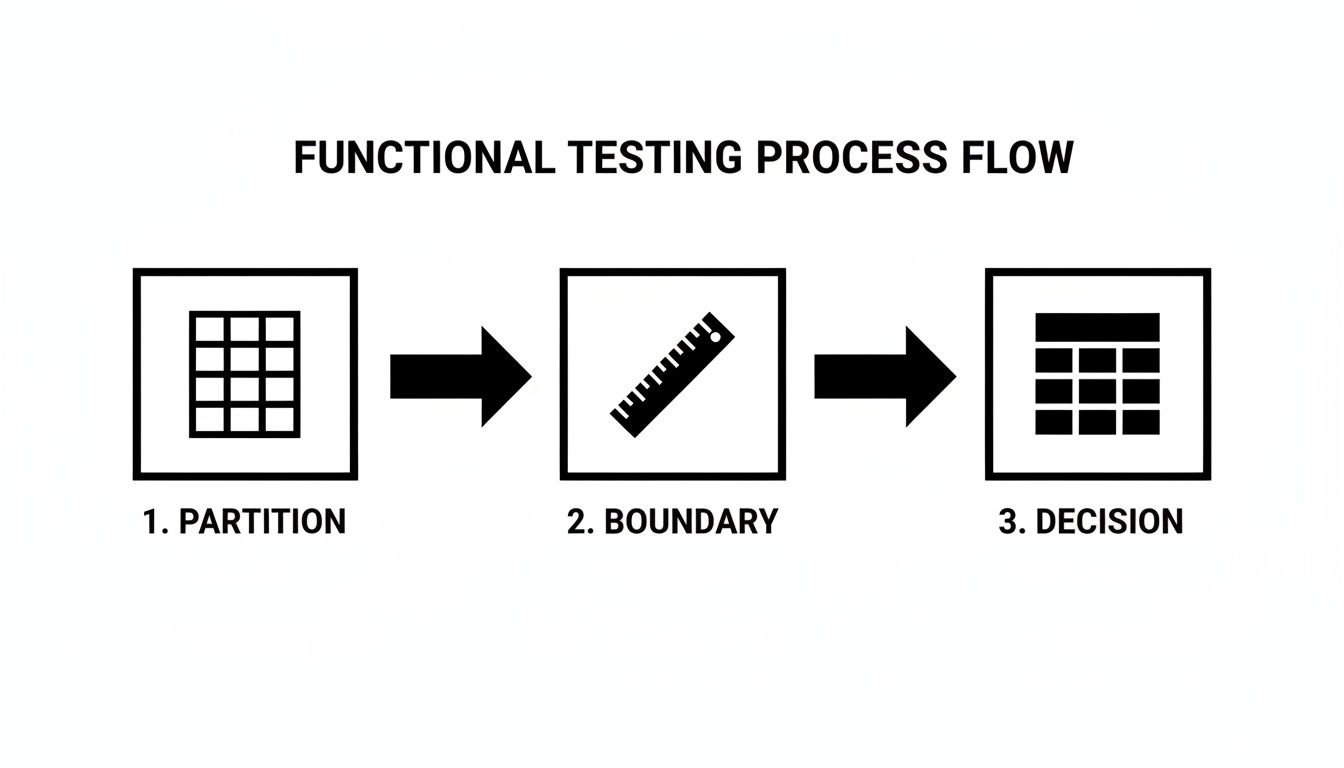
This flow illustrates how testers can intelligently reduce the number of test cases while maximizing their ability to find defects by combining partitioning, boundary analysis, and decision tables.
Step 3: Design and Prioritize Test Cases
This is where your test plan becomes a set of actionable instructions. Every test case needs to be a specific, step-by-step guide that lays out an input, an action, and an expected result. For instance, a login screen test case might be: "Enter a valid email and an invalid password, click 'Login,' and confirm an 'Invalid credentials' error message appears."
Data shows that prioritizing black box test cases is incredibly effective. One study on test prioritization revealed that black box methods found bugs at a rate that was, at most, only a 4% difference from white-box strategies that need full code access. This highlights the strong ROI of focusing on user-facing functions. You can explore the full research on black-box test prioritization to see how it drives efficiency.
Step 4: Execute Tests and Report Defects
With a prioritized list of test cases in hand, your team can get to work. Execution must be methodical. As testers work through each case, they need to document every result with precision: pass, fail, or blocked.
When a test fails, the bug report is everything. A good bug report is clear, concise, and gives developers what they need to act. It must include:
- A descriptive title (e.g., "Checkout Fails When Using a Discount Code Over 50%").
- Clear steps to reproduce the bug.
- The expected result vs. the actual result.
- Screenshots or video recordings.
- Environment details (browser, OS, device).
This level of detail allows developers to pinpoint and fix the problem fast, cutting down on frustrating back-and-forth. Our guide on the quality assurance process offers more insights on perfecting this critical workflow.
How AI and Automation Are Elevating Black Box Testing
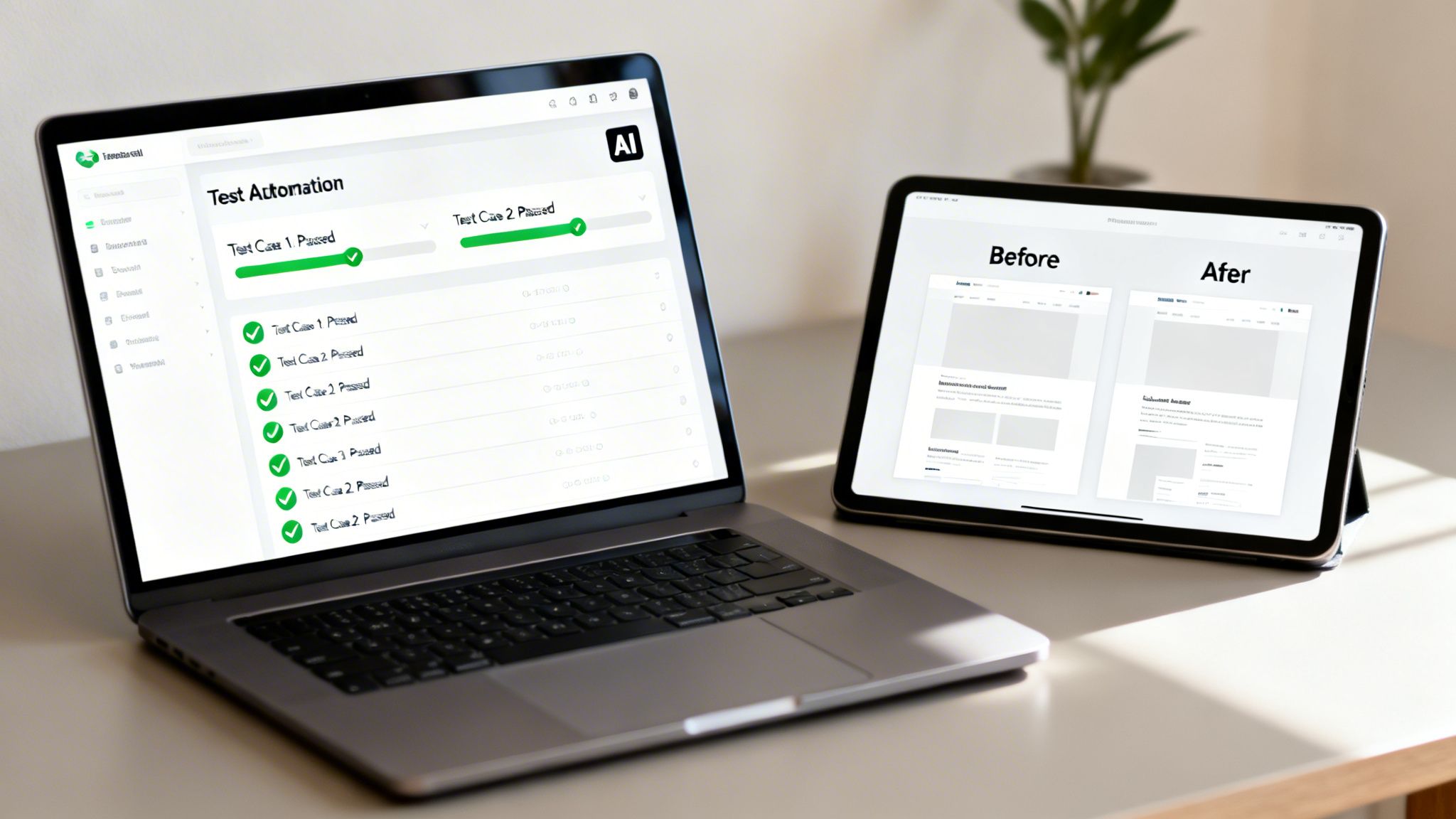
While manual black box testing offers irreplaceable human intuition, it simply can’t keep up with the pace of modern DevOps. This is where automation and artificial intelligence (AI) step in, turning a time-consuming quality check into a highly efficient and scalable part of your workflow.
By automating the repetitive work of functional and regression testing, companies are seeing tangible business results. It’s like having a tireless team member who can execute thousands of tests overnight without making a single mistake, directly improving your time-to-market and cutting development costs. This also frees up your human testers to focus on complex, exploratory testing where their expertise really counts. We cover this in more detail in our guide on the benefits of automated testing.
The Real Game-Changer: AI and Machine Learning
The biggest leap forward in black box testing has come from integrating AI and machine learning (ML). These technologies don’t just run scripts faster; they add a layer of intelligence that was previously out of reach. Today, AI-driven tools can analyze an application, generate test cases automatically, perform pixel-perfect visual checks, and even fix themselves.
-
Intelligent Test Case Generation: AI can navigate your app’s interface and logic to automatically create a full suite of tests. This ensures you get complete coverage of user journeys that a manual tester might not think to check.
-
Visual Regression Testing: The human eye can easily miss small UI bugs, but AI won’t. By comparing screenshots down to the pixel, these tools instantly flag misaligned buttons, incorrect fonts, or color variations, protecting your brand and user experience.
-
Self-Healing Tests: Test maintenance has always been a major time sink. AI tackles this head-on with self-healing tests. If a developer changes a UI element, like a button ID, the AI recognizes the change and updates the test script automatically. This drastically reduces time spent fixing broken tests.
Seeing the Impact on Business Outcomes
This isn't just theory—applying AI to testing delivers concrete results. An AI-powered security test, for instance, might find a critical vulnerability in a FinTech app’s payment process by running thousands of input variations a human would never have time to try.
In another case, an ML model could analyze recent code commits and past bug reports to predict which parts of an application are now high-risk. This helps guide testers to focus their efforts exactly where bugs are most likely to surface.
A systematic review of 34 separate studies on AI-driven black-box testing confirmed its impact, highlighting major reductions in manual effort and better test coverage. Early adopters are reporting huge efficiency gains, with some global teams cutting their QA timelines by 40-70%.
Understanding the core AI technologies is key to getting these results. For example, some of the same principles behind AI chat completion models are used to generate intelligent test data. These advancements give modern businesses the efficiency and ROI they need from their quality assurance efforts.
Applying Black Box Testing in High-Stakes Industries

In some industries, a single software failure can be catastrophic. We're talking about significant financial loss, steep legal penalties, or locking users out of essential services. When the stakes are this high, black box testing is no longer just a quality check—it becomes a core business requirement.
This is especially true in FinTech and Accessibility (A11y), two fields built on trust and reliability. Proving that a system is secure, compliant, and works as expected from an outsider's perspective isn't just important. It's everything.
This approach—focusing only on inputs and outputs—is trusted in other high-stakes fields for a reason. A landmark FBI study on latent fingerprint analysis, a classic black box method, found an incredibly low false positive rate of just 0.1%. You can dig into the specifics in the full report on the FBI's black box study. It’s a powerful demonstration of why this method is so vital in regulated environments where you simply can't afford to be wrong.
Validating Security and Compliance in FinTech
The FinTech world operates under a microscope. Any application that handles payments, loans, or investments must protect sensitive data while adhering to tough regulations like the Payment Card Industry Data Security Standard (PCI DSS). Black box testing is the go-to method for simulating real-world attacks and proving security from the outside.
Penetration testing is the perfect example. Here, ethical hackers—with zero knowledge of the internal code—probe an online banking portal or payment gateway for weaknesses. They might try to:
- Inject malicious scripts into input fields to find security gaps (Cross-Site Scripting).
- Bypass authentication to gain unauthorized access.
- Intercept data traveling between the user and the server to check for proper encryption.
For FinTech platforms, black box security testing isn't about finding bugs—it's about actively proving the system can withstand a determined attack. It provides the independent verification that regulators, partners, and customers demand.
This external-first approach is the only way to genuinely confirm that your security measures hold up against the very threats they were built to stop. It validates that your system is a fortress from the outside, no matter how it was constructed on the inside.
Ensuring Digital Equality with Accessibility Testing
Accessibility (A11y) is about making sure digital products are usable by everyone, including people with disabilities. Guidelines like the Web Content Accessibility Guidelines (WCAG) set the standard, and black box testing is the primary way to confirm compliance.
Testers approach a website or application just as a user with a disability would, using the same assistive technologies they rely on every day. By its very nature, this process is "black box" because the entire focus is on the external experience, not a single line of code.
Common accessibility testing scenarios include:
- Navigating the entire site using only a keyboard to ensure every interactive element is reachable.
- Using a screen reader (like JAWS or NVDA) to verify that all content is read aloud logically and every image has useful alt text.
- Checking color contrast ratios to ensure text is readable for users with low vision.
By simulating these real-world user journeys, you can find and fix barriers that would otherwise exclude a large portion of your audience. In critical sectors like government and finance, where equal access is often a legal mandate, this kind of validation isn't optional—it's an absolute necessity.
Your Action Plan for Mastering Black Box Testing
We've covered how black box testing confirms the user experience by treating your software as a closed system and focusing entirely on inputs and outputs. This isn't just a technical exercise; it's a business-critical function that answers the most important question: does our product actually work for the people who use it?
When you get this right, the benefits directly affect your bottom line. You find the bugs that could tarnish your brand before customers do. You verify that your most complex business rules function as designed. And you build the confidence you need for faster, more frequent releases. This turns quality assurance from a final check into a strategy that fuels growth.
Summary and Next Steps
To translate this knowledge into tangible improvements, the goal is to create a repeatable, scalable framework for quality. Black box testing provides the objective, external proof that your application is secure, compliant, and ready for the market.
Here is a checklist to start building a stronger black box testing strategy today:
-
Audit Your Current QA Process: Take an honest look at your current testing methods. Pinpoint where you rely on code knowledge (white box) and where you truly test from a user's point of view. Identify gaps where critical user journeys are left unverified.
-
Select a Pilot Project: Don't try to change everything overnight. Pick a single, well-defined project to start. A user registration form or a login flow is a perfect place to apply techniques like boundary value analysis and equivalence partitioning for a quick win.
-
Research an Automated Testing Tool: Manual testing has its limits. Start exploring modern automation tools, especially those that support codeless or low-code test creation. This gets your entire QA team involved, not just developers, and frees up your experts for more complex exploratory testing.
-
Define Core Business Scenarios: Collaborate with product managers and business analysts to identify the top 5-10 workflows that must not fail. Document them. These become the bedrock of your use case and end-to-end testing, guaranteeing your QA efforts are always locked in on business value.
At Group107, we build world-class QA strategies that fit seamlessly into your development lifecycle. Whether you need to augment your team with seasoned QA engineers or develop a full automation framework from the ground up, we have the expertise to help you ship flawless digital products at scale.
Frequently Asked Questions About Black Box Testing
Getting into software testing often brings up a lot of questions, especially when you’re trying to pick the right approach for your project. We’ve put together answers to some of the most common questions about black box testing to clear things up and help you put these powerful techniques to work.
Can Non-Technical Testers Perform Black Box Testing?
Yes, absolutely. In fact, this is one of its greatest strengths. Because this method is all about the software's external behavior and what the user sees, testers don’t need to know how to code or even look at the source code.
This opens the door for a wider range of people to get involved in quality assurance, including:
- Business Analysts: They can confirm the software actually meets the documented business rules.
- Product Managers: They can check that the application delivers on user stories and the overall product vision.
- Domain Experts: Their deep industry knowledge helps them find realistic and tricky edge cases that developers might miss.
By bringing more perspectives into testing, you’re validating the product against what it’s supposed to do, not just how it was built.
What Is the Difference Between Black Box and White Box Testing?
The main difference comes down to the tester's perspective. With black box testing, the tester has zero knowledge of the internal code or system design. They only focus on inputs and outputs. White box testing, on the other hand, demands full access to the source code and a deep understanding of the software's inner workings.
Think of it like this: A black box tester is like a customer test-driving a car—checking the steering, the brakes, the radio. A white box tester is the mechanic with the hood open, inspecting the engine block and wiring. Both are vital for quality, but one confirms the user experience while the other verifies the engineering.
How Do You Measure Black Box Test Coverage?
You can’t measure code coverage like you would in white box testing. Instead, you measure coverage against business and functional requirements. The real question you're answering is, "Have we tested all the features and user paths that actually matter?"
Key metrics to track here are:
- Requirements Coverage: What percentage of specified business requirements have been fully tested?
- Use Case Coverage: How many of the critical user workflows have we successfully tested from start to finish?
- Functional Coverage: To what extent have all the features, buttons, and input fields been validated?
The goal is to be completely confident that the application works as expected from a user's point of view. Our guide to the quality assurance process dives deeper into building out a complete test plan.
When Is Black Box Testing Most Useful?
This approach is incredibly flexible and adds value at many points in the development cycle, but it truly shines in a few key areas:
- System and Acceptance Testing: Perfect for validating the fully integrated software against business goals right before launch.
- Regression Testing: An essential way to make sure new code changes haven’t accidentally broken something that was already working.
- Validating Third-Party Applications: When you don’t have access to the source code but need to confirm an integration is working correctly.
It’s especially critical for any customer-facing application where a flawless user experience is everything—think e-commerce, SaaS, and FinTech platforms.
Ready to build a world-class QA strategy that accelerates delivery and guarantees quality? Group107 provides expert guidance and dedicated offshore engineering teams to help you implement and scale a robust testing framework. We turn your vision into flawless digital products.
Learn how we can help at https://group107.com.