
In today's competitive market, the speed and reliability of software delivery are critical business drivers. Continuous Integration (CI) has evolved from a novel concept to a foundational discipline for high-performing development teams. A robust CI pipeline is the engine that powers modern software delivery, automating the tedious, error-prone tasks of building and testing code every time a change is committed. This automation allows teams to identify and resolve bugs earlier in the development lifecycle, significantly reducing costs and improving code quality.
Implementing a CI system is one thing; optimizing it for maximum business impact is another. This guide provides a comprehensive list of the 10 most critical continuous integration best practices, offering actionable strategies you can implement immediately. For each practice, you'll find implementation details, practical examples for both startups and enterprises, and key metrics to measure success.
You will learn how to:
- Accelerate your development cycle by catching issues faster.
- Improve code quality and stability through automated checks.
- Enhance developer collaboration and reduce integration conflicts.
- Build a scalable and resilient delivery pipeline that supports business growth.
This article provides the framework to transform your CI process from a simple automation tool into a strategic asset that delivers tangible value, ensuring your development pipeline is a source of speed, quality, and innovation.
1. Automate All Build and Test Processes
The cornerstone of any effective continuous integration strategy is the complete automation of the build and testing pipeline. This practice eliminates manual, error-prone tasks by creating a repeatable, script-driven process that compiles code, runs tests, and prepares artifacts for deployment upon every commit. Automation ensures that every change is subjected to the same rigorous quality checks.
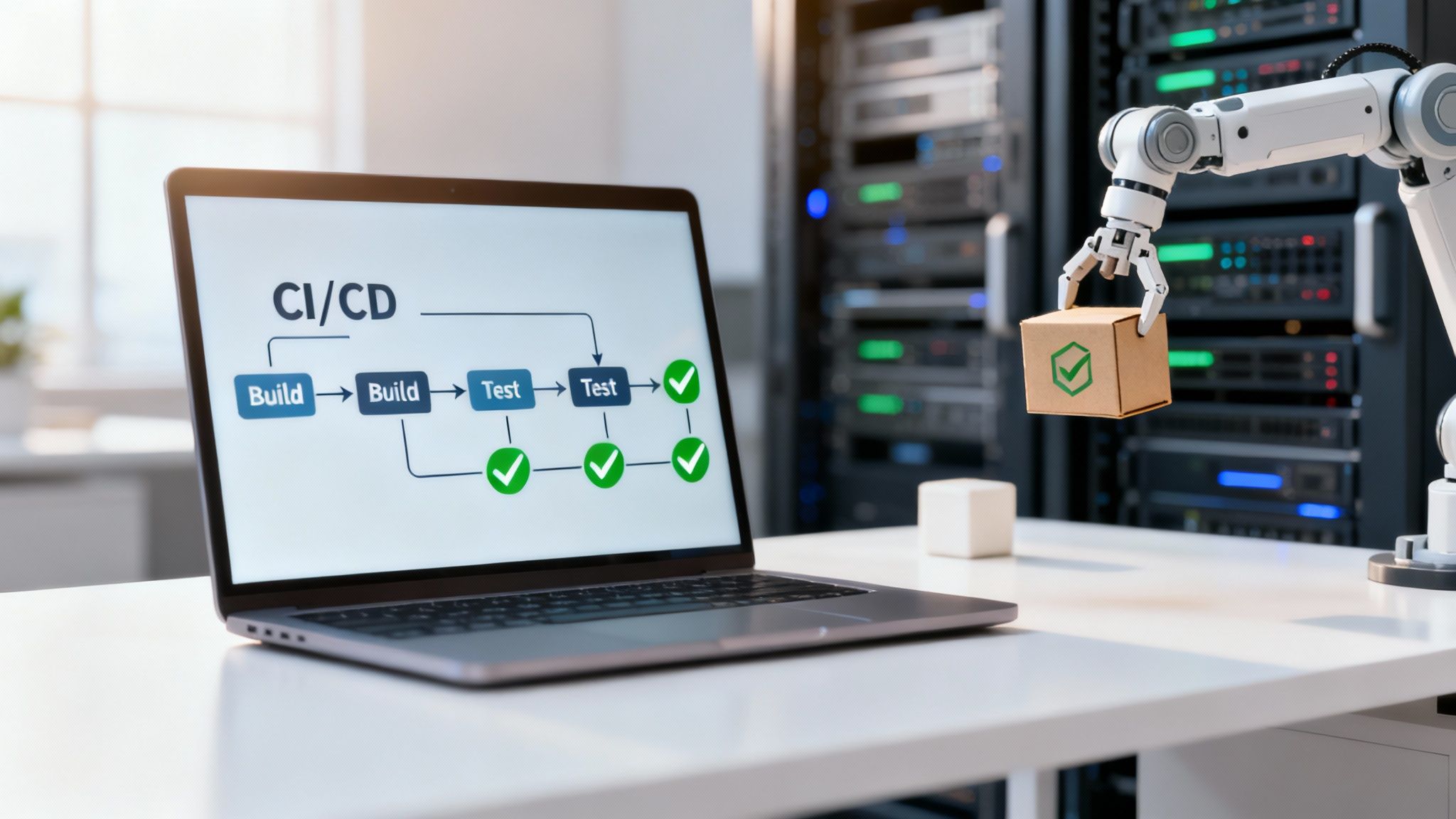
This consistency is non-negotiable for distributed teams. When developers in different time zones contribute to the same codebase, automation acts as the impartial gatekeeper, validating their work against established standards. This immediate feedback loop is one of the most crucial continuous integration best practices, as it allows developers to fix bugs while the context is fresh, dramatically reducing integration issues. To fully understand how these automated steps fit together, it's helpful to visualize the entire workflow, as detailed in this overview of the CI/CD pipeline.
Implementation Tips
- Start Small and Expand: Begin by automating your unit tests. Once that process is stable, progressively add integration tests, end-to-end tests, and static code analysis.
- Aim for Speed: Strive to keep the entire build and primary test suite execution under 10 minutes to maintain developer productivity and a fast feedback loop.
- Use Containerization: Implement Docker to create consistent, isolated environments for building and testing. This guarantees code behaves the same way on a developer's machine as it does in the CI environment.
- Parallelize Your Jobs: Configure your CI server (like Jenkins or GitLab CI) to run multiple test suites in parallel. This significantly cuts down the total pipeline duration, which is especially beneficial for large projects.
- Configure Instant Alerts: Set up automated notifications via Slack, email, or Microsoft Teams to alert the relevant developers or teams immediately when a build fails.
2. Maintain a Single Source of Truth for Code
Collaborative and auditable software development is built on a centralized version control system (VCS). This practice dictates that all code, configuration files, scripts, and infrastructure definitions are stored in a single, shared repository. This single source of truth ensures complete transparency, provides a clear history of every change, and enables straightforward rollback capabilities if an issue arises.
For distributed teams, this is a necessity. A centralized repository acts as the definitive record, preventing the "it works on my machine" problem and eliminating confusion across different time zones. It allows every team member, regardless of location, to access the latest stable codebase and contribute with confidence. In regulated industries like fintech, a single source of truth provides an immutable audit trail, which is crucial for meeting strict compliance and security requirements.
Implementation Tips
- Implement Branch Protection Rules: Configure your VCS (e.g., GitLab, GitHub) to protect key branches like
mainordevelop. Require status checks to pass and at least one code review approval before any merge is allowed. - Enforce Meaningful Commit Messages: Establish and enforce a convention for commit messages. This creates a readable and searchable history, making it easier to understand the purpose of every change and track down regressions.
- Store Configuration in Version Control: All application and environment configurations, excluding secrets and credentials, should be committed to the repository. This is a core tenet of Infrastructure as Code (IaC) and ensures environments are reproducible.
- Document Your Branching Strategy: Create clear documentation for your branching strategy (e.g., GitFlow, Trunk-Based Development) and make it accessible to all team members to ensure consistency.
- Keep Secrets Separate: Never commit sensitive information like API keys or passwords directly into the repository. Use a dedicated secrets management tool like HashiCorp Vault or AWS Secrets Manager.
3. Implement Frequent, Small Commits and Pull Requests
Moving away from long-lived feature branches is a pivotal shift for high-performing teams. This practice involves developers committing code frequently in small, self-contained, and logical chunks. This granular approach is one of the most impactful continuous integration best practices because it dramatically reduces the complexity and risk associated with large-scale merges. Each small commit triggers the automated pipeline, providing near-instant feedback.

For distributed teams, this methodology is transformative. Small pull requests (PRs) can be reviewed quickly and asynchronously, eliminating the bottleneck of aligning schedules across time zones for a massive code review. When a bug is introduced, it’s far easier to pinpoint the exact small commit responsible, enabling swift rollbacks or fixes. This agile workflow fosters a culture of continuous delivery and collective code ownership, which is essential for scaling development effectively.
Implementation Tips
- Target Rapid Reviews: Aim for pull requests that are small enough to be thoroughly reviewed in 15-20 minutes. This encourages prompt feedback and keeps the development cycle moving.
- Adopt Conventional Commits: Use a standardized commit message format (e.g.,
feat:,fix:,docs:). This not only clarifies intent but also enables automated changelog generation and semantic versioning. - Automate Pre-Merge Checks: Configure your CI system to automatically run linters, code formatters, and style checks when a PR is submitted. This ensures baseline quality before any human review is required.
- Focus PR Descriptions on the "Why": The code itself shows what changed. The PR description should clearly articulate why the change was necessary, providing essential context for the reviewer.
- Leverage Code Owners: Use features in platforms like GitHub or GitLab to automatically assign the most relevant reviewers based on which parts of the codebase are modified, streamlining the review process.
4. Automate Code Quality and Security Scanning
Integrating automated code quality and security scanning directly into your CI pipeline is a non-negotiable practice for modern software development. This "shift-left" approach moves quality and security checks to the earliest stage of the lifecycle, catching vulnerabilities, bugs, and style violations before they are merged into the main codebase. By making these scans a mandatory part of every commit, you establish a powerful, automated gatekeeper that enforces standards consistently.
This proactive validation is one of the most impactful continuous integration best practices, especially for industries with strict compliance requirements like fintech or government. A financial institution can configure its CI pipeline with a tool like Checkmarx to perform Static Application Security Testing (SAST) on every pull request, automatically blocking code that introduces critical vulnerabilities. This automation provides an immediate, actionable feedback loop that empowers developers to write cleaner, more secure code from the start.
Implementation Tips
- Prioritize Critical Issues: Configure your tools to fail the pipeline only for high-severity security vulnerabilities or critical code quality violations. This prevents initial "alert fatigue" and allows teams to adapt gradually.
- Integrate with Version Control: Configure scanners to post results directly as comments on pull requests in GitHub or GitLab. This makes feedback visible and actionable right where developers are working.
- Provide Clear Remediation Guidance: Select tools like Snyk or SonarQube that not only identify issues but also offer specific examples and instructions on how to fix them, reducing troubleshooting time.
- Keep Databases Updated: Ensure that your security scanning tools are configured to regularly update their vulnerability databases to protect against newly discovered threats.
- Expand Beyond Code: For organizations using containerization, extend scanning to include Docker images to check for vulnerabilities in base layers and system libraries. In regulated environments, automate the generation of a Software Bill of Materials (SBOM).
5. Establish Clear Code Review Standards and Processes
Integrating code is about more than just passing automated tests; it's about ensuring the code itself is high-quality, maintainable, and understood by the team. A formal code review process is one of the most critical continuous integration best practices. Requiring a peer review before any code is merged into the main branch acts as a powerful human-centric quality gate, catching logic errors, design flaws, and vulnerabilities that automated tools might miss.
For distributed teams, this practice is indispensable. It bridges geographical and time zone gaps by creating a structured, asynchronous forum for collaboration and knowledge sharing. A well-defined review process ensures that every piece of code is vetted against team standards, preventing the accumulation of technical debt and fostering a collective sense of ownership over the codebase. It transforms a solitary coding task into a collaborative learning opportunity, improving team cohesion and code consistency.
Implementation Tips
- Define and Document Standards: Create a clear, accessible document outlining your code review standards. This should cover style guides, common anti-patterns, security considerations, and performance benchmarks.
- Automate Trivial Checks: Use linters and static analysis tools in your CI pipeline to automatically check for formatting and simple errors. This allows human reviewers to focus their valuable time on business logic, architecture, and overall design.
- Set Clear SLAs: For teams working across different time zones, establish a Service Level Agreement (SLA) for reviews, such as a 24-hour turnaround time. This prevents pull requests from becoming bottlenecks.
- Use CODEOWNERS: Implement a
CODEOWNERSfile in your repository (supported by GitHub, GitLab, and Bitbucket) to automatically assign reviews to the most relevant experts or teams, ensuring the right people see the right code. - Track Review Metrics: Monitor metrics like review turnaround time, comments per review, and the number of review cycles. These data points can help identify process bottlenecks and highlight opportunities for team training or process improvement. For a deeper dive into structuring these interactions, explore these code review best practices.
6. Implement Comprehensive Test Coverage and Strategies
While automation is the engine of CI, comprehensive testing is the fuel that guarantees quality. This practice involves creating a multi-layered testing strategy that validates code at different levels, from individual functions to the complete system. Adhering to the "testing pyramid" ensures a balanced approach: a wide base of fast, inexpensive unit tests, a smaller layer of integration tests, and a very narrow top of slower, more complex end-to-end tests.
This strategic allocation of testing resources is one of the most vital continuous integration best practices because it optimizes for both speed and confidence. For organizations in regulated industries like fintech, this means embedding security scenarios, regulatory compliance checks, and edge-case validation directly into the automated pipeline. A robust testing suite acts as an automated quality assurance system, catching defects early and ensuring that every commit strengthens the application.
Implementation Tips
- Follow the Testing Pyramid: Build a strong foundation with unit tests that cover individual components. Add integration tests to verify interactions between services and a select few end-to-end tests for critical user journeys.
- Target Meaningful Coverage: Aim for 70-80% code coverage. Pushing for 100% often leads to diminishing returns, as developers spend time writing tests for trivial code instead of focusing on complex business logic.
- Prioritize Unit Test Speed: Unit tests must be extremely fast, ideally running in seconds. This ensures the initial feedback loop remains tight and doesn't slow down developer workflow.
- Use Contract Testing for Microservices: For distributed architectures, implement contract testing (e.g., using Pact) to verify that services interact with each other as expected without needing to deploy the entire system.
- Test for Resilience: Incorporate chaos engineering principles to test how your system behaves under unexpected failures. This is crucial for building resilient, high-availability applications.
- Implement Security Scans: Integrate static (SAST) and dynamic (DAST) application security testing tools into your pipeline to automatically identify vulnerabilities with every build.
7. Use Infrastructure as Code (IaC) for Environment Consistency
One of the most powerful continuous integration best practices is treating your infrastructure with the same rigor as your application code. Infrastructure as Code (IaC) involves defining and managing your entire technology stack—from servers and databases to networks and load balancers—through machine-readable definition files stored in version control. This approach eliminates manual configuration, which is slow, inconsistent, and prone to human error.
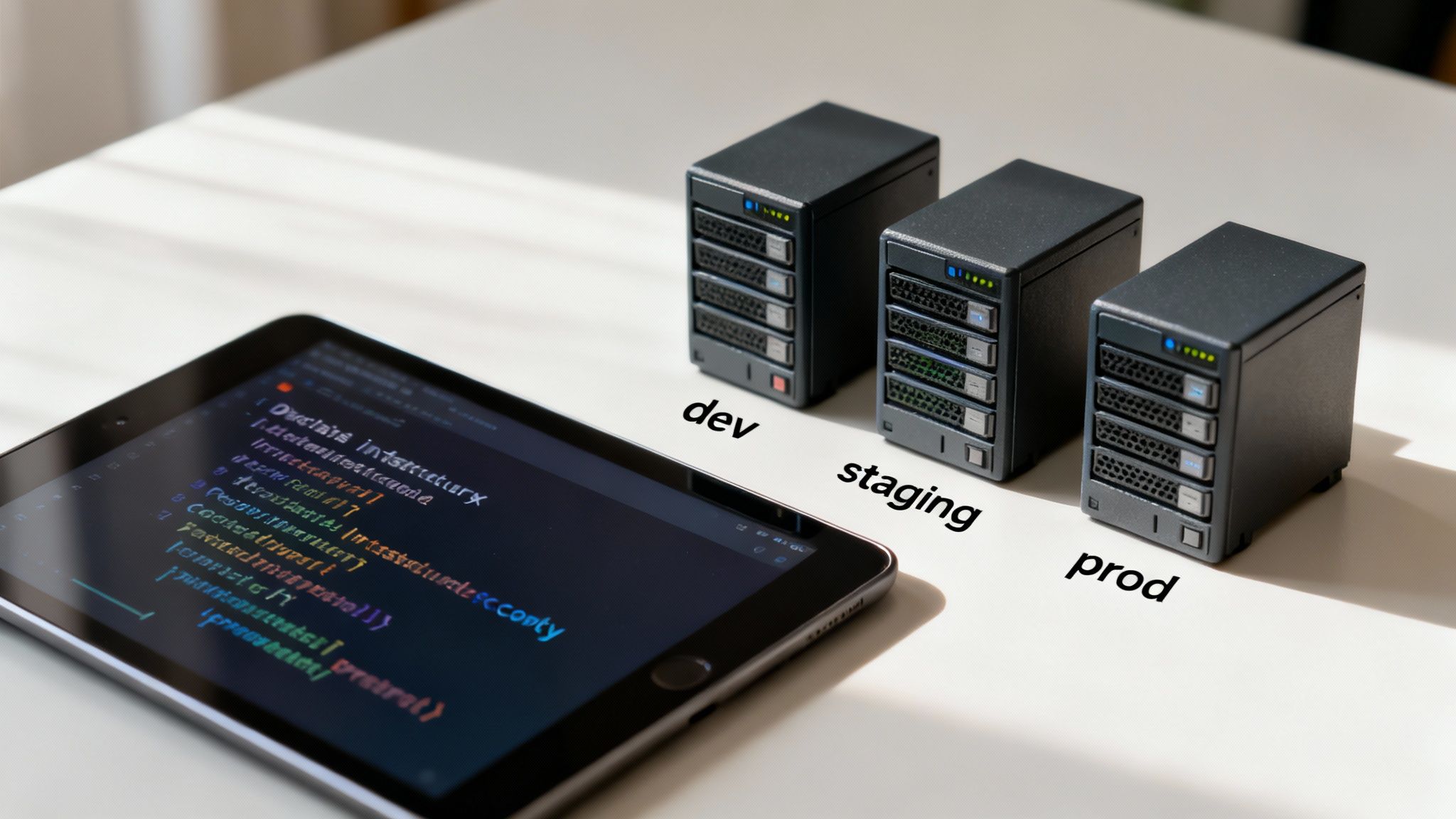
By codifying infrastructure, you create a single source of truth that ensures absolute consistency across all environments, including development, testing, staging, and production. This is non-negotiable for distributed teams, as it guarantees that every developer and every CI pipeline operates within an identical, reproducible environment. This consistency eradicates configuration drift and drastically simplifies debugging. For regulated sectors, IaC provides an auditable, versioned history of every infrastructure change, which is essential for meeting compliance requirements.
Implementation Tips
- Choose the Right Tool: Use a tool like Terraform for cloud-agnostic IaC, allowing you to manage infrastructure across multiple providers (AWS, Azure, GCP) with a unified workflow. For platform-specific needs, AWS CloudFormation or Azure Bicep are powerful alternatives.
- Version Everything with Git: Store all IaC files in a Git repository. Apply the same code review, pull request, and approval processes to infrastructure changes as you do for application code to ensure quality.
- Isolate Environment States: Use separate state files for each environment (dev, staging, prod). This prevents changes in one environment from accidentally impacting another and provides a clear boundary for management.
- Implement Remote State and Locking: Configure remote state management using a service like Terraform Cloud or an S3 bucket with DynamoDB. This enables collaboration and prevents conflicting changes by locking the state file during updates.
- Integrate IaC into Your CI Pipeline: Automate the execution of your IaC scripts within your CI/CD pipeline. This allows for automated validation and deployment of infrastructure changes upon every merge. You can find more practical applications in these detailed Infrastructure as Code examples.
8. Implement Fast Feedback Loops with Staging Environments
Beyond automated tests, a critical best practice is to automatically deploy every successful build to a production-like staging environment. This creates an immediate, tangible version of the proposed changes, allowing for rapid validation in a realistic setting before they are released to users. This step bridges the gap between passing tests in an isolated CI runner and ensuring the application behaves as expected when fully deployed.
This practice is indispensable for distributed teams, as it enables asynchronous testing, quality assurance, and product owner review. Instead of relying solely on code reviews, stakeholders can interact with a live, running instance of the feature. For security-sensitive sectors, this staging environment must be a high-fidelity replica of production, mirroring its security posture, network configurations, and data structures to provide meaningful feedback on both functionality and compliance.
Implementation Tips
- Automate Staging Deployments: Configure your CI pipeline to trigger an automatic deployment to a staging or review environment upon every successful merge to the development branch. Tools like Heroku Review Apps or GitLab's Review Apps excel at this.
- Manage Environments with IaC: Use Infrastructure as Code (IaC) tools like Terraform or CloudFormation to define and manage your staging environment. This ensures it remains a consistent and accurate replica of production.
- Use Production-Like Data: Populate your staging environment with anonymized or synthetically generated data that accurately reflects the structure and scale of production data. This helps uncover performance bottlenecks and edge cases.
- Mirror Production Monitoring: Implement the same monitoring, logging, and alerting tools in staging as you use in production. This allows you to validate your observability stack and catch performance regressions before they impact users.
- Enable Manual Validation: While the deployment is automated, the environment should be accessible for manual user acceptance testing (UAT), QA validation, and stakeholder reviews, providing a crucial layer of qualitative feedback.
9. Monitor and Alert on Build and Deployment Failures
A CI pipeline that operates silently hides risk. Effective continuous integration best practices demand robust monitoring and immediate alerting for any failures. This creates a transparent, self-healing system where issues are identified and addressed in real-time, preventing broken code from progressing and minimizing downtime. For distributed teams, this visibility is non-negotiable, ensuring everyone is aware of the pipeline's health regardless of their location or time zone.
Proactive monitoring transforms your CI/CD workflow from a passive tool into an active guardian of code quality. By integrating with communication platforms like Slack or Microsoft Teams and incident management tools such as PagerDuty, alerts become actionable intelligence. This ensures the right people are notified instantly, enabling them to fix problems while the context is fresh. For regulated industries, this extends beyond build failures to include alerts for security vulnerabilities or compliance policy violations.
Implementation Tips
- Integrate with Communication Tools: Configure your CI server to send immediate, detailed failure notifications to specific channels in Slack or Teams. This keeps the entire team informed and fosters collective ownership of build health.
- Route Alerts Intelligently: Use features like GitLab or GitHub's
CODEOWNERSfile to automatically route failure alerts to the specific team or individual responsible for that part of the codebase, avoiding alert fatigue. - Establish Clear Escalation Paths: Define a formal process for unaddressed critical failures. If an alert is not acknowledged within a set timeframe, it should automatically escalate to a team lead or an on-call engineer via a tool like PagerDuty.
- Monitor Key DevOps Metrics: Go beyond just monitoring failures. Track critical metrics like Mean Time To Recovery (MTTR), deployment frequency, and lead time for changes to get a broader view of your team's efficiency.
- Respect Time Zones: When configuring alerts for globally distributed teams, use follow-the-sun on-call schedules and avoid paging developers outside of their working hours for non-critical issues.
10. Practice Trunk-Based Development with Feature Flags
A cornerstone of modern continuous integration is shifting from long-lived feature branches toward Trunk-Based Development (TBD). In this model, all developers commit small, frequent changes directly to a single main branch, often called the "trunk." This eliminates the complex, time-consuming merge conflicts that plague projects with multiple active branches, drastically simplifying integration.
This approach is highly effective for distributed teams who need to collaborate in real-time without integration bottlenecks. By committing to a shared trunk multiple times a day, developers ensure the codebase is always in a releasable state. Incomplete or experimental features are kept hidden from users by wrapping them in feature flags. These flags act as dynamic on/off switches in the code, allowing new functionality to be integrated and tested in production without being exposed to end-users until it's ready.
Implementation Tips
- Adopt a Feature Flag Management System: Use a dedicated platform like LaunchDarkly or Unleash to manage flags centrally. This avoids scattering boolean checks throughout your code and provides a dashboard for non-technical team members to control feature rollouts.
- Keep Branches Ephemeral: If branches are used at all, they should exist for less than a day before being merged into the trunk. The goal is to avoid divergence from the main line of development.
- Commit Incomplete Work Safely: Encourage developers to commit unfinished features to the trunk as long as they are disabled by a feature flag. This ensures the code is continuously integrated and tested.
- Leverage Flags for Phased Rollouts: Use feature flags for more than just hiding work-in-progress. They are powerful tools for Canary releases, A/B testing, and gradually rolling out features to specific user segments.
- Establish a Flag Hygiene Process: Regularly review and remove old or obsolete feature flags. Leaving them in the codebase creates technical debt and increases complexity. Assign owners to each flag to ensure accountability.
10-Point CI Best Practices Comparison
| Practice / Item | Implementation complexity | Resource requirements | Expected outcomes | Ideal use cases | Key advantages | Key limitations |
|---|---|---|---|---|---|---|
| Automate All Build and Test Processes | High — CI/CD infrastructure and pipeline design | CI runners/build servers, test suites, containerization, maintenance | Faster feedback; consistent builds; fewer manual errors | Distributed teams; startups needing rapid MVPs; complex builds | Early bug detection; faster iterations; consistent quality | Upfront infra cost; needs comprehensive tests; hard for legacy systems |
| Maintain a Single Source of Truth for Code | Low–Medium — repo policies and branching strategy | VCS hosting, access controls, branching docs, training | Traceability, rollback capability, clearer collaboration | Regulated industries (fintech), distributed teams, enterprises | Transparency; auditability; simplifies rollback and compliance | Requires discipline; merge conflicts if strategy is poor; can grow unwieldy |
| Implement Frequent, Small Commits and Pull Requests | Low — cultural/process change with lightweight tooling | Developer discipline, fast CI checks, code review tooling | Fewer merge conflicts; faster reviews; easier bug isolation | Microservices, rapid development teams, asynchronous reviews | Faster reviews; easier bisecting; improved modularity | Commit noise; requires discipline; may slow individual flow initially |
| Automate Code Quality and Security Scanning | Medium–High — tool integration and rule tuning | SAST/DAST tools, dependency scanners, licenses, triage effort | Fewer vulnerabilities; consistent standards; compliance support | Fintech, regulated or security-critical projects | Catches security issues pre-prod; reduces technical debt; enforceable gates | False positives; pipeline slowdowns; ongoing maintenance and tuning |
| Establish Clear Code Review Standards and Processes | Low–Medium — define SLAs, workflows and ownership | Reviewers' time, review automation, collaboration tools | Improved code quality; knowledge sharing; documented decisions | Distributed teams, enterprise codebases, onboarding | Catches design issues; builds team cohesion; improves maintainability | Can bottleneck if SLAs strict; requires reviewer expertise; scaling pain |
| Implement Comprehensive Test Coverage and Strategies | High — design test pyramid and automation | Test frameworks, test data, CI time, test maintenance | Confidence in changes; safe refactoring; regression prevention | Fintech, mission-critical systems, microservice architectures | Detects regressions; documents behavior; supports compliance | Time-consuming to write; brittle/slow tests; maintenance burden |
| Use Infrastructure as Code (IaC) for Environment Consistency | Medium — learn IaC tools and workflow integration | IaC tools (Terraform/CF), state backend, secrets management, training | Reproducible environments; reduced config drift; auditable changes | Multi-environment deployments, enterprise, fintech compliance | Eliminates "works on my machine"; fast provisioning; audit trail | Learning curve; potential vendor lock-in; secrets complexity |
| Implement Fast Feedback Loops with Staging Environments | Medium — automated deployments and environment parity | Staging infra, IaC, monitoring, synthetic/anonymized data | Reduced deployment risk; performance/security validation pre-prod | Release-heavy teams, fintech requiring pre-prod validation | Catches deployment issues early; stakeholder testing; performance checks | Additional infra costs; data/privacy concerns; parity upkeep |
| Monitor and Alert on Build and Deployment Failures | Medium — integrate monitoring and alert routing | Monitoring/alerting tools, on-call rotation, dashboards, integrations | Faster incident response; visibility across teams; trend data | 24/7 ops, fintech, distributed teams needing SLAs | Immediate detection; reduced MTTR; historical metrics for improvement | Alert fatigue; on-call burden; integration complexity across tools |
| Practice Trunk-Based Development with Feature Flags | Medium — cultural shift and flagging system | Feature-flag platform, CI changes, flag cleanup processes, training | Continuous integration/deployment; reduced merge complexity | Continuous deployment teams, distributed collaboration | Eliminates long-lived branches; safe incremental releases; easy rollback | Feature-flag sprawl; added code complexity; requires discipline and cleanup |
From Theory to Practice: Your Next Steps in CI Mastery
We've explored the essential pillars of a high-performing development process, moving beyond buzzwords to detail actionable continuous integration best practices. From automating every build to maintaining a single source of truth, each practice serves a critical purpose. They work in concert to build a system that is not just faster, but fundamentally more reliable, secure, and scalable.
The core theme connecting these principles is the relentless pursuit of a rapid, reliable feedback loop. Whether through small commits, automated quality scans, or fast-failing builds, the goal is to empower developers with immediate, actionable insights. This agility is the engine of modern software development, allowing teams to innovate with confidence, reduce the cost of errors, and deliver value to users more quickly.
Synthesizing the Core Tenets of CI
To distill our deep dive into a concise summary, here are the most important takeaways:
- Automation is Non-Negotiable: The foundation of CI is removing manual intervention from the build, test, and integration process. This eliminates human error and frees up engineering talent to focus on solving complex business problems.
- Speed and Frequency Matter: Small, frequent commits integrated into a shared mainline (as in trunk-based development) dramatically reduce the risk and complexity of merges. This approach, supported by feature flags, allows teams to deploy code to production safely, even before a feature is complete.
- Quality is a Shared Responsibility: Integrating static code analysis (SAST), dependency scanning, and comprehensive automated testing directly into the pipeline shifts quality and security "left," making these critical checks an intrinsic part of the development workflow.
- Consistency is Key: Using Infrastructure as Code (IaC) ensures that every environment, from a developer's local machine to production, is a perfect replica. This eradicates the "it works on my machine" problem and streamlines debugging.
Your Actionable Roadmap to CI Excellence
Mastering these continuous integration best practices is a journey, not a destination. The key is to begin with a targeted, strategic approach. Don't attempt to overhaul your entire system overnight. Instead, use the following steps as a guide to start making immediate, impactful improvements:
- Assess and Prioritize: Audit your current CI process against the practices in this article. Identify the single biggest bottleneck or area of risk. Is it slow build times? Inconsistent environments? A lack of automated security scanning?
- Select a Pilot Project: Choose one high-impact, low-risk project to implement your first major improvement. This could involve introducing IaC for environment management or integrating a robust suite of unit tests for a critical service.
- Define Success Metrics: How will you know if the change was successful? Define clear metrics before you start, such as a reduction in build time, a decrease in post-deployment bugs, or an increase in deployment frequency.
- Iterate and Expand: Once you've demonstrated success with your pilot project, use the momentum and learnings to roll out the practice across other teams and services. Each successful iteration builds the case for further investment and fosters a culture of continuous improvement.
By adopting this methodical approach, you transform the abstract theory of CI into a tangible competitive advantage, creating a development ecosystem that is built for speed, quality, and resilience.
Ready to elevate your development pipeline from a functional utility to a strategic business asset? The experts at Group 107 specialize in designing and implementing world-class CI/CD solutions that accelerate delivery and enhance code quality. Contact us to learn how our DevOps-as-a-Service and embedded engineering teams can help you implement these continuous integration best practices today.