
Effective sprint planning is the bedrock of high-velocity software development. It transforms a product roadmap from a wish list into a predictable, value-driven delivery engine. Yet, many teams—especially distributed ones—struggle with sprint planning meetings that are long, unfocused, and yield unrealistic commitments. The result? Missed deadlines, developer burnout, and features that fail to deliver business impact. The problem is not the Agile ceremony itself; it's the execution.
This guide provides 10 actionable sprint planning best practices, moving beyond generic advice to deliver expert frameworks, real-world examples from fintech and SaaS, and specific strategies tailored for offshore and distributed engineering teams. We will cover how to set meaningful goals, right-size user stories for asynchronous work, and integrate critical functions like security and accessibility from day one. These are the same principles we apply at Group107 to deliver complex digital products for enterprises and fast-growing startups, ensuring every sprint delivers maximum business impact.
By implementing these proven practices, you can turn chaotic planning sessions into a strategic advantage that accelerates time-to-market and improves code quality. This article will show you how to structure your planning to ensure your team builds what matters most, sprint after sprint. You will learn to refine your backlog, plan capacity accurately, and create a sustainable development rhythm that consistently delivers business value.
1. Define a Clear Sprint Goal Aligned with the Product Roadmap
One of the most critical sprint planning best practices is to move beyond a simple list of tasks and establish a cohesive, outcome-focused Sprint Goal. A Sprint Goal is a single, clear objective that the team commits to achieving during the sprint. It provides a shared purpose, guides decision-making, and directly connects the team's work to broader business objectives. Instead of just building features, the team focuses on delivering a tangible increment of value that solves a real user or business problem.
This approach is essential for aligning development efforts with strategic priorities, especially for distributed or offshore teams who need to understand the "why" behind their work. It shifts the conversation from "What are we building?" to "What business impact are we delivering?"
Why It Matters
A well-defined Sprint Goal transforms a collection of unrelated user stories into a coherent work package. This focus empowers the team to make trade-off decisions autonomously during the sprint. If unforeseen challenges arise, the team can negotiate the scope of individual tasks while keeping the primary goal intact, reducing the need for constant re-planning and minimizing rework. This directly improves predictability and business outcomes.
How to Implement It
- Frame Goals as Outcomes: Use language that describes user capabilities or business achievements. For example, instead of "Build KYC form," a superior goal is, "Enable enterprise users to complete KYC verification in under two minutes with 99.9% accuracy to reduce onboarding friction."
- Connect to a Business Metric: Tie the goal to a specific KPI. A SaaS company aiming for accessibility compliance could set a goal like, "Achieve WCAG 2.1 AA compliance for the customer dashboard to meet enterprise procurement requirements," directly linking development work to a measurable business need.
- Limit the Number of Goals: For a typical two-week sprint, commit to one primary Sprint Goal. Focus is key. This clarity is especially vital for remote teams managing communication across time zones.
- Communicate Asynchronously: For distributed teams, share the proposed Sprint Goal in a shared document (e.g., Confluence, Notion) before the planning meeting. This allows everyone to review, reflect, and prepare questions, making the synchronous meeting more efficient.
2. Right-Size User Stories for Distributed Teams with Detailed Acceptance Criteria
A core component of effective sprint planning best practices is breaking down large product features into granular, well-defined user stories. Instead of tackling a monolithic task like "Build payment processing," the goal is to create smaller, independent work items that an engineer can complete in 2-3 days. This approach is amplified when paired with extremely detailed acceptance criteria that leave no room for ambiguity, covering happy paths, edge cases, and technical requirements.

This granularity is especially critical for distributed or offshore teams. It minimizes dependencies, enables parallel development, and empowers engineers and QA analysts to work asynchronously with confidence. When the definition of "done" is crystal clear, teams avoid the back-and-forth communication that consumes time across different time zones, leading to faster delivery cycles and higher-quality increments.
Why It Matters
Right-sized stories with robust acceptance criteria act as a micro-contract between the product owner and the development team. They reduce the risk of misunderstandings, prevent scope creep, and streamline the validation process. For complex domains like fintech or government projects, this practice is non-negotiable, as it ensures security, compliance, and accessibility requirements are built-in from the start, not bolted on as an afterthought.
How to Implement It
- Decompose Epics into Stories: Break a large feature like "Build payment processing" into specific, testable stories. Examples include: "Integrate Stripe API for credit card validation with PCI compliance," "Create payment confirmation email trigger via SendGrid," and "Add real-time payment status to user dashboard."
- Define Exhaustive Acceptance Criteria: Go beyond the happy path. For a fintech story, include technical criteria like "Code coverage >85%" and edge cases like "When a user enters an expired card, the system displays error message X and logs the event." Dive deeper into writing effective acceptance criteria for user stories to master this skill.
- Use a Standardized Template: Enforce a consistent format like: "As a [user role], I want [action], so that [business value]." Follow this with a checklist of 5-10 specific acceptance criteria.
- Attach All Relevant Assets: Link directly to Figma mockups, API contracts, sequence diagrams, and compliance documentation within the story description. This creates a single source of truth and reduces time spent searching for information.
3. Implement Asynchronous Sprint Planning with Recorded Documentation
For distributed and global teams, relying solely on real-time meetings for sprint planning is inefficient and often impractical. One of the most impactful sprint planning best practices for modern, remote-first organizations is to adopt an asynchronous approach rooted in recorded walkthroughs and detailed written documentation. This method allows engineers in different time zones to review requirements at their optimal time, absorb complex information without pressure, and provide thoughtful, written feedback.
Pioneered by leading remote companies like GitLab, this model replaces long, synchronous calls with high-quality, pre-recorded content. A product manager might record a 15-minute Loom video walking through the sprint's proposed user stories, demonstrating mockups, and explaining the strategic context. This recording, along with structured documentation, becomes the single source of truth, empowering team members to contribute effectively regardless of their location.
Why It Matters
Asynchronous planning respects engineers' focus time and accommodates diverse work schedules, a critical factor for productivity in offshore or distributed teams. It shifts the emphasis from presence in a meeting to the quality of preparation and feedback. This process creates a searchable, permanent record of decisions and context, reducing ambiguity and making it easier for new team members to onboard. It also forces clearer, more thorough preparation from product owners, leading to better-defined user stories from the start.
How to Implement It
- Use Recorded Walkthroughs: Product managers should record short videos (e.g., using Loom or Vidyard) that explain the sprint goal, demonstrate UI/UX mockups, and walk through the highest-priority user stories.
- Leverage Structured Templates: For each story, use a consistent template that includes the User Story, Acceptance Criteria, Technical Context, a Security/Compliance Checklist, and any known Dependencies. For an e-commerce platform, linking to API documentation ensures engineers can reference integration needs asynchronously.
- Establish a Response Window: Set a clear deadline for asynchronous review, such as a 24-hour window for engineers to watch the recording, review documents, and post clarifying questions in a shared channel or document before the sprint officially kicks off.
- Define "Ready" Asynchronously: Implement a "Definition of Ready" checklist. Stories that do not meet this standard (e.g., missing designs, unclear requirements) are automatically sent back for refinement, preventing half-baked items from entering the sprint.
4. Plan Capacity with a Buffer for Code Review and Integration Testing
A common mistake in sprint planning is loading the team to 100% capacity with feature work, which inevitably leads to missed deadlines and burnout. A more effective practice is to build in a realistic buffer for essential, non-feature tasks. This means explicitly allocating time for code reviews, integration testing, DevOps activities, and the unavoidable overhead of asynchronous communication. By reserving a portion of the sprint's capacity, you create a sustainable pace and ensure quality is not sacrificed for speed.
This strategic approach to capacity planning acknowledges that development is more than just writing new code. It involves a whole ecosystem of activities that support the delivery of a robust, high-quality product increment. Treating these activities as first-class citizens in your sprint plan prevents them from becoming afterthoughts and reduces the risk of mid-sprint bottlenecks.
Why It Matters
Without a dedicated buffer, critical quality assurance and integration tasks get squeezed, leading to increased technical debt and fragile releases. When a team plans for 80% feature work and reserves 20% for these other activities, they build resilience into their process. This buffer allows them to absorb unexpected complexities, address feedback from code reviews thoroughly, and manage CI/CD pipeline issues without derailing the entire Sprint Goal. This is a key part of effective software development capacity planning that mature teams adopt.
How to Implement It
- Calibrate Your Buffer: Track the actual time your team spends on non-feature work for two or three sprints. This data will help you establish an accurate baseline. A SaaS platform, for instance, might find that 15-20% of their time is spent on security reviews and CI/CD maintenance.
- Use Historical Velocity as a Guide: If your team's average velocity over the last three sprints was 75 story points, plan for 65-70 points in the next sprint. This creates an immediate buffer for unforeseen issues or quality-focused tasks.
- Account for Review Lag: For globally distributed teams, factor in the time zone differences that delay code reviews. If a review typically has a 24-hour turnaround, this lag must be built into your capacity plan to avoid end-of-sprint integration chaos.
- Create Explicit Tasks: Make this work visible by creating specific story cards or tasks in your backlog for "Tech Debt," "CI/CD Pipeline Maintenance," or "Integration Testing." Assign story points or time estimates to them just as you would for a user story.
5. Mandate Pre-Sprint Refinement with Stakeholder Sign-Off
One of the most effective sprint planning best practices is to treat backlog refinement not as an optional activity, but as a mandatory prerequisite. Pre-sprint refinement, also known as backlog grooming, is a dedicated session where product owners, designers, engineers, and QA jointly clarify and agree upon the requirements for upcoming user stories. This collaborative process front-loads critical discussions, ensuring that stories are well-understood and meet a "Definition of Ready" before they are even considered for a sprint.
This practice shifts problem-solving earlier in the development cycle. Instead of discovering ambiguities mid-sprint, which causes delays and rework, teams resolve them beforehand. For distributed or offshore teams, this asynchronous preparation is invaluable, as it significantly reduces the need for real-time clarifications across different time zones.
Why It Matters
A lack of clarity is a primary cause of sprint failure. By securing stakeholder sign-off on requirements before planning, teams drastically reduce mid-sprint surprises and scope creep. This ensures that the sprint planning meeting itself is focused on capacity and commitment, not on debating the fundamental details of what needs to be built. The result is a more predictable, efficient, and less stressful sprint execution with higher ROI.
How to Implement It
- Schedule Refinement in Advance: Hold refinement sessions 1-2 weeks before the sprint planning meeting. This provides enough time to address any complex questions or dependencies that arise.
- Establish a 'Definition of Ready': Create a clear checklist for when a story is ready to enter a sprint. This should include essentials like clear acceptance criteria, finalized designs (linked in Figma), and a preliminary estimate from engineering.
- Timebox Discussions: To keep the meeting focused and efficient, limit the discussion for each user story to a maximum of 5-10 minutes. If a story requires more discussion, it likely needs more foundational work and should be handled outside the meeting.
- Involve the Right Stakeholders: For a fintech MVP, this means including a compliance officer in refinement sessions for regulated features. For a government project, an accessibility expert should review requirements to ensure compliance from the start.
- Use Collaborative Tools: Leverage tools like Miro for technical diagramming, Figma for design walkthroughs, and your project management tool (Jira, Asana) to document decisions directly on the user story. Record sessions for team members in different time zones to review asynchronously.
6. Utilize Technical Spike Stories for High-Uncertainty Work
One of the most effective sprint planning best practices for managing risk is the use of technical spike stories. A spike is a special type of user story created to investigate an unknown, de-risk a complex feature, or answer a technical question before the team commits to full implementation. Instead of producing shippable code, the output of a spike is knowledge—often in the form of a decision document, a proof-of-concept, or a validated architectural approach.
This practice is crucial for preventing major architectural surprises mid-sprint. By allocating a fixed, time-boxed period for research, teams can gather just enough information to make an informed decision, create accurate estimates for the subsequent implementation work, and avoid costly rework. This is particularly valuable for offshore and distributed teams, as the documented findings from a spike create a clear, shared understanding of the chosen path forward.
Why It Matters
High-uncertainty work is a primary cause of sprint failure. Without spikes, teams are forced to estimate tasks based on assumptions, which often prove incorrect. This leads to blown estimates, missed sprint goals, and technical debt. A spike story isolates the uncertainty, allowing the team to tackle it head-on in a controlled manner. This builds predictability into the development process and ensures that when the implementation work begins, the path is clear and well-understood.
How to Implement It
- Use a Clear Naming Convention: Frame the spike story as a question to be answered. For example, a SaaS platform might create a story titled, "Spike: Evaluate Auth0 vs. a custom authentication solution for enterprise SSO integration."
- Time-Box Every Spike: A spike is not an open-ended research project. It must have a strict time limit (e.g., 2-3 days). The goal is to find a good-enough answer, not the perfect one. This prevents analysis paralysis and keeps the team moving forward.
- Define Clear Acceptance Criteria: The deliverable for a spike is knowledge. The acceptance criteria should reflect this, such as: "Produce a decision document comparing options A and B with a final recommendation" or "Create a proof-of-concept demonstrating the new AI model's API integration."
- Document and Share Findings: The outcome of a spike should be documented and shared with the entire team, especially in a distributed environment. This can be done via an RFC (Request for Comments) document or a wiki page, allowing asynchronous review and feedback. The proof-of-concept code created during a spike should be used for learning and then discarded; it should not be merged into the main codebase.
7. Create Living Sprint Burndown Charts with Asynchronous Updates
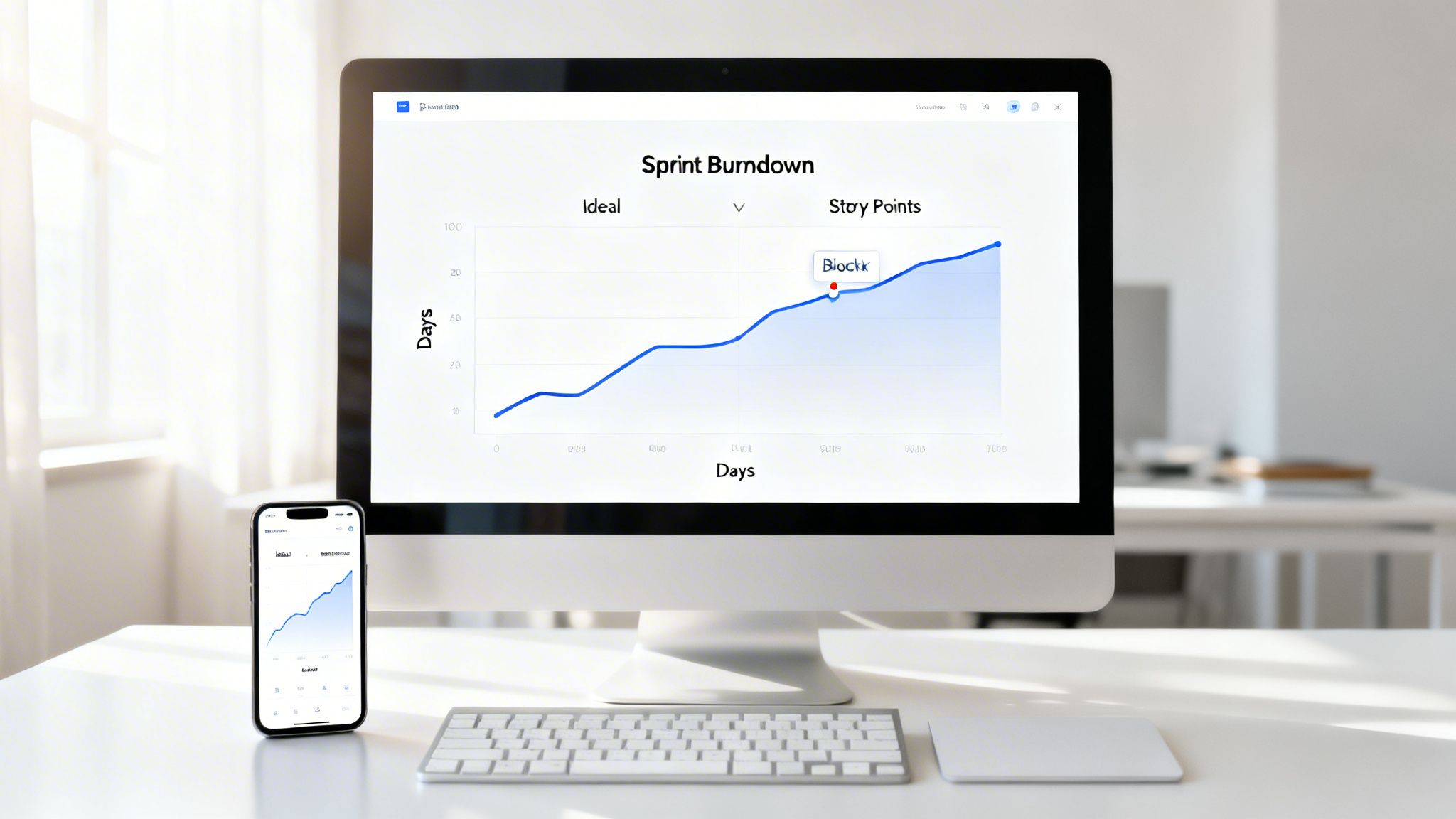
Maintaining visibility into sprint progress is a cornerstone of agile development, but it shouldn't depend solely on daily meetings. A key sprint planning best practice is to leverage living sprint burndown charts that are updated automatically. This chart visually tracks the remaining work (usually in story points or hours) against the time available in the sprint, providing a real-time snapshot of progress. For distributed teams, this becomes an essential asynchronous communication tool, offering immediate insight without needing a synchronous stand-up.
By automating updates through tools like Jira or Azure DevOps, the chart becomes a single source of truth that reflects the team's work as it happens. This allows a US-based product owner, for instance, to start their day by reviewing the progress made by an offshore team in Europe, immediately identifying and addressing any documented blockers without waiting for a meeting.
Why It Matters
A real-time burndown chart fosters transparency and empowers proactive problem-solving. It quickly exposes deviations from the plan, such as a flatlining progress line indicating a major blocker or a sudden upward tick revealing scope creep. When a SaaS platform's burndown chart shows the total story points increasing mid-sprint, it immediately triggers a necessary conversation about priorities and trade-offs. This continuous visibility helps teams self-correct early, ensuring the Sprint Goal remains achievable.
How to Implement It
- Automate Everything: Use built-in automation rules in your project management tool to update the burndown chart as stories move through the workflow. This removes manual effort and ensures data accuracy.
- Define a Clear Workflow: A story should only burn down points when it meets the Definition of Done. A typical workflow is: To Do → In Progress → Code Review → QA Testing → Done.
- Visualize Scope Creep: Regularly check if the starting point of the "remaining work" line has increased. If a sprint began with 80 story points but the chart now shows 95 total, work was added. This makes scope changes visible to everyone.
- Share Asynchronously: Set up an automation to post a screenshot of the burndown chart to a team's Slack or Teams channel each day. This keeps progress top-of-mind and facilitates async discussions about the team's trajectory.
8. Run Design Sprints for High-Risk Features with Design System Documentation
For high-impact or complex features like a new customer onboarding flow or an accessibility overhaul, traditional sprint planning can fall short. A powerful best practice is to run a dedicated design sprint before the engineering sprint. This is a focused, time-boxed process (typically 1-2 weeks) where designers, product managers, and key engineers collaborate to rapidly explore, prototype, and validate solutions for high-risk challenges, ensuring technical feasibility and user desirability are confirmed upfront.
This methodology, popularized by Google Ventures, de-risks major initiatives by answering critical business and UX questions early. The outcomes, such as validated prototypes and interaction patterns, are then documented in a shared design system. This provides the engineering team with a complete, validated specification, enabling them to build with confidence and speed during their development sprints.
Why It Matters
Injecting a design sprint into your process prevents costly rework and clarifies ambiguity for complex features. For example, an e-commerce company building a new checkout flow can use this time to test prototypes with real users, confirm payment gateway feasibility with engineers, and review accessibility requirements. When the feature enters the development sprint, the "what" and "why" are already solved, allowing the team to focus purely on high-quality implementation.
How to Implement It
- Identify High-Risk Features: Run a design sprint when a feature is customer-facing, impacts conversion, has significant accessibility implications, or is subject to strict regulatory requirements.
- Structure the Sprint: A common timeline is: Day 1-2 for exploration and mapping, Day 3-4 for intensive Prototyping and Testing, and Day 5 for review and refinement. This structured approach ensures tangible outcomes.
- Integrate an Accessibility Audit: During the design sprint, conduct WCAG compliance checks and screen reader testing. This bakes accessibility into the feature's core design rather than treating it as an afterthought.
- Document Outcomes in Your Design System: Create high-fidelity Figma components that directly mirror their future implementation counterparts. Document design decisions, interaction flows, and state matrices in a shared space that both designers and developers can access.
- Include Cross-Functional Experts: For a fintech feature, involve a compliance officer and a security architect in the final design review. This ensures all business, legal, and technical constraints are addressed before a single line of code is written.
9. Integrate Accessibility and Security Stories as First-Class Sprint Items
A mature sprint planning best practice involves treating non-functional requirements like accessibility and security not as afterthoughts, but as integral, first-class citizens of the product backlog. This means creating dedicated, well-defined user stories for these concerns in every sprint, right alongside feature development. Instead of deferring this critical work, teams build compliance and safety directly into their product from the start, preventing costly technical debt and rework.
This proactive approach is non-negotiable for organizations in regulated industries like fintech, healthcare, and government, where compliance is a mandatory part of the development lifecycle. By explicitly allocating capacity to these tasks, teams ensure that the final product increment is not only functional but also inclusive, secure, and legally compliant, which is vital for building user trust and market viability.
Why It Matters
When accessibility and security are relegated to a final pre-launch "hardening" sprint, defects are more difficult and expensive to fix. Integrating them into each sprint de-risks the development process, distributes the workload evenly, and fosters a culture where quality is a shared responsibility. This method ensures that the product meets critical standards like WCAG for accessibility or PCI-DSS for fintech without last-minute scrambles or delays.
How to Implement It
- Create Atomic Stories: For a new feature like "Implement payment processing," create parallel stories. A security story might be, "Secure payment endpoint with OAuth2, encrypt transaction data, and add audit logging," while an accessibility story could be, "Ensure payment form fields have ARIA labels and pass 4.5:1 color contrast ratio."
- Embed Checklists in Acceptance Criteria: Integrate standardized checklists into your story templates. An accessibility checklist might include verifying keyboard navigation, screen reader compatibility, and visible focus indicators. For a SaaS product, a security checklist could mandate checks for SQL injection, cross-site scripting (XSS), and proper data encryption.
- Allocate Specific Capacity: Proactively reserve a portion of your sprint capacity for this work. Depending on the product's nature, this could be 15-20% for accessibility enhancements or up to 25-30% for rigorous security and compliance validation in a fintech context.
- Leverage Automated Tooling: Integrate automated scanning tools into your CI/CD pipeline. Use tools like aXe DevTools to catch accessibility issues and OWASP ZAP for security vulnerability scanning, providing fast feedback to developers. To dive deeper into this topic, explore these web accessibility best practices for actionable guidance.
10. Conduct Retrospectives and Sprint Reviews with Async Demos and Action Items
Effective sprint planning best practices extend beyond the planning meeting itself; they require a robust feedback loop. Combining data-driven retrospectives with asynchronous sprint reviews creates a powerful cycle of continuous improvement. Instead of relying solely on subjective feelings, this approach uses concrete metrics to analyze process health. It also decouples the sprint demo from a single, mandatory meeting, offering flexibility for stakeholders.
This modern, async-first method respects the calendars of busy stakeholders and distributed teams. By presenting recorded feature demos, feedback can be gathered over a set period, like 48 hours. This allows for more thoughtful, detailed responses and avoids the scheduling nightmare of getting everyone in one "room" at the same time.
Why It Matters
This combined approach makes your feedback loops more efficient and data-informed. A metrics-driven retrospective moves the conversation from "I feel like reviews are slow" to "Our code review turnaround time increased from 4 to 24 hours." This precision leads to targeted, effective action items. Meanwhile, async demos ensure that valuable stakeholder feedback isn't lost due to scheduling conflicts, a common issue for global teams or those in fast-paced enterprise environments.
How to Implement It
- Track Concrete Metrics: During your retrospective, review key process metrics. Focus on data like velocity, cycle time, code review turnaround, deployment frequency, bug escape rate, and team happiness on a 1-5 scale. This provides an objective foundation for improvement discussions.
- Assign Actionable Items: Every identified issue must result in an action item with a clear owner, deadline, and success criteria. For example, if code review turnaround is slow, an action could be: "ACTION: Set a team SLA for code review responses and pair reviewers across timezones. Owner: Jane. Due: Next Sprint."
- Record Concise Demos: Engineers should record short (under 5 minutes) demos of their completed work. A simple checklist can ensure quality: show the happy path, cover key edge cases, and maintain good audio/video. A fintech team could record a 3-minute demo of a new KYC verification flow for the security team to review and approve asynchronously.
- Create a Feedback Window: Share demo recordings in a dedicated channel (like Slack or Teams) and give stakeholders a clear window (e.g., 24-48 hours) to watch and provide written feedback in a comment thread. If significant questions arise, an optional, brief live Q&A session can be scheduled.
10-Point Sprint Planning Best Practices Comparison
| Practice | Implementation complexity | Resource requirements | Expected outcomes | Ideal use cases | Key advantages |
|---|---|---|---|---|---|
| Define Clear Sprint Goals Aligned with Product Roadmap | Low–Medium — needs upfront roadmap clarity | Product owner time, roadmap artifacts, metrics | Focused sprints, reduced rework, aligned priorities | Offshore/distributed teams, MVPs, product-driven orgs | Aligns work to outcomes; reduces scope creep; improves autonomy |
| Right-Size User Stories for Distributed Teams with Detailed Acceptance Criteria | Medium — requires disciplined refinement | PO/engineer/QA time, templates, mockups, acceptance criteria | Faster QA/code review, parallel work, fewer clarifications | Time-zone distributed teams, fintech, compliance-heavy features | Enables async work; clear acceptance; predictable capacity |
| Implement Asynchronous Sprint Planning with Recorded Documentation | Medium–High — needs documentation discipline and tooling | Recording tools, docs platform (Confluence/Notion), PO availability for async Q&A | Reduced meeting load, searchable context, timezone-friendly planning | Remote-first teams, global timezones, part-time contributors | Accommodates timezones; creates historical record; reduces meeting fatigue |
| Capacity Planning with Buffer for Code Review and Integration Testing | Low–Medium — requires calibration and enforcement | Velocity history, planning tools, monitoring, stakeholder buy-in | Fewer sprint failures, sustained quality, realistic delivery forecasts | Teams with review lags, CI/CD pipelines, fintech deployments | Prevents bottlenecks; accounts for non-feature work; improves trust |
| Pre-Sprint Refinement with Stakeholder Sign-Off on Requirements | Medium — scheduling and cross-functional prep required | Meeting time, designers, engineers, QA, sign-off process | Ready stories, fewer mid-sprint surprises, better estimates | Complex integrations, regulated work, cross-functional features | Locks requirements early; aligns teams; improves estimate accuracy |
| Establish Technical Spike Stories for High-Uncertainty Work | Low–Medium — time-boxing and documentation discipline | Engineering time for research, RFC/decision templates | Reduced architectural risk, accurate estimates, documented decisions | New integrations, performance/security unknowns, new tech stacks | De-risks approaches; yields informed estimates; documents rationale |
| Create Living Sprint Burndown Charts with Async Updates | Low–Medium — automation setup and status discipline | Jira/Azure DevOps automation, dashboards, team discipline | Real-time visibility, early blocker detection, reduced standups | Distributed teams needing transparency, stakeholder monitoring | Provides visibility without daily syncs; surfaces blockers early |
| Design Sprints for High-Risk Features Using Design System Documentation | Medium–High — intensive, time-boxed cross-functional effort | Designers, engineers, user testing, prototyping tools, design system | Validated UX, reduced rework, reusable design components | High-impact customer flows, accessibility/regulatory features | Validates UX pre-build; catches accessibility early; aligns teams |
| Integrate Accessibility and Security Stories as First-Class Sprint Items | Medium–High — needs expertise and added effort per sprint | Accessibility/security experts, automated/manual tests, training | Built-in compliance, fewer post-launch fixes, improved inclusivity | Fintech, regulated industries, public-facing products | Prevents costly rework; ensures compliance; improves quality |
| Retrospectives and Sprint Reviews with Async Demos and Action Items | Medium — requires metrics collection and disciplined follow-up | Recording tools, metrics dashboards, backlog for action items | Continuous improvement, documented demos, tracked ownership | Distributed teams, stakeholder groups across timezones | Data-driven improvement; flexible reviews; accountability through actions |
From Planning to Performance: Your Next Steps
We've explored a comprehensive set of sprint planning best practices, moving beyond generic advice to provide actionable frameworks tailored for modern engineering and product teams. The journey from a chaotic, unpredictable development cycle to a streamlined, value-driven one begins with mastering this foundational ceremony. It’s the single most critical event for aligning your team, defining a clear path forward, and setting the stage for predictable, high-quality delivery.
The core theme connecting these practices is a shift from reactive problem-solving to proactive, disciplined preparation. Effective sprint planning isn't a one-hour meeting; it's a continuous process that encompasses deep pre-sprint refinement, meticulous capacity planning that accounts for hidden work, and the integration of crucial non-functional requirements like accessibility and security from day one. By treating these elements as first-class citizens, you transform your sprint from a simple to-do list into a strategic commitment to building a robust, secure, and inclusive product.
Key Takeaways for Immediate Implementation
To distill these insights into a focused action plan, concentrate on these pivotal takeaways:
- Preparation is Paramount: The success of your sprint is determined long before the planning meeting begins. Robust backlog grooming, stakeholder sign-offs on requirements, and defining technical spike stories for uncertain tasks eliminate ambiguity and prevent mid-sprint derailments.
- Clarity Over Speed: Rushing to fill a sprint with poorly defined work is a recipe for failure. Prioritize creating right-sized user stories with crystal-clear acceptance criteria. This investment in clarity pays dividends by reducing rework and ensuring the team builds the right thing, the first time.
- Embrace Asynchronous Collaboration: For distributed and offshore teams, asynchronous communication is not a compromise; it's a competitive advantage. Using recorded documentation, async demos, and living burndown charts keeps everyone aligned across time zones, fostering a culture of transparency and accountability.
- Data-Driven Iteration: Your process should evolve. Use metrics from sprint burndown charts and insights from structured retrospectives not just to reflect, but to generate concrete, actionable improvements for the next cycle. This feedback loop is the engine of continuous improvement.
Your Actionable Next Steps
Mastering these sprint planning best practices is an iterative journey, not a one-time fix. Instead of attempting a complete overhaul, select two or three high-impact areas to focus on in your next sprint cycle.
- Conduct a Process Audit: Review your current sprint planning process against the practices outlined in this article. Where are the most significant gaps? Are your user stories consistently vague? Is capacity planning a consistent pain point?
- Select Two Focus Areas: Choose one practice that addresses a major pain point (e.g., implementing technical spike stories for R&D tasks) and one that is a relatively easy win (e.g., formalizing your sprint goal statement).
- Communicate the "Why": Introduce these changes to your team by explaining the intended benefits. Frame it as an experiment aimed at reducing friction, improving predictability, and increasing focus.
- Measure and Reflect: At your next sprint retrospective, specifically discuss the impact of the new practices. Did they help? What could be improved? Use this feedback to refine your approach for the following sprint.
By systematically integrating these advanced techniques, you elevate your sprint planning from a simple administrative task to a powerful strategic tool. This discipline is what separates teams that merely complete tasks from those that consistently deliver measurable business value, building complex, scalable, and secure platforms that win in the market.
Ready to build a high-performance engineering team that masters these practices and delivers exceptional results? Group 107 specializes in creating dedicated offshore teams and implementing elite development processes that accelerate your product roadmap. Contact Group 107 today to discover how our expertise can turn your strategic goals into delivered reality.